I published this guide to the self-hosted AI starter kit in March 2026, and for a while it ranked on page one. Then it slid to page two. When I went back and re-read my own post this week, the uncomfortable part wasn’t the ranking — it was that two of the things I told you were no longer true, and a third was never quite true to begin with.
So this is not a light edit. This is the version of the article I should have written: what n8n’s self-hosted AI starter kit actually installs, what the compose file really exposes, what it costs to run after the first exciting evening, and the specific point where “free local AI” stops being free.
If you only came for the install commands, they’re in section four and they still work. But the useful part of this guide is now everything around them, because installing the self-hosted AI starter kit takes ten minutes and living with it takes rather longer.
Everything below was re-verified at the source on 19 September 2026 — the repository, the compose file, the .env.example, n8n’s own documentation, Ollama’s model library and Docker’s networking docs. Where the popular tutorials disagree with the source, I’ve said so.
What Changed Since I First Published This Guide

A refresh is supposed to be “add the new stuff.” That’s the lazy version. The useful version is finding what your own page now asserts falsely. Three things:
1. The kit does not download Llama 3 8B
My March draft told you the first run pulls a model “around 4.7 GB.” It doesn’t. The compose file contains an init container whose entire job is one line: sleep 3; ollama pull llama3.2. Llama 3.2’s default tag is the 3B model at 2.0 GB with a 128K context window — less than half the download I quoted, and a meaningfully smaller brain than the 8B model people picture when they read “local AI.”
That matters more than a file size. It sets your expectations for what the box can actually do out of the box, which is the subject of a whole section further down.
2. “Completely free” was marketing, and I repeated it
The download is free. The licence is free. The running of it is not, and the bill shows up as RAM, disk, electricity or VPS spend, and — the expensive one — your own hours. I wrote “no monthly API bills” as though that were the end of the sentence. It isn’t. There’s a full cost teardown below.
3. Calling the self-hosted AI starter kit “open source” is half right, and the half that’s wrong is the half that matters commercially
The starter kit template itself is Apache 2.0. But n8n, the component doing the actual work, is published under the Sustainable Use License — fair-code, not OSI open source — and files marked .ee require an enterprise licence entirely. In practice: you can self-host it free, forever, for your own business. You cannot resell it as a hosted service. If you intended to build a client-facing automation product on top of it, read the licence before you read the tutorials.
One more thing I simply left out in March, and it’s the single most important sentence n8n publishes about this project. Their own documentation says the kit is “not fully optimized for production environments” and instructs you to “secure and harden it before using in production.” Every guide on page one skips that line. It’s the reason this entire article exists.
What the Self-Hosted AI Starter Kit Actually Is
The self-hosted AI starter kit is a Docker Compose template curated by n8n that stands up four services on one private Docker network: the n8n automation runtime, Ollama for local language models, Qdrant as a vector store, and PostgreSQL underneath n8n. One command, four containers, four named volumes.
It is popular and it is stable: 15.3k stars, 3.8k forks, and — this is the part worth noticing — 40 commits in total. The most recent one, in July 2026, is literally titled “Fixed broken link in the readme. No significant changes.” The compose file’s last functional change was January 2026. This is not an abandoned project; it’s a finished one. It was always meant to be a starting line, not a platform that someone else keeps hardening on your behalf.
Think of it as a lab bench, not a deployment. A lab bench is exactly what you want when the question is “does a local model handle my actual work?” It is not what you want holding your client data at 3am.
What’s Actually Inside the Compose File
Most tutorials paraphrase the README. Here’s what the self-hosted AI starter kit’s compose file itself declares, service by service:
| Service | Image | Published port | Volume | Job |
|---|---|---|---|---|
| n8n | n8nio/n8n:latest | 5678 | n8n_storage + ./shared | The workflow runtime and editor |
| ollama | ollama/ollama:latest | 11434 | ollama_storage | Runs local models; no authentication |
| qdrant | qdrant/qdrant | 6333 | qdrant_storage | Vector store for embeddings |
| postgres | postgres:16-alpine | none | postgres_storage | n8n’s database, with a healthcheck |
Two more containers run and exit rather than staying up:
n8n-import— a one-shot that imports the demo credentials and workflow, and since January 2026 it checks first and skips the import if workflows already exist. That fix is why re-running the stack no longer duplicates the demo.ollama-pull-llama— the init container that downloadsllama3.2on first boot. If your first chat message hangs, this is what you’re waiting on; the download progress is in the Docker logs, not in the n8n UI.
Three hardware profiles select which Ollama container runs: cpu, gpu-nvidia, and gpu-amd (which swaps in the ROCm image and passes through /dev/kfd and /dev/dri). The n8n service also ships with telemetry off by default — N8N_DIAGNOSTICS_ENABLED=false and N8N_PERSONALIZATION_ENABLED=false — which is a genuinely thoughtful default for a privacy-motivated stack, and one nobody mentions.
Finally, note the ./shared folder mounted into n8n at /data/shared. That’s your drop box: files you put there are readable by workflows, which is how you do local document processing without any upload step at all.

Get the AI Playbook
Build logs, teardowns and the receipts from ten autonomous brand containers — sent when there is something real to show, never on a schedule.
Installing It: The Ten-Minute Version That Still Works

Installing the self-hosted AI starter kit needs exactly two prerequisites: Docker and Docker Compose. Nothing else. (If Docker itself is new to you, I wrote a short piece on why Docker is the tool that keeps my ten AI businesses from fighting each other.)
git clone https://github.com/n8n-io/self-hosted-ai-starter-kit.git
cd self-hosted-ai-starter-kit
cp .env.example .env   # then actually edit it — see the next section

# NVIDIA GPU
docker compose --profile gpu-nvidia up

# AMD GPU on Linux
docker compose --profile gpu-amd up

# CPU only
docker compose --profile cpu up
Then open http://localhost:5678, create the owner account, and open the demo workflow the import container placed there. Click Chat. The first message will sit there while Ollama finishes pulling the model — that’s normal, and it’s the step people mistake for a broken install.
On a Mac with Apple Silicon, Docker can’t reach the GPU. You have two honest options: run the whole thing on CPU and accept the speed, or install Ollama natively on macOS so it uses the Apple GPU, start the stack with plain docker compose up, set OLLAMA_HOST=host.docker.internal:11434 in your .env, and then — the step everyone forgets — go into n8n’s credentials, open “Local Ollama service”, and change the base URL to http://host.docker.internal:11434/. Without that last edit the workflow still points at a container that isn’t running a model.
Upgrading is a pull, a recreate, and an up:
docker compose --profile cpu pull
docker compose create && docker compose --profile cpu up
Swap the profile for your hardware. Which brings us to the part of upgrading nobody warns you about.
Five Workflows Worth Building on the Self-Hosted AI Starter Kit First
A stack with nothing running on it teaches you nothing. These five are the ones I’d build in the first week, in ascending order of how much they’ll teach you about whether local AI suits your business.
- Inbox triage that never sends anything. Classify incoming mail into support, sales, supplier and noise, and write the label back. No replies, no drafts — just classification you can audit for a week. It’s the cheapest possible test of whether a 3B model understands your domain vocabulary, and the failure mode is a wrong label rather than a wrong email to a customer.
- A document drop box. Files into
./shared, text extracted, summary and key fields into Postgres. Because that folder is mounted straight into the n8n container, nothing you process ever leaves the machine — which is the actual privacy argument, demonstrated rather than asserted. - Retrieval over your own documents. Embed your SOPs, contracts or product docs into Qdrant and query them from a chat workflow. This is the piece that most people mean when they say “AI for my business”, and it’s also where you’ll discover how much your answer quality depends on chunking rather than model size.
- A redaction pre-processor. Local model strips names, addresses and account numbers; the sanitised text then goes to a hosted model for the hard reasoning. This is the highest-value pattern in the whole kit and almost nobody builds it, because it requires admitting that the local model isn’t the smart one.
- A scheduled digest. Something that runs on a cron, reads a data source, writes a short summary somewhere you’ll see it. Boring, and the best possible teacher: it’s the first workflow that will fail while you’re asleep, and how you find out is the difference between a hobby and an operation.
Notice what’s missing from that list: a fully autonomous agent that takes actions without review. Build one of those on top of a 3B model in week one and you’ll form a permanent, unfair opinion about local AI — because the thing that failed was the architecture, not the model.
Three Defaults in the Self-Hosted AI Starter Kit That Will Hurt You
None of these are bugs. They’re reasonable choices for a template meant to run on your laptop for an afternoon. They become your problem the moment the stack outlives the afternoon.
1. The example environment file ships real, literal credentials
.env.example contains POSTGRES_USER=root, POSTGRES_PASSWORD=password, N8N_ENCRYPTION_KEY=super-secret-key and N8N_USER_MANAGEMENT_JWT_SECRET=even-more-secret. The install instruction is cp .env.example .env followed by a code comment telling you to change them. A comment is not a gate. Copy the file, change all four, and do it before first boot — because N8N_ENCRYPTION_KEY is the key n8n uses to encrypt stored credentials. Rotate it after you’ve saved credentials and you don’t get a warning; you get credentials that no longer decrypt.
2. It publishes three ports, and two of them have no authentication
The compose file publishes 5678 (n8n), 11434 (Ollama) and 6333 (Qdrant). n8n at least has user management. Ollama has no auth, and Qdrant is started with no API key. On a laptop behind a home router, that’s fine. On a VPS with a public IP, you have just published an unauthenticated model runtime and an unauthenticated vector database to the internet.
And here’s the trap that catches careful people: enabling ufw does not save you. Docker’s own networking documentation states it plainly — when you publish a container’s port, “traffic to and from that container gets diverted before it goes through the ufw firewall settings … effectively ignoring your firewall configuration.” Published ports are handled in the NAT table before the INPUT chain ufw uses. You can have a clean ufw status and an open port at the same time.
The fix is small. The containers talk to each other over the internal demo network, so they don’t need host ports at all. Either delete the ports: block from the Ollama and Qdrant services, or bind them to loopback — 127.0.0.1:11434:11434 — and reach them through an SSH tunnel when you need to poke at them. Do the same for 5678 and put a reverse proxy with TLS in front.

⚡ GET THE AI EDGE
Weekly AI tips that actually save you time and money. No fluff, no hype — just what works.
3. Every image floats on :latest
n8n, Ollama and Qdrant are all pinned to latest (only Postgres names a major version). That’s convenient until docker compose pull on a random Tuesday hands you a different n8n minor than the one you tested your workflows against. Pin the tags you’re actually running before the stack becomes load-bearing, and upgrade deliberately. Anyone who has watched a self-hosted tool change under them knows why — I wrote about that failure mode when Flowise got archived.
What the Self-Hosted AI Starter Kit Really Costs to Run

Zero licence cost is real — the self-hosted AI starter kit charges you nothing to download and nothing to keep. It is also the smallest line on the invoice. Here’s how to price your own setup honestly, in three parts.
Part one: memory, decided entirely by the model you choose
The four containers idle at roughly a gigabyte or two before any model loads. Then the model lands on top, and this is where the decision gets made:
| Model in Ollama | Download size | Context | Realistically runs on |
|---|---|---|---|
llama3.2 (3B, the kit’s default) | 2.0 GB | 128K | Any modern laptop; usable on CPU |
llama3.2:1b | 1.3 GB | 128K | Small VPS, edge boxes |
gpt-oss:20b | 14 GB | 128K | A real GPU, or a workstation with lots of RAM and patience |
gpt-oss:120b | 65 GB | 128K | Server-class hardware only |
That table is the whole economic argument in four rows. The version of this stack that fits on your laptop runs a 3B model. The version that runs a model you’d trust with multi-step reasoning needs hardware that costs more than the cloud API bill it was supposed to replace — unless you already own the machine, or your volume is high enough to amortise it.
Part two: the stuff that isn’t the model
- Disk. Model weights, Postgres, Qdrant collections and n8n’s binary data all grow. The kit sets
N8N_DEFAULT_BINARY_DATA_MODE=filesystem, so processed files live on disk, not in the database — good for performance, easy to forget when the volume fills. - Power or rent. A box that runs inference is a box that draws power around the clock, or a VPS line item that renews whether or not you used it this month.
- Upgrades. Four images, on their own release cadences, with no vendor testing the combination for you.
Part three: the hours, which is the line that actually breaks people
Self-hosting doesn’t remove operational work; it transfers it to you. I run ten brand containers on my own infrastructure, so I can put numbers on that transfer rather than hand-wave at it. Over the last 30 days my fleet’s scheduler fired 410 scheduled runs across 20 job types — 299 succeeded, 79 skipped deliberately, 6 failed, 2 ran degraded, and 24 finished without writing a status line at all. That’s 1,308 runs logged since June.
The failures aren’t the interesting number. The 24 runs with no status line are. Those are the ones that look fine on a dashboard and aren’t — and somebody has to be counting for them to surface at all. That somebody is you now. Budget for it the same way you’d budget for RAM.
And one multiplier: concurrency
All of the above assumes one request at a time. Ollama serves requests against loaded model weights, so two workflows firing at once on the same box do not politely queue in a way you’ll enjoy — they compete for the same memory and the same compute, and your “it responded in four seconds” benchmark becomes thirty. If you plan to run several scheduled workflows on overlapping clocks, either stagger the schedules deliberately or size the machine for the peak rather than the average. Staggering is free. Sizing for peak is not.
Where a 3B Local Model Is Genuinely Good Enough
The honest version of the privacy argument isn’t “local models are as good as the frontier.” They aren’t, and pretending otherwise is how people end up disappointed two weeks in. The honest version is that a large share of business automation doesn’t need a frontier model at all.
Things llama3.2 handles well enough to put into production:
- Classification and routing. Is this email support, sales, or noise? Which of these six categories does this ticket belong to?
- Structured extraction. Pull the invoice number, date and total out of this text and return JSON.
- Short summarisation. Three bullets from a two-page document.
- Redaction and pre-processing. Strip names and account numbers locally, then send the sanitised remainder to a cloud model. This one is underrated: it lets you keep the privacy guarantee where it matters while still using a capable model for the hard thinking.
Where it will let you down: long multi-step agent loops, reliable tool calling, anything that needs judgement across a long context, and code. If your plan is a fully autonomous agent chain running unattended on a 3B model, read what running a genuinely autonomous agent actually takes first.
You can, of course, point the same stack at something bigger — ollama pull gpt-oss:20b and change the model in the n8n Ollama node. The table above tells you what that costs in hardware. And if you want to mix local and hosted models behind one interface, that’s exactly the problem model routing exists to solve.
The only benchmark that matters here is yours: take the ten hardest real examples from your own inbox or document pile, run them through the demo workflow, and read the output. Not a sample prompt. Yours.
The Split I Actually Run
I self-host aggressively — but not the model. My own stack puts the runtime on my own box and rents the intelligence: containers, schedulers, queues, databases and logs all live on infrastructure I control, while the reasoning happens through an API against a frontier model. I’ve documented that architecture in detail in how I run my autonomous AI fleet on one box and in what actually runs my ten-brand business.
Why that split, when I clearly have the appetite for self-hosting? Because the two halves fail differently. Runtime problems — a container that won’t restart, a full disk, a cron slot that silently stopped — are boring, cheap, and mine to fix. Model quality problems are neither boring nor cheap, and owning the GPU doesn’t make them go away; it just makes them yours as well.
The privacy question resolves differently than most posts frame it, too. You don’t need every token to stay on your hardware. You need to decide, deliberately, which data ever leaves — and a local model in front of a cloud model is a very effective way to enforce that decision. That’s a design choice, not an all-or-nothing ideology.
If you’d rather not work out that split by trial and error, that’s the sort of thing I do with operators every week — book a working session and we’ll map what should be local, what should be rented, and what shouldn’t be automated at all yet.
From Starter Kit to Something You’d Leave Running
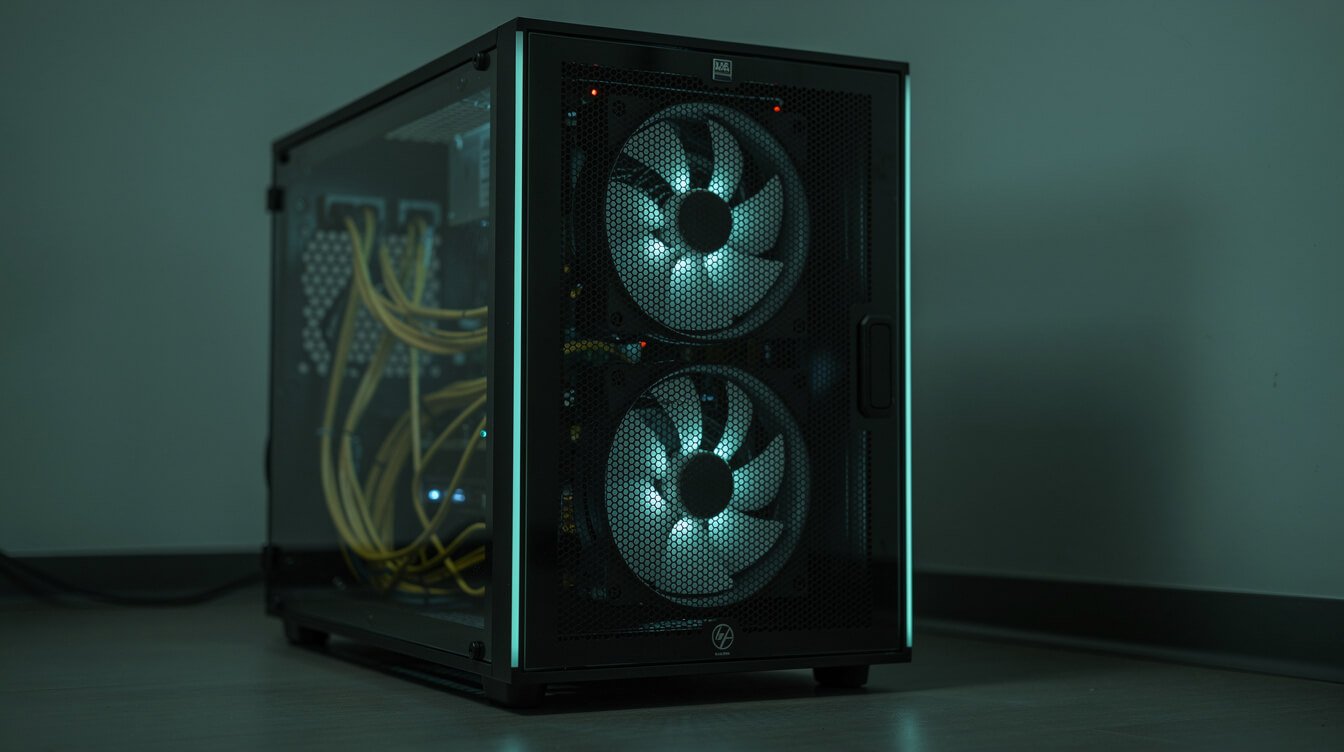
n8n’s documentation says to harden the self-hosted AI starter kit before production and then, reasonably, stops there — it’s not their job to write your runbook. Here’s mine, in the order I’d do it:
- Real secrets, first boot. New Postgres password, new
N8N_ENCRYPTION_KEY, new JWT secret, before a single credential is saved. - Close the ports. Remove the Ollama and Qdrant
ports:entries or bind them to127.0.0.1. They reach each other over the Docker network regardless. - Reverse proxy and TLS in front of n8n. Caddy or nginx terminating HTTPS, n8n itself not exposed directly.
- Firewall at the right layer. Because published ports bypass ufw, filter with
DOCKER-USERrules or your provider’s network firewall — and verify from outside the host, not from inside it. - Pin your image tags. Know which n8n version your workflows were tested against.
- Back up all four volumes — and restore one. A
pg_dumpplus volume snapshots on a schedule. An untested backup is a rumour. - Restart policies and resource limits. The long-running services already set
restart: unless-stopped; add memory limits so a runaway model doesn’t take the database down with it. - Watch disk and queue depth. Model weights plus filesystem binary data fill volumes quietly.
- Alert on silence, not just on errors. A workflow that stops firing produces no error at all — see those 24 status-less runs above.
- Keep a staging copy. Same compose, different volumes, upgrade there first.
If that list reads as a lot of work for a free tool: correct. That’s the actual finding of this article. The kit is free; ownership is the price.
Self-Hosted AI Starter Kit vs the Other Ways to Get There
| Option | What you get | What you own | Best when |
|---|---|---|---|
| n8n self-hosted AI starter kit | n8n + Ollama + Qdrant + Postgres, one command | Everything: security, backups, upgrades, hardware | You’re evaluating whether local models fit your work |
| local-ai-packaged (coleam00) | A superset — the same core plus Supabase, web UI, proxy and more (3.8k stars, last touched February 2026) | Everything, across a larger surface | You want the batteries included and accept more to maintain |
| Self-hosted n8n + hosted model APIs | Your runtime, rented intelligence | The runtime only | Most small operators, most of the time — this is what I run |
| n8n Cloud or another managed platform | Someone else’s ops team | Your workflows | You’d rather buy hours back than own infrastructure |
One licensing footnote that affects the first three rows: self-hosted n8n’s free Community edition is genuinely complete for most solo use, but it excludes custom variables, environments, external secret stores, external binary storage, log streaming and multi-main mode. None of those matter on day one. Two of them start to matter the day you run more than one environment. If you’re weighing the platform itself rather than the stack, I’ve written a field guide to what n8n actually is and an honest shortlist of alternatives.
Frequently Asked Questions
Is the self-hosted AI starter kit really free?
The template is Apache 2.0 and self-hosted n8n’s Community edition costs nothing, so there’s no licence fee. Running it costs hardware, power or VPS rent, and your time. “Free” describes the download, not the deployment.
Which model does it install by default?
llama3.2 — the 3B variant, a 2.0 GB download with a 128K context window. Not Llama 3 8B, which several guides (including my own earlier draft) claimed.
Can I run bigger models like gpt-oss?
Yes — ollama pull gpt-oss:20b and switch the model in the n8n Ollama node. Budget for the weights: 14 GB for the 20B, 65 GB for the 120B. The kit doesn’t care which model you run; your hardware does.
Do I need a GPU?
No, for the default 3B model on modest workloads — the cpu profile exists for exactly this. Yes, in practice, for anything larger or latency-sensitive. Apple Silicon is a special case: run Ollama natively on macOS rather than in Docker, then point the stack at host.docker.internal:11434.
Is it safe to run on a public VPS?
Not as shipped. It publishes Ollama and Qdrant without authentication, and Docker’s published ports bypass ufw — so a firewall you enabled may not be filtering them. Unpublish or loopback-bind those ports, put a TLS-terminating reverse proxy in front of n8n, and verify from outside the host.
Is the self-hosted AI starter kit production-ready?
n8n says no: the documentation calls it “not fully optimized for production environments” and tells you to harden it first. The components are production-grade; the configuration is a demo. The hardening checklist above is the gap between the two.
What happens to my workflows when I upgrade?
They live in Postgres and the n8n volume, so docker compose pull then create then up preserves them. The risk isn’t loss, it’s drift: every image floats on :latest, so pin your tags and upgrade a staging copy first.
Final Thoughts
The self-hosted AI starter kit remains the cheapest honest way to answer a question worth answering: does a local model do your work well enough to matter? Clone it, spend an evening feeding it your real documents and your real inbox, and you’ll know more than any comparison post can tell you — including this one.
What it can’t answer is whether you want to own the box. That’s not a technical question, and it’s where most of the disappointment comes from — people adopt a demo-grade configuration as infrastructure, skip the hardening, and discover the transfer of work six weeks later. Run the kit as the experiment it was designed to be. If the answer comes back yes, then harden deliberately, and pick your split between what stays local and what you rent.
If you’d like a second pair of eyes on that decision before you commit a weekend to it, book a session and we’ll go through your actual workload — not a demo one.
One operator, ten autonomous businesses
Join the list for the working systems behind the posts — what runs, what broke, and what it cost.

📥 FREE: THE AI PLAYBOOK
The exact tools and workflows I use to run a one-person agency. 25 years of marketing experience distilled into an actionable guide. Yours free.

AI & Digital Marketing Strategist
With over 25 years in digital marketing, e-commerce, sales, and international business, Jon Jones is a seasoned entrepreneur dedicated to empowering small businesses through innovative AI solutions. His journey began in investment banking on Wall Street, guiding companies through capital acquisition and complex markets, and has expanded to include expertise in web development, brand design, product development, and courses and training.
Fluent in Mandarin and with a rich foundation in both finance and tech, Jon launched JonJones.ai to provide accessible, transformative tools for small businesses to streamline operations, generate leads, and build sustainable growth. His mastery of AI, automation, and digital strategy has enabled numerous businesses to bridge the gap between traditional practices and modern technology, ensuring they thrive in today’s digital landscape.