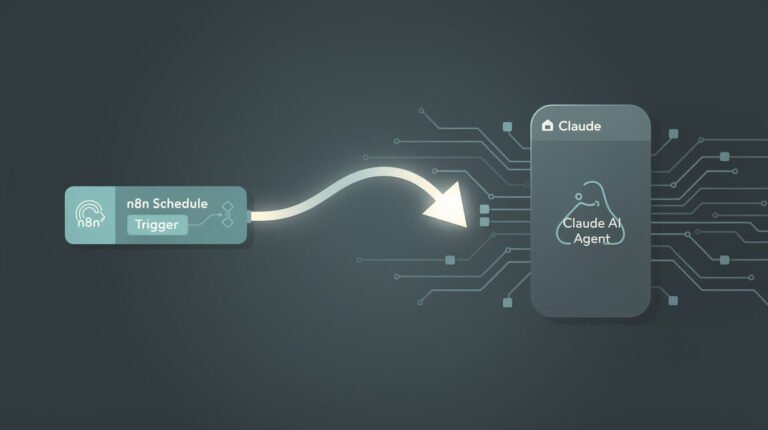
It’s 2am in Taipei. I’m asleep. Inside a Docker container on my VPS, a Claude Code agent wakes up on a cron schedule, writes a 2,600-word blog post, generates seven images, publishes it to WordPress, updates three Airtable tables, and files an Asana task — then goes back to sleep. Nobody watches it happen. That only works because of one feature most people treat as a coding convenience: Claude Code hooks. Hooks are the difference between hoping an unattended agent behaves and enforcing that it does.
Search “claude code hooks” and every result teaches you the same thing: auto-format your files, tidy your commits, get a desktop ping when Claude needs input. All useful. All framed for a developer sitting at the keyboard. But if you run agents the way I do — headless, on a schedule, doing real business work while you sleep — hooks are something bigger. They’re the guardrail-and-audit layer that makes an autonomous business agent safe enough to leave alone. This guide reframes hooks for operators, not just coders.
What Claude Code Hooks Actually Are

Claude Code hooks are user-defined handlers — shell commands, HTTP endpoints, or short LLM prompts — that Claude Code runs automatically at specific points in its lifecycle. Think of them like git hooks, but for your AI agent instead of your repository. When an event fires, Claude Code hands your handler a JSON payload describing what’s happening (which tool, which file, which command), your handler inspects it, and it can take action or return a decision that Claude must obey.
The critical word is automatic. A hook is not something the model chooses to invoke. It fires because the event happened, full stop. For a command hook, the event context arrives on stdin; for an HTTP hook, it arrives as the POST body. Your handler exits with a status code — or returns a small JSON object — and Claude Code respects it. A PreToolUse hook that returns a “block” decision stops the tool call before it ever runs. That’s not a suggestion the model weighs against its other instincts. It’s a gate.
There are three flavours of handler, and it’s worth knowing which is which. A command hook runs a shell command or script — the workhorse, and where you’ll spend 90% of your time. An HTTP hook POSTs the event to an endpoint and reads the response, useful when the decision logic lives in a shared service. And a prompt hook hands the decision to a fast Claude model when the check needs judgment rather than a hard rule — “does this commit message actually describe the change?” is a prompt-hook question; “is this command rm -rf /?” is a command-hook question. Start with command hooks; graduate to the others only when a real need appears.
This is worth sitting with, because it inverts how most people think about controlling an AI. You don’t control an agent by writing better instructions and hoping it listens. You control it by wrapping deterministic checks around the exact moments where it could do damage — and hooks are those checks. If you’re brand new to the tool, our Claude Code tutorial for beginners covers the basics of getting a first session running before you start bolting guardrails onto it.
Why Rules Aren’t Enough — and Claude Code Hooks Are

Here’s the uncomfortable truth every operator learns the first time an agent goes off-script: your CLAUDE.md is a polite request. So is every “IMPORTANT: never do X” you type into a prompt. The model reads them, usually respects them, and then one night — new context, a weird edge case, a confidently wrong plan — it does the thing you explicitly told it not to. I’ve watched Claude reformat files I never touched, run commands I’d have vetoed, and declare a job “done” when it plainly wasn’t.
The distinction that matters is probably versus always. If you tell Claude in your CLAUDE.md not to write to .env, it will probably comply. If you set a PreToolUse hook that blocks writes to .env, it always blocks them — this session, next session, on a night when the model is having an off run. For anyone operating in production, or running an agent unattended on a schedule, that gap between “probably” and “always” is the entire ballgame.
Rules live inside the model’s judgment. Hooks live outside it. When you’re sitting at the keyboard, the model’s judgment plus your eyes on the screen is usually enough. When you’re asleep and the agent is three tool calls into something you didn’t anticipate, only the hook is still awake. That’s why I treat hooks not as a nice-to-have but as the precondition for trusting an agent to run without me. The same logic is why I never launch a build without Claude Code planning mode either — you scope with planning, and you enforce with hooks.
The Lifecycle Events Worth Knowing First

Claude Code exposes a lot of lifecycle events, and the reference docs list every one. But you don’t need all of them to run a safe agent. You need a handful, understood in operator terms — what each one is for when your goal is an autonomous system, not a tidy coding session.
| Event | When it fires | What an operator uses it for |
|---|---|---|
| SessionStart | Once, when a session begins | Inject fresh context — pull the day’s config, load a secret, stamp a run ID into the log. |
| UserPromptSubmit | Each time a prompt is submitted | Validate or annotate the incoming task before the agent touches it; reject malformed instructions. |
| PreToolUse | Before every tool call in the loop | The guard rail. Inspect the command or file path and block anything dangerous before it runs. |
| PostToolUse | After every tool call completes | The audit trail. Append what just happened to a log you read over coffee the next morning. |
| Stop / StopFailure | When the agent tries to finish | Verify the work is actually done; force the agent to keep going, or fire your completion alert. |
| SessionEnd | Once, when the session closes | Clean up temp files, flush the log, send the end-of-run summary. |
Two cadences matter here. SessionStart and SessionEnd fire once per run. PreToolUse and PostToolUse fire on every single tool call — which is exactly why they’re the right place to enforce discipline and capture an audit trail. If you learn only three events, learn PreToolUse (block), PostToolUse (log), and Stop (verify and notify). Everything else is refinement.
Here’s why the timing is the whole point. A PreToolUse hook fires before the action, so it can prevent it — that’s the only moment you can stop rm -rf from actually deleting anything. A PostToolUse hook fires after, so it can’t undo, but it can record what happened for later. Get those two backwards and your “guardrail” is really just a post-mortem. Matchers refine this further: attach the guard to the Bash tool specifically, or to file-writing tools, so it only runs when there’s something worth checking and never adds friction to a harmless read.

Steal My AI Automation Playbook
The exact systems I use to run autonomous business agents while I sleep — hooks, guardrails, and the receipts. Free, straight to your inbox.
The Three Hooks Every Autonomous Agent Needs

Strip away the 20-odd events and the clever tricks, and an unattended agent needs exactly three hooks to be trustworthy. These are the ones running on every container in my fleet.
1. Block dangerous actions (PreToolUse). A single hook inspects every Bash command and every file write before it executes. If the command matches a dangerous pattern — rm -rf on anything outside a scratch dir, a curl … | bash, a write to a protected path like .env or your production config — the hook returns a block, and Claude gets an error explaining why instead of executing it. This is what lets you run with broad autonomy without praying. You get the speed of a hands-off agent and a hard floor under it.
2. Audit-log every tool call (PostToolUse). After each tool runs, a hook appends a one-line record — timestamp, tool, target, result — to a per-run log. The next morning, “what did my agent actually do last night?” is a two-second read, not an investigation. When something looks off, the log is your black box recorder. No audit trail, no trust; it’s that simple.
3. Notify on completion (Stop / Notification). When a skill finishes, a hook pings Telegram with a one-line summary: what ran, whether it succeeded, the published URL. I don’t check dashboards; the agents text me. I wrote a whole piece on why every AI agent should text you when it’s done — that heartbeat is a hook, and it’s how a fleet of agents stays legible to one operator.
Block, log, notify. That’s the minimum viable trust layer. Everything fancier — self-verifying Stop hooks, HTTP hooks calling an external policy service — is built on top of those three. If wiring this up for your own stack sounds like exactly the kind of unglamorous plumbing you’d rather not spend a weekend on, book an automation strategy session and I’ll map the guardrails your agents actually need.

⚡ GET THE AI EDGE
Weekly AI tips that actually save you time and money. No fluff, no hype — just what works.
A Real JonOps Hook Setup, Walked Through

Hooks are configured in a settings.json file — project-level, user-level, or both. You add a hooks block, name the event, optionally add a matcher so the hook only fires for certain tools, and point it at your handler. Here’s the shape of the guardrail I never run a container without, simplified to the essentials:
{
  "hooks": {
    "PreToolUse": [
      { "matcher": "Bash",
        "hooks": [
          { "type": "command", "command": "python3 .claude/hooks/guard.py" }
        ]
      }
    ],
    "PostToolUse": [
      { "matcher": "*",
        "hooks": [
          { "type": "command", "command": "python3 .claude/hooks/audit.py" }
        ]
      }
    ],
    "Stop": [
      { "hooks": [
          { "type": "command", "command": "bash telegram-alert.sh" }
        ]
      }
    ]
  }
}
The guard.py handler reads the tool payload from stdin, checks the proposed command against a deny-list, and exits non-zero with a message if it’s a hit — that non-zero exit is the block. The audit.py handler appends a line to today’s log and exits clean so it never interferes. The Stop hook fires the Telegram summary. Three small scripts, and the container goes from “trust me” to “verify me.”
One detail trips people up: where the settings file lives determines its scope. A .claude/settings.json committed to the project applies to anyone (or any container) that runs the agent there — that’s how I ship the same guardrails to every brand in the fleet without re-configuring each one. A user-level settings file layers your personal defaults on top. When both define a hook for the same event, they stack rather than overwrite, so the project’s block rule and your personal logging rule both fire. Keep the non-negotiable guards in the project file; keep conveniences in your user file.
The deeper discipline underneath this is read-versus-write separation. My agents read freely — that’s cheap and safe. Writes and shell commands run the gauntlet of the PreToolUse guard, because a write is where an agent can actually hurt you. That’s a policy I enforce with a hook rather than a paragraph in a config file, precisely because I’m not there to catch it if the model forgets. Once you’re running more than one agent, this discipline is also what keeps a whole Claude Code agent team from stepping on each other or on your production data.

Want Agents You Can Actually Leave Alone?
I build the hook-and-guardrail layer that lets solopreneurs and small teams run Claude Code agents unattended — block, log, notify, done. If you’d rather have it wired for you than wire it yourself, let’s talk.
Hooks + Planning Mode + Permissions = The Trust Stack

Hooks are one leg of a tripod. On their own they block and log, but real, sleep-through-the-night trust comes from stacking three layers so each covers the others’ blind spots.
Planning mode scopes the work before it starts. You force the agent to lay out its plan, you read it, you approve it. That’s your cheapest risk control — catching a bad approach before a single tool call runs. It’s the front door.
Permissions set the coarse boundaries. Claude Code’s allow and deny lists decide which tools and paths are even on the table. It’s the fence around the yard — broad, static, and easy to reason about.
Hooks enforce the fine-grained, dynamic rules. Permissions can say “Bash is allowed”; only a hook can say “Bash is allowed unless the command matches this dangerous pattern, and by the way, log every one that runs.” Hooks are where judgment turns into code.
Picture a real night. A content skill wakes on cron, submits its task, and starts working. Planning already scoped it that morning, so the approach is sound. It reaches for Bash to run an image script — the PreToolUse guard checks the command, sees nothing dangerous, waves it through, and PostToolUse logs it. Later it tries to write to a path outside its lane; the guard blocks it, Claude reads the error, adjusts, and moves on. When the skill finishes, the Stop hook texts me a one-line summary with the published URL. I read it over coffee. At no point was I awake, and at no point was the agent unsupervised — the supervision was just code instead of me.
Together — plan, then permission, then hook — you get defense in depth. A bad idea gets caught at planning. A wrong tool gets caught at permissions. A dangerous specific action gets caught at the hook, and whatever does run gets logged for the morning review. That’s the trust stack, and it’s why my containers can operate for weeks without me touching them. Security-minded operators should pair this with a hard look at what the agent can reach in the first place — a topic worth its own guide on running Claude Code safely.
Claude Code Hooks FAQ and Final Thoughts
Do hooks slow Claude Code down?
Barely, if you keep handlers lean. A PreToolUse guard that runs a quick pattern check adds milliseconds. The trap is a PostToolUse hook that reformats files on every edit — each change sends a system reminder back into context and eats your window. The fix is to batch heavy work: format on a Stop hook at the end rather than after every single edit.
Can a hook block the agent entirely?
Yes — that’s the point. A PreToolUse hook that returns a block decision stops that specific tool call cold and hands Claude the reason. You can also use a Stop hook to prevent the agent from finishing, forcing it to keep working until conditions are met. Used well, that’s how an agent verifies its own work; used carelessly, it’s how you create an infinite loop, so add a sane exit condition.
Do hooks run on headless and cron sessions?
They do, and this is precisely where they earn their keep. A desktop notification hook is a nicety when you’re at the keyboard; a block-log-notify stack is essential when the session is running unattended at 2am with no human in the loop. Hooks are configured the same way regardless of how the session was launched.
Bash hook or HTTP hook — which should I use?
Start with command (bash or Python) hooks. They’re simplest, run locally, and cover the vast majority of guardrails. Reach for an HTTP hook when the decision lives elsewhere — a shared policy service across many agents, or a check that needs data your local script doesn’t have. Most operators never need more than command hooks. If you’re wiring hooks into external tools, our guide to Claude Code and MCP covers the connective tissue.
Final thoughts
The internet will keep selling you Claude Code hooks as a way to auto-format your code. Fine — but that’s the smallest thing they do. Their real job is to convert an AI assistant that’s usually right into an agent you can actually walk away from, because the guardrails don’t depend on the model’s mood. Rules are a hope. Hooks are a contract. If you want to run autonomous systems and not just play with them, that’s the line you have to cross.
Start with three: block, log, notify. Add planning mode in front and permissions around the outside. That’s the whole trust stack, and it’s the same setup running under every brand in my fleet right now. When you’re ready to build your first real agent to point this at, our guide on how to build an AI agent is the natural next step — then come back and wrap it in hooks before you ever leave it alone.
Get the Playbook I Run My Fleet On
One operator, a stack of autonomous agents, real receipts. Join the list and I’ll send you the systems — hooks, guardrails, and the automations that publish while I sleep.

📥 FREE: THE AI PLAYBOOK
The exact tools and workflows I use to run a one-person agency. 25 years of marketing experience distilled into an actionable guide. Yours free.

AI & Digital Marketing Strategist
With over 25 years in digital marketing, e-commerce, sales, and international business, Jon Jones is a seasoned entrepreneur dedicated to empowering small businesses through innovative AI solutions. His journey began in investment banking on Wall Street, guiding companies through capital acquisition and complex markets, and has expanded to include expertise in web development, brand design, product development, and courses and training.
Fluent in Mandarin and with a rich foundation in both finance and tech, Jon launched JonJones.ai to provide accessible, transformative tools for small businesses to streamline operations, generate leads, and build sustainable growth. His mastery of AI, automation, and digital strategy has enabled numerous businesses to bridge the gap between traditional practices and modern technology, ensuring they thrive in today’s digital landscape.