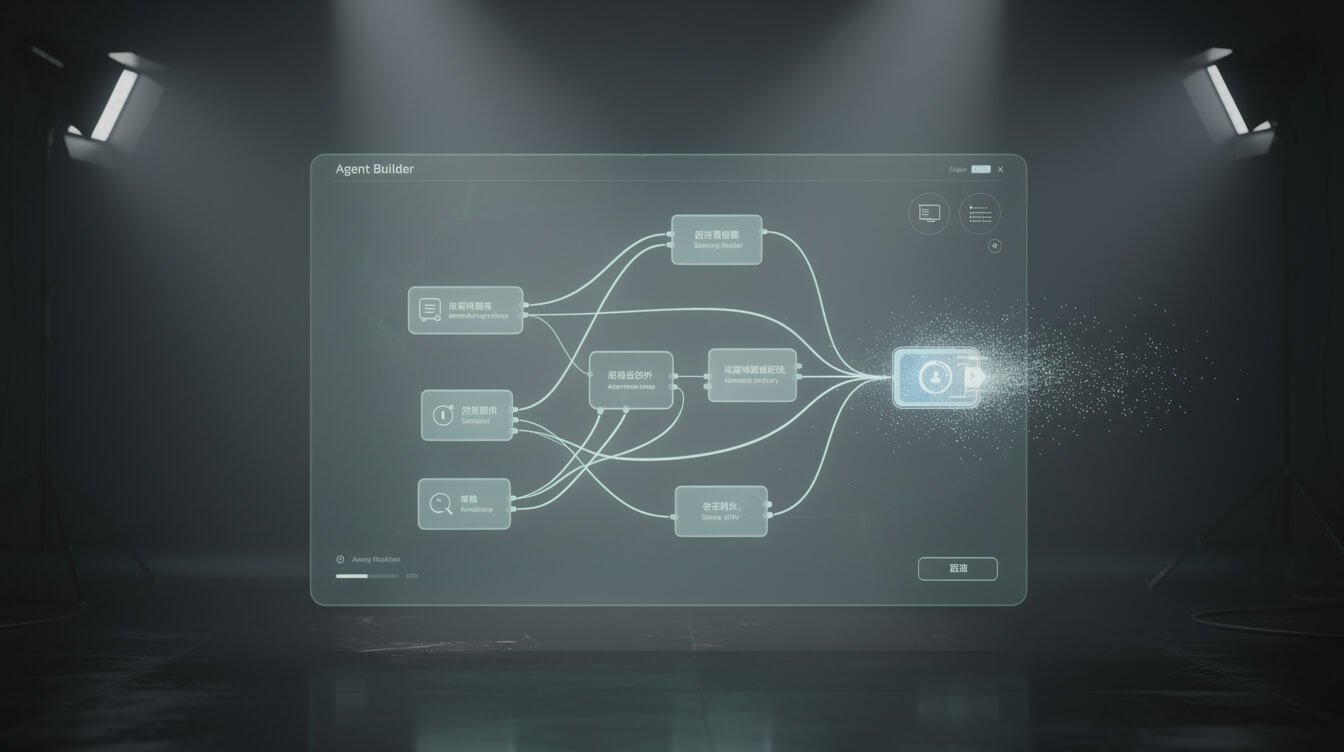
If you have been anywhere near AI Twitter in the last year, you have heard the pitch: the ChatGPT Agent Builder lets anyone drag a few boxes onto a canvas and ship a working AI agent — no code, no engineers, no problem. It is a genuinely slick tool, and OpenAI put its whole brand behind it. It is also, as of this writing, a tool OpenAI has already announced it is shutting down.
I run ten autonomous businesses on AI agents. They write posts, triage email, mine communities, and publish social content while I sleep — so people keep asking me the same question: should they build their agents on the ChatGPT Agent Builder? This is my honest operator answer. Not the launch-day hype, not the “this changes everything” thread — what the tool actually is, how it really works under the hood, and why I would not anchor anything load-bearing to it in 2026.
What the ChatGPT Agent Builder Actually Is (The 30-Second Version)

The ChatGPT Agent Builder is OpenAI’s visual, drag-and-drop tool for building AI agents without writing code. It shipped as part of AgentKit, the bundle OpenAI announced at its DevDay developer conference. AgentKit has three pieces worth knowing:
- Agent Builder — a node-based canvas where you drag blocks, wire them together with arrows, and define an agent’s logic visually. If you have ever seen n8n or Zapier, the mental model is identical: nodes and connections, but tuned for AI agents.
- ChatKit — a toolkit for embedding a chat-based agent directly into your own product or website.
- Connector Registry — a central place to manage how your tools and data sources connect across ChatGPT.
You build the agent in the canvas at platform.openai.com/agent-builder, connect it to external tools through the Model Context Protocol (MCP), and then either publish it or drop it into your app with ChatKit. On paper it is the most accessible agent builder ever made — OpenAI put agent-building in front of hundreds of millions of ChatGPT users overnight. If you have read my take on Vertex AI Agent Builder, you already know I like these tools as teaching aids. The question is always what happens when you try to run a business on one.
The Part No One’s Headline Mentions: OpenAI Is Already Sunsetting It

Here is the fact that changes the entire conversation, and almost nobody ranking for this term will tell you: OpenAI has announced it is retiring the Agent Builder. On June 3, 2026, OpenAI said that Agent Builder — along with its Evals platform — will leave the OpenAI platform on November 30, 2026. ChatKit survives; the visual builder does not.
This is not a rumour or a “we might deprecate this someday.” Open the official docs today and Agent Builder is filed under a heading that says it all: Legacy APIs. There is a migration guide sitting right next to the overview. When a vendor moves a product into the “legacy” bucket and publishes the exit door, they are telling you exactly how much of their future they plan to invest in it.
OpenAI is not leaving you stranded — they point you at two replacements. If you want to keep building agents in code, they steer you to the OpenAI Agents SDK. If you want to stay no-code, they push you toward Workspace Agents in ChatGPT. Both are reasonable. But read what actually happened: the specific thing you searched for — the shiny drag-and-drop canvas everyone made videos about — has roughly four months of runway left as I write this. Any agent you build in it now is something you will be migrating, or rebuilding, before the year is out.
I am not telling you this to dunk on OpenAI. Shipping fast and pruning aggressively is a legitimate strategy. I am telling you because it is the single most important input to your decision, and the hype cycle buried it.
How the ChatGPT Agent Builder Actually Works

Even with a shutdown date, it is worth understanding how the builder works — partly because the concepts carry over to whatever you build next, and partly because the design is genuinely good. You assemble an agent out of nodes, each doing one job:
- Start node — the entry point. It defines your inputs (the user’s message, exposed as a variable like
input_as_text) and any state variables that persist across the whole workflow. - Guardrail node — this is the standout. In a few clicks you can turn on PII detection and redaction, content moderation, jailbreak and prompt-injection detection, and even a hallucination check that validates the model against a knowledge source you provide. Each guardrail gets a pass path and a fail path. Bolting this onto a hand-coded agent used to be real work; here it is a toggle.
- Agent node — the brain. You give it a name, write its instructions (or have the builder draft the prompt for you), choose a model (GPT-5, the cheaper mini variants, or an older 4o), decide whether to include chat history, and set the reasoning level.
- MCP node — how the agent touches the outside world. Point it at hosted MCP servers and it can read and write to Slack, Gmail, Google Sheets, and hundreds of other services. The honest catch: every MCP server you bolt on drags its tools into the model’s context window, and that gets expensive and noisy fast.
The nicest touch for anyone who suspects they will outgrow the canvas: you can export the whole thing as TypeScript or Python code, generated on top of the OpenAI Agents SDK. So the logic you build visually is not trapped — you can lift it into a real codebase and keep going. That export path is, not coincidentally, exactly the migration route OpenAI now wants you to take.

Want the shortcut instead of the shutdown notice?
Grab my free AI Playbook — the exact stack and guardrails I use to run autonomous agents that keep working long after the hype cycle moves on.
What the ChatGPT Agent Builder Is Genuinely Good At

I am critical of building a business on it, but I want to be fair: this is a well-made tool. Here is where it earns its keep.
Prototyping speed. If you want to see whether an agent idea has legs, the visual canvas is the fastest way to find out. You can wire a start node, a guardrail, an agent, and a tool in an afternoon and watch it run. That feedback loop is worth a lot when you are still figuring out what you are even trying to build.
Guardrails you would otherwise skip. Most first-time builders ship agents with zero safety layer because adding one is annoying. The Agent Builder makes moderation, PII redaction, and jailbreak detection a checkbox. Even if you never ship the canvas agent, playing with these teaches you what a responsible agent should include.
Real tool access via MCP. Because it speaks MCP, the builder plugs into the same open ecosystem the rest of the serious agent world uses. Skills you learn here — thinking in terms of tools, permissions, and context — transfer directly to no-code agents on other platforms.
No logic lock-in. The code-export button means your agent’s design is portable. That is genuinely more open than a lot of no-code tools that hold your workflow hostage.
For learning, demos, and disposable internal experiments, it is a great sandbox. The trouble starts the moment the word “disposable” stops being true.

⚡ GET THE AI EDGE
Weekly AI tips that actually save you time and money. No fluff, no hype — just what works.
The Honest Verdict: Should You Build Your Business on It?

No — not anything that matters. Let me give you the two reasons, in order of importance.
Reason one: the shutdown date. I run every tool decision through one test — is this system load-bearing or nice-to-have? A load-bearing system is one your business genuinely depends on: it touches customers, moves money, or runs unattended and has to keep running. You do not build load-bearing systems on a product with a published expiry date four months out. Full stop. A prototype? Fine. The workflow that answers your customers or publishes your content every night? Absolutely not — you would be signing up to rebuild it under a deadline you did not choose.
Reason two: the works-once-versus-works-in-production gap. Even if the builder were sticking around forever, there is a hard truth the drag-and-drop demos gloss over. As one engineer who spent a year shipping production agents put it, there is a substantial gap between an agent that works once in a demo and one that works reliably at 3 a.m. with real, messy inputs and nobody watching. The canvas makes the first 80% feel effortless. The last 20% — error handling, retries, logging, edge cases, the guardrail that fires on the input you never imagined — is where real agents live, and no visual builder does that part for you.
This is exactly the work I do for clients who tried the no-code route and hit the wall. If you want an agent that is actually load-bearing — one that runs unattended and does not fall over — that is a build, not a canvas. If you would rather have someone who has shipped a fleet of them do it with you, book an automation strategy session and we will map what your version should actually run on.
Use the ChatGPT Agent Builder to learn and to prototype. Just do not confuse a prototype with a foundation.
What to Actually Build On Instead

So where should the effort go? It depends on which side of the load-bearing line you are on and whether you are willing to touch code. Here is how the realistic options stack up.
| Option | Code? | Best for | The catch |
|---|---|---|---|
| ChatGPT Agent Builder | No (export optional) | Learning, quick prototypes | Retires Nov 30, 2026 — do not build anything load-bearing |
| OpenAI Agents SDK | Yes (Py/TS) | Production OpenAI agents; the official migration path | You are now maintaining a codebase |
| Workspace Agents in ChatGPT | No | Staying no-code inside the OpenAI ecosystem | Newer, less proven; still one vendor’s roadmap |
| n8n (self-hosted) | Low / optional | Load-bearing no-code automations you own outright | You run the server (about $5/month on a small VPS) |
| Claude Code agents | Yes | Real autonomous agents on a schedule, model-agnostic | Steeper learning curve; most power |
My actual recommendations, from someone who runs this stuff daily:
- If you want no-code and load-bearing: self-host n8n. It runs on a cheap VPS, you own the whole thing, and no vendor can email you a shutdown date. My entire fleet is coordinated by one self-hosted n8n instance.
- If you are willing to code (or work with someone who does): the Claude Agent SDK or the OpenAI Agents SDK give you agents that actually run unattended, with proper logging and guardrails you control.
- If you are still learning what an agent even is: start with my walkthrough of how to build an AI agent, then prototype in whatever tool is quickest — including the Agent Builder — knowing you will rebuild the real one properly.
Frequently Asked Questions
Is the ChatGPT Agent Builder free?
Not really. You need an OpenAI account with billing set up, and you have to verify your organization to run agents in preview mode. Beyond that, you pay per token for every model call the agent makes — and including chat history on every step, which the builder encourages, adds up quickly.
Is the ChatGPT Agent Builder being discontinued?
Yes. OpenAI announced on June 3, 2026 that Agent Builder and the Evals platform leave the OpenAI platform on November 30, 2026. ChatKit stays. The docs now list Agent Builder under “Legacy APIs” with a migration guide.
What happens to the agents I already built when it shuts down?
Export them before the deadline. The builder can output your agent as TypeScript or Python running on the OpenAI Agents SDK — that is your lifeboat. If you leave an agent living only inside the canvas past November 30, assume it is gone.
Do I need to know how to code to use it?
No, to build in the canvas. Yes, if you want to take the exported code and extend it — which, given the sunset, you probably will.
ChatGPT Agent Builder vs n8n — which should I pick?
For anything you depend on, n8n. It is self-hostable, you own it, and it is not on a countdown. The Agent Builder is the smoother demo; n8n is the tool you can still be running in 2027.
Is it better than Vertex AI Agent Builder?
Different trade-offs. Google’s Vertex AI Agent Builder is heavier and enterprise-priced but not being retired; OpenAI’s is friendlier but on the way out. For a solopreneur, I would skip both for load-bearing work and self-host instead.
Final Thoughts
The ChatGPT Agent Builder is a great way to learn how agents are wired and a lousy foundation to build a business on — mostly because OpenAI already told us it is going away. That is not a knock on the engineering. It is a reminder of the rule that keeps my autonomous businesses running: build load-bearing systems on things you control, not on the newest tool with the loudest launch.
Prototype freely. Learn everything you can from that slick canvas and its guardrails. Then put the parts that actually matter on infrastructure that will still be there when the next shiny builder ships — and the one after that.
If you would rather skip the trial-and-error and have an operator who runs ten autonomous brands wire your agents on solid ground, book an automation strategy session and let’s build something that outlives the hype cycle.
Build on things you actually control
Get the free AI Playbook and I’ll show you how to wire agents that outlive any one vendor’s roadmap — no code required to start.

📥 FREE: THE AI PLAYBOOK
The exact tools and workflows I use to run a one-person agency. 25 years of marketing experience distilled into an actionable guide. Yours free.

AI & Digital Marketing Strategist
With over 25 years in digital marketing, e-commerce, sales, and international business, Jon Jones is a seasoned entrepreneur dedicated to empowering small businesses through innovative AI solutions. His journey began in investment banking on Wall Street, guiding companies through capital acquisition and complex markets, and has expanded to include expertise in web development, brand design, product development, and courses and training.
Fluent in Mandarin and with a rich foundation in both finance and tech, Jon launched JonJones.ai to provide accessible, transformative tools for small businesses to streamline operations, generate leads, and build sustainable growth. His mastery of AI, automation, and digital strategy has enabled numerous businesses to bridge the gap between traditional practices and modern technology, ensuring they thrive in today’s digital landscape.