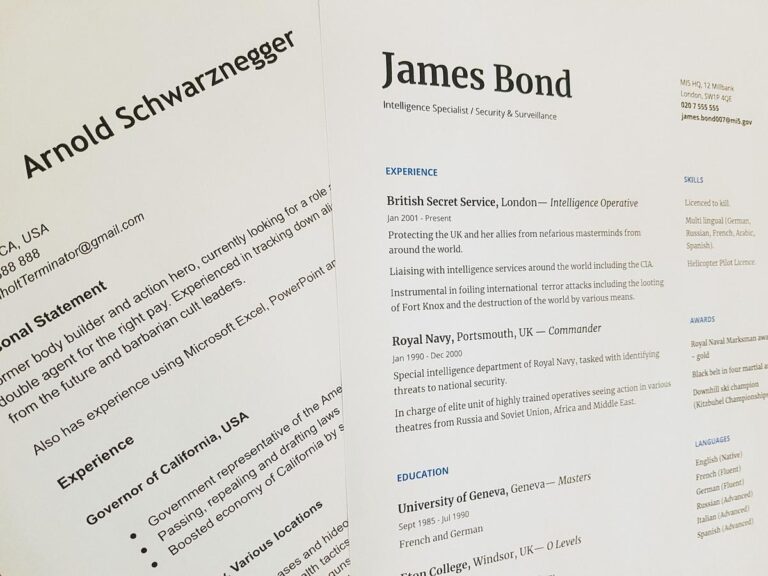

The best AI assistant in 2026 isn’t the one with the smartest chat. It’s the one that keeps working after you close the laptop. Every big assistant (ChatGPT, Claude, Gemini) can now take a task, run it on a schedule and hand back finished work. Picking one comes down to where your work already lives and how much you’re willing to let it do without you watching.
This page used to be a 2025 listicle. I’ve rewritten it from scratch for October 2026 because the category changed under it. Google Assistant has handed over to Gemini, Alexa became Alexa+, and “assistant” now means an agent that can act, not a voice that sets timers.
Quick honesty note: I didn’t run a 30-day bake-off of seven apps and I won’t pretend I did. Every price below was read off the vendor’s own pricing page on October 27, 2026. Where I have hands-on numbers, they come from the AI assistant I actually run: an agent that has triaged my inbox twice a day for months. You’ll see those receipts in section five.
The Best AI Assistant in 2026 at a Glance

Here’s the short version. Pick the row that matches your biggest time sink, not the one with the longest feature list.
| Assistant | Best for | Entry paid price (read 2026-10-27) | Keeps working when you’re away? |
|---|---|---|---|
| ChatGPT (with ChatGPT Work) | Best all-rounder, biggest plugin ecosystem | Go $8/mo, Plus $20/mo, Pro from $100/mo | Yes: scheduled tasks; web and mobile Work on Plus and up |
| Claude (with Claude Cowork) | Handing off document, spreadsheet and research work | Pro $17/mo billed annually ($20 monthly), Max from $100/mo | Yes: “close your laptop, it keeps going” |
| Google Gemini (with tasks) | People who live in Gmail, Calendar and Drive | AI Plus $4.99/mo, AI Pro $19.99/mo, Ultra $99.99/mo | Yes on AI Pro/Ultra, personal accounts only, not in the UK/EEA |
| Perplexity | Research with sources | Pro $17/mo billed annually, Max $167/mo billed annually | Partly (Computer credits) |
| Motion | Auto-planning your calendar and task list | Pro AI $19/seat/mo, Business AI $29/seat/mo | Re-plans your schedule automatically |
| Superhuman | Email triage and drafting | Pro $12/member/mo billed annually ($15 monthly) | Inbox agents, mostly while you’re in the app |
| Granola | Meeting notes without a bot joining the call | Basic free, Business $14/user/mo | No, it works during your meetings |
Want one name? If you already pay for one of the big three, use the assistant you already pay for. Their agent modes are now close enough that switching costs more than the gap between them. If you pay for none of them, start with ChatGPT Plus for breadth or Claude Pro if most of your work ends up as a document. Add a specialist (Motion, Superhuman, Granola) only when one job eats more than an hour a day.
Chat Assistant, Agentic Assistant, or Your Own Agent? The 2026 Test

Most “best AI assistant” lists still rank chatbots on how well they chat. That was the right test in 2024. In 2026 the useful question is: what happens when you stop typing? Run any assistant through that and it lands on one of three levels.
Level 1: the chat assistant
You ask, it answers, nothing happens until you ask again. That covers the free tiers of most apps and classic voice assistants. It’s still useful for drafting, explaining and thinking out loud. It saves you minutes, not hours, because you’re still the one doing every step.
Level 2: the agentic assistant
You hand it a goal, and it plans, uses your connected apps and a browser, and comes back with finished work. It can also do that on a schedule. This is where the big three moved in 2026:
- Claude Cowork says it plainly: “Close your laptop, it keeps going. Schedule a task for any cadence, and it runs unattended.” It needs a paid plan.
- ChatGPT Work lets you “schedule recurring work, or ask it to watch for updates”. It’s on every plan on desktop, and on web and mobile for Plus and up.
- Gemini tasks let you “manage schedules for ongoing tasks”. They need Google AI Pro or Ultra, a personal Google account, Keep Activity switched on, and they aren’t available in the UK, EEA, Switzerland or Nigeria.
Level 3: your own agent
A model, a set of written rules and your actual systems, running on your schedule on infrastructure you control. This is what I run: ten brands, about 20 scheduled jobs on this brand alone, each one a fresh Claude Code session started by cron. It costs more effort up front. In return you get the thing Level 2 can’t give you yet: hard rules about what it must never do, enforced every run, and a log line for each one.
Most solo operators should live at Level 2 and graduate single, boring, repetitive jobs to Level 3. My post on Claude Cowork vs Claude Code goes deeper on where that line sits. The fully autonomous AI agent guide covers what Level 3 really takes.
The 7 Best AI Personal Assistants, Reviewed

For each pick you get what it’s best at, what it costs (read off the pricing page on 2026-10-27, US prices, before tax) and the catch the landing page skips.
1. ChatGPT: the best AI assistant for most people
Price: Free; Go $8/mo (the plan page notes it may include ads); Plus $20/mo; Pro from $100/mo with a choice of three usage tiers.
Why it wins: breadth. ChatGPT Work turns a goal into docs, decks, spreadsheets and sites using your connected tools, and OpenAI lists “more than 1,400 plugins”. Plus adds projects, scheduled tasks and custom GPTs. Pro adds what OpenAI calls “Dot, your always-on agent”.
The catch: Work on the Free plan is “limited” and desktop-only. Web and mobile Work starts at Plus. You also get OpenAI’s models only, which matters if you like to compare outputs.
2. Claude: the best AI assistant for handing off real work
Price: Free; Pro $17/mo billed annually ($200 up front) or $20 monthly; Max from $100/mo (5x or 20x Pro usage). Team starts at $20/seat/mo billed annually ($25 monthly).
Why it wins: Claude Cowork is built for handoff. Give it a goal, it works across the folders and tools you choose, splits big jobs into parallel chunks and shows each step as it goes. It has its own built-in browser that is “separate from your own browser, logins, and tabs”. Pro also includes Claude Code, Claude in Chrome and Microsoft 365.
The catch: Cowork needs a paid plan. If you point it at a local folder, the desktop app has to stay open. Anthropic’s own safety guide says to avoid giving it local files with sensitive information, like financial documents. Disclosure: Claude is what my whole business runs on, so weigh my enthusiasm accordingly.
3. Google Gemini: the best AI assistant if you live in Google
Price: Free with a Google account; Google AI Plus $4.99/mo (2x Free usage); Google AI Pro $19.99/mo (4x); Google AI Ultra $99.99/mo (5x Pro) or $199.99/mo (20x Pro).
Why it wins: context. Gemini already sits inside your Gmail, Calendar and Drive, and Daily Brief turns that into a morning digest of priorities. Tasks can clean up newsletters, watch flight prices and build files from research.
The catch: the agent features have a long list of conditions. Tasks need AI Pro or Ultra, a personal (not Workspace) account, Keep Activity on and opting in to Personal Intelligence. Google’s own help page says to avoid scheduling tasks you find sensitive, because “if a schedule runs when you are offline, you may not be able to stop Gemini from completing an unintended action.”
4. Perplexity: the best AI assistant for research
Price: Free; Pro $17/mo billed annually; Max $167/mo billed annually. Both currently come with bonus “Computer” credits.
Why it wins: answers with sources by default, model choice inside one app, and deep research that cites as it goes. When you need to check a claim rather than draft a paragraph, it’s the fastest tool here.
The catch: it’s a research desk, not a chief of staff. It won’t run your calendar or inbox. The credits model also makes heavy months harder to predict.
5. Motion: the best AI assistant for your calendar
Price: Pro AI $19/seat/mo (7,500 credits); Business AI $29/seat/mo (15,000 credits). Annual billing saves 33% according to its pricing page.
Why it wins: you give it tasks, deadlines and meetings, and it builds your day and rebuilds it when things slip. If your problem is “I have the list, I just never get to it”, this is the tool built for that.
The catch: it only works if everything goes into Motion. Half-adopted, it plans a day you aren’t living. On a budget? Reclaim does the calendar-defence part with a free Lite plan, and Starter is $10/seat/mo billed annually ($12 monthly).
6. Superhuman: the best AI assistant for email
Price: Free; Pro $12/member/mo billed annually ($15 monthly); Business $33/member/mo billed annually ($40 monthly).
Why it wins: it’s the inbox, rebuilt around agents: writing agents, inline suggestions and custom agents, plus Grammarly’s proofreader agent in the same suite.

⚡ GET THE AI EDGE
Weekly AI tips that actually save you time and money. No fluff, no hype — just what works.
The catch: custom agents are marked beta and limited on Pro, and the proactive writing agents are a “limited trial”. It’s mostly a faster way to do email yourself, not a way to stop doing it. Section five shows the difference.
7. Granola: the best AI assistant for meetings
Price: Basic $0 (limited meeting history); Business $14/user/mo (unlimited history, integrations, MCP and API access); Enterprise $35/user/mo.
Why it wins: clean notes without a bot joining your call, plus AI chat across all your meetings. Business pushes notes into Notion, HubSpot, Attio and Zapier.
The catch: it only helps during and after meetings. If you have three calls a week, the free tier is enough.
Honourable mention: Lindy. It’s more an assistant builder than an assistant. You get $50 in free credits for 7 days, then credit plans from $29.99/mo for 3,000 credits. It’s a good fit if you want Level 3 behaviour without hosting anything.

Get the AI Playbook
The rules, schedules and guardrails behind the assistants that run my 10 businesses, plus what broke this week. Free, and you can leave whenever you like.
Best Digital Assistant for Home and Voice: Alexa+, Siri and Gemini
Searching “best digital assistant” usually means you want something you can talk to across the house, not a work tool. The old trio of Alexa, Siri and Google Assistant has been rebuilt on generative AI, and the pricing changed with it.
| Digital assistant | What it costs | Best at | Watch out for |
|---|---|---|---|
| Alexa+ | Free with Prime; $19.99/mo “Standard” without Prime; free basic chat in the Alexa app | Smart home, shopping, household calendars and reminders | Not every older Echo is eligible; check Amazon’s eligible-devices list first |
| Gemini (on Android and Google devices) | Free; paid tiers as above | Google account context: Gmail, Calendar, Maps | Scheduled tasks need AI Pro or Ultra and Keep Activity on |
| Siri with Apple Intelligence | Included with supported Apple devices | On-device privacy, iPhone and Mac integration | Only on supported hardware; fewer third-party actions |
My pick: the best digital assistant is the one that matches the phone in your pocket. iPhone households should start with Siri, Android households with Gemini, and Prime households with Echo speakers should turn on Alexa+, since it’s already paid for. Don’t buy hardware to switch ecosystems for an assistant. None of the three is far enough ahead to justify it.
For business use, though, none of the voice assistants is the right category. Use them for timers, lights and the grocery list, and use a Level 2 or Level 3 assistant for anything that touches money, clients or your calendar.
What My Own AI Assistant Did in 30 Days (Receipts)

Here’s the part no vendor listicle can give you: what an AI assistant actually does when nobody is watching. One of the jobs in my fleet is an email assistant. Every day at 11:00 and 21:00 a fresh Claude session reads the jonjones.ai inbox, sorts each message into Customer, Partnership, Finance or Misc, labels it, drafts replies where it’s allowed to, and opens a task for me when a human has to decide.
Numbers from its own run logs, September 26 to October 25, 2026:
| Measure | Last 30 days |
|---|---|
| Runs | 60 (59 success, 1 skip on an empty inbox, 0 failures) |
| Emails processed | ~507 |
| Sorted as Misc (notifications, digests, receipts) | 437 (about 86%) |
| Sorted as Finance | 62, and it replied to none of them, by rule |
| Partnership / Customer | 8 / 2 |
| Reply drafts written | A handful; drafts only, never sent |
Three lessons that apply whichever assistant you buy:
- Most of the job is saying no. 86% of my inbox needed a label, not a reply. A good assistant files things quietly. A bad one drafts 400 replies you then have to delete.
- Write down the never-list. My assistant never replies to finance email, never agrees to a price and never sends. It drafts and flags. Those three rules are why I can let it run at 9pm without checking. Level 2 tools give you a prompt box. You still have to bring the rules.
- Measure it like an employee. Every run ends with a one-line result I can count. If you can’t answer “what did my assistant do last Tuesday?”, you don’t have an assistant. You have a chatbot you forgot about.
And no, it isn’t awake all the time. All the agents on this brand together were running for about 8% of that month. My “an AI agent works 24/7” myth-bust has the full awake-time breakdown. If you want an assistant like this wired into your own inbox, calendar or CRM, with the never-list written for your business, that’s what my done-for-you automation builds are for.
How to Choose the Best AI Assistant for Your Workload

Skip the feature tables. Do this instead. It takes one afternoon and a two-week trial.
Step 1: find your one-hour job
Write down last week’s tasks and circle the one that took the most time and the least judgment. Inbox triage, meeting notes, scheduling and research summaries are the usual suspects. That’s your assistant’s first job. Don’t buy for ten jobs. Buy for one.
Step 2: match the job to the level
- Thinking and drafting: any Level 1 chat assistant. The free tiers are fine.
- Finished work from your files and apps: a Level 2 agent (Cowork, ChatGPT Work, Gemini tasks).
- The same job, every day, with rules: a scheduled Level 2 task first. Move it to Level 3 when it needs rules the tool can’t enforce. My best AI agent for small business picks cover that step.
Step 3: check the data deal before you connect anything
Read the privacy terms for the exact feature you’ll use, not the brand. Gemini’s tasks need Keep Activity on. Anthropic’s Cowork safety guide says to avoid granting access to sensitive files, like financial documents, and “strongly” advises against using its browser for sensitive actions. Google says not to type payment details into a task thread. If a vendor’s own docs warn you off a use, believe them.
Step 4: run a two-week trial with a scorecard
Give it the one-hour job every day for two weeks. Log three numbers: minutes saved, mistakes you had to fix, and times you had to step in. If minutes saved doesn’t clearly beat fix-plus-step-in time by week two, cancel. Most tools here have a free tier or a monthly option, so the trial costs one month at most.
Step 5: stack, don’t switch
The winning setup for most solo operators is one generalist (ChatGPT, Claude or Gemini) plus at most one specialist for the job that hurts most. Seven subscriptions is how you end up paying well over $100 a month to be less organised.
Best AI Assistant FAQ

Which AI is the best personal assistant in 2026?
For most people it’s ChatGPT Plus ($20/mo) for breadth or Claude Pro ($17/mo billed annually) for handing off document work. If your life runs on Gmail and Google Calendar, Google AI Pro ($19.99/mo) gets you Gemini’s tasks. The honest tiebreaker is whichever one you already pay for.
Is ChatGPT the best AI assistant?
It’s the best all-rounder: the most plugins, a usable free tier, and Work mode on every plan on desktop. It isn’t automatically the best at everything. Perplexity is quicker for sourced research, Granola for meetings and Motion for planning your calendar.
What is the best free AI assistant?
The free tiers of ChatGPT, Claude and Gemini are all strong for chat and drafting. ChatGPT Free also gets limited Work access on desktop. For specific jobs, Reclaim Lite (calendar), Superhuman Free (email) and Granola Basic (meetings) cost nothing.
Can an AI assistant work while I’m offline?
Yes, in 2026 that’s the main upgrade. Claude Cowork and ChatGPT Work can run scheduled tasks in the cloud after you close your laptop, and Gemini tasks can run on a schedule using a remote browser. Local-file work still needs your computer on.
What’s the difference between an AI assistant and an AI agent?
An assistant answers when you ask. An agent takes a goal and acts: it plans steps, uses tools and finishes the job, often on a schedule. The big assistants are now both, which is why “assistant” and “agent” are blurring. My AI employee post draws the line in more detail.
Is Siri, Alexa or Gemini the best digital assistant?
Match it to your phone and your home. Siri for iPhone households, Gemini for Android, and Alexa+ if you have Prime and Echo speakers, since it’s included. For business work, use a work assistant instead.
Which AI personal assistant is best for a small business?
Start with one generalist seat for each person who needs it, then automate the single most repetitive job, usually inbox triage or follow-ups. For phones, see my guide to an AI receptionist for small business.
Final Thoughts: Pick the Best AI Assistant by What It Does While You Sleep
The best AI assistant used to be the best talker. Now it’s the one you can trust with a job when you’re not looking. ChatGPT, Claude and Gemini all clear that bar for everyday work, so choose by where your files and calendar already live. Add one specialist only for the job that eats your day.
Then do the part no subscription does for you: give it one job, write down what it must never do, and count what it actually did. That’s the whole difference between an assistant and another tab you forgot was open.
Get the AI Playbook
Every week: one assistant or agent from the fleet, what it costs, and the log line that taught me something. No fluff, unsubscribe anytime.
📥 FREE: THE AI PLAYBOOK
The exact tools and workflows I use to run a one-person agency. 25 years of marketing experience distilled into an actionable guide. Yours free.