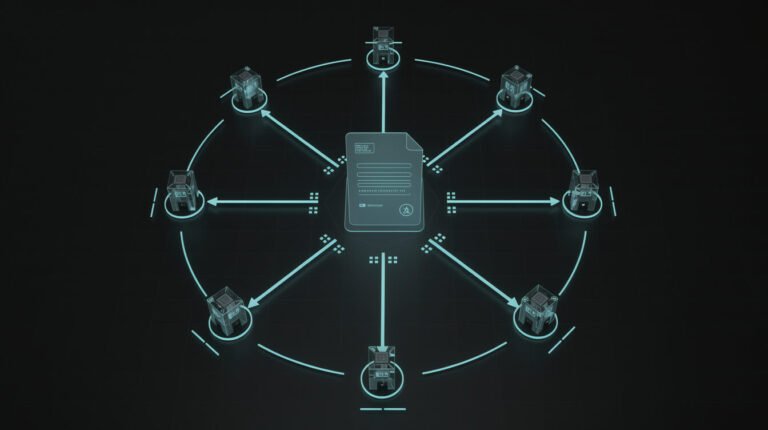

Search “agentic design pattern” and you get the same five names over and over: reflection, tool use, ReAct, planning, multi-agent. Each one comes with a toy example (a poem that critiques itself, a travel agent booking a hotel) and a diagram with arrows. What you don’t get is anyone telling you which of those patterns are still standing after a few months of real, unattended work.
So I scored them. Not the five, all 21 from the book that now owns this search result, against a fleet of 20 scheduled agent skills that run my businesses while I sleep. That’s 1,980 logged runs since June 12, 2026, every one ending in a result line I can count. Some patterns run every single day. Some I’ve never needed. A few of the most-quoted ones survive only in a form their diagrams wouldn’t recognize. And four of the patterns that do the most work aren’t on anyone’s list.
By the end you’ll know what an agentic design pattern actually is, which ones earn their keep in production, and how to choose by risk instead of by hype.
What Is an Agentic Design Pattern? The Short Answer, and Where the List Came From

An agentic design pattern is a reusable way of arranging LLM calls, tools, checks and people so an AI system can work toward a goal over several steps instead of answering once. Same idea as the classic software design patterns: a named solution to a problem that keeps coming up, so you don’t reinvent it every time and your team has a shared word for it.
The list everyone copies has a surprisingly short family tree:
- March 2024: Andrew Ng’s letters in The Batch. He named four patterns: reflection, tool use, planning and multi-agent collaboration. His hook was a coding benchmark where GPT-3.5 went from 48.1% correct zero-shot to as high as 95.1% when wrapped in an agent loop, beating zero-shot GPT-4’s 67.0%. Most “top 5” lists are this letter plus ReAct.
- December 2024: Anthropic’s Building Effective Agents. It split “workflows” (prompt chaining, routing, parallelization, orchestrator-workers, evaluator-optimizer) from “agents”, and opened with advice most listicles skip: find the simplest solution possible, which “might mean not building agentic systems at all.”
- 2025: Antonio Gullí’s book Agentic Design Patterns (Springer). Twenty-one patterns, one per chapter, with code. This is the title that now dominates the search results, and it’s genuinely good.
- Cloud vendor guides, like Google Cloud’s pattern chooser, which renames the same ideas as sequential, parallel, loop, coordinator, hierarchical, swarm, human-in-the-loop and custom logic.
Here’s the detail I found most telling. Gullí’s book is 424 pages. The section actually titled “Production Patterns” (exception handling, human-in-the-loop, retrieval) is 34 of them. That isn’t a knock on the book; it’s a mirror of the whole conversation. We spend our attention on how agents think and very little on how they fail. Running agents unattended flips that ratio fast.
All 21 Agentic Design Patterns, Scored Against a Live Fleet

First, what’s being scored. My fleet is deliberately boring: a scheduler file with 22 active time slots across 20 skills, a shell script that starts Claude Code headless for each slot, a plain-markdown skill file per job, and Airtable tables as the shared filing cabinet. Every run writes a log and ends with one line: SKILL_RESULT: success | skip | fail. If you want the architecture, I’ve written up the agentic OS behind it and how Claude Code agents run it in production.
The census as of today: 1,980 runs = 1,609 success / 216 skip / 44 fail / 2 degraded / 109 with no result line at all. Now the scorecard, using the book’s 21 chapters as the checklist:
| # | Pattern | Used? | How it actually shows up |
|---|---|---|---|
| 1 | Prompt chaining | Daily | Every skill is a hand-written chain of steps in markdown |
| 2 | Routing | Daily | The clock routes jobs; one LLM routes email into 4 buckets |
| 3 | Parallelization | Rarely | Only scraping fans out; skills run one per slot |
| 4 | Reflection | Yes, differently | Checks the artifact (rendered image, live page), not its own reasoning |
| 5 | Tool use | Daily | Plain HTTP calls to a dozen-plus APIs |
| 6 | Planning | Yes, differently | I write the plan once; the agent executes it daily |
| 7 | Multi-agent | Yes, differently | 20 skills hand off through tables; none talk directly |
| 8 | Memory management | Daily (weak spot) | One notes file, now 2.39 MB and 10,323 lines |
| 9 | Learning and adaptation | By hand | Lessons written to notes; skill files patched after failures |
| 10 | Model Context Protocol | Barely | Scheduled skills use curl, not MCP |
| 11 | Goal setting and monitoring | Yes | Each skill has a done-condition and a result line |
| 12 | Exception handling and recovery | Daily | Fallback chains (video fails → static image) |
| 13 | Human-in-the-loop | Yes, with a catch | Approval queues in Asana and Airtable |
| 14 | Knowledge retrieval (RAG) | No | grep over files beats a vector store at this size |
| 15 | Inter-agent communication (A2A) | No | Tables instead of agent-to-agent messages |
| 16 | Resource-aware optimization | Yes | Model picked per job, hard timeouts per slot |
| 17 | Reasoning techniques | Inherited | Whatever the model does; I don’t build it |
| 18 | Guardrails / safety | Yes | 151 written “never” rules, plus permissions |
| 19 | Evaluation and monitoring | Daily | Result lines read by a nightly watchdog |
| 20 | Prioritization | Daily | Every queue is sorted (lowest keyword difficulty wins) |
| 21 | Exploration and discovery | Rarely | Researchers scan on a schedule, inside a fenced brief |
Read the “Used?” column top to bottom and a pattern jumps out. The patterns that run daily are mostly the unglamorous ones: chaining, routing, tool use, exception handling, monitoring, prioritization. The famous ones (reflection, planning, multi-agent) all survive, but only after being bent into something more boring and more checkable.
The Core Seven in Production: What Survived and What Didn’t

Prompt chaining: the backbone, written by a human
Every skill in the fleet is a chain. Today’s post came from a skill file with a numbered pipeline (check the refresh queue, pick a keyword, research the results page, outline, write, generate images, publish, update the trackers) that runs to 1,190 lines. The model doesn’t invent the steps. It runs them. If you take one thing from this article: for recurring business work, a written chain beats a clever agent.
Routing: mostly a clock, and the LLM router mostly says “not for you”
The biggest router in my fleet isn’t an LLM at all. It’s a scheduler that sends 22 slots to 20 skills based on the time of day. Where an LLM does route, it’s the email agent sorting mail into Customer, Partnership, Finance and Misc. Across the 58 runs logged from October 17 to November 7, it sorted 563 emails: 6 customer, 2 partnership, 60 finance, 495 misc, and wrote 8 reply drafts. Eighty-eight percent of the router’s job is recognizing noise. That matches the fix Machine Learning Mastery gives in its pattern decision tree: use deterministic rules for the predictable cases and keep the LLM for the ambiguous ones.
Reflection: replaced by checking the thing itself
Textbook reflection means the model critiques its own draft. In practice the useful version is a critic who can see something the writer couldn’t. When my agents generate images, they build a contact sheet of the actual renders and look for fake lettering. On November 7, a “storefront blocks” prompt came back with gibberish signage, so the agent deleted it and re-rendered. When they refresh a post, they fetch the live page and check the new headline is really there before calling it done. That’s reflection against evidence, not against vibes. The generic version fails exactly the way the decision-tree article warns about: the critic is too much like the generator to notice anything.
Tool use: everything, and plain HTTP is fine
Every useful thing the fleet does is a tool call: WordPress, Airtable, Asana, image generation, search, scraping, social scheduling. Nearly all of it is plain curl. I measured what actually reaches the model in MCP vs CLI for agents; the short version is that a documented command line plus clear output beats a fancier interface for scheduled work.
Planning: I write the plan; the agent works it
Runtime planning (the model drafts its own multi-step plan) is great for one-off research. For something that happens every day, letting the agent re-plan every morning just adds a fresh way for it to go wrong. My agents plan inside a step, like structuring a post’s outline, but the overall plan is a file I review and edit. Planning didn’t disappear; it moved to me, and it happens once.
Multi-agent: a relay race through tables, not a meeting
None of my 20 skills ever message each other. They pass work through shared tables. A researcher fills a queue and a poster drains it: the social queue holds 115 rows, 111 used and 4 waiting. The content calendar holds 144 briefs, 138 published. It’s multi-agent the way a kitchen is multi-chef: tickets on a rail, not a debate. I wrote up the coordination side in AI agent orchestration without a platform, and when sub-agents inside a single run help (and hurt) in Claude Code subagents in production.
Parallelization: mostly unnecessary
The only thing that fans out is scraping competitor pages, six at a time. Everything else runs in its own time slot. When your agents work overnight, the clock is your parallelism. Unless a human is waiting on the answer, there’s no prize for finishing faster.

Get the AI Playbook
The patterns, read-back checks and real run logs behind a fleet of unattended business agents, plus whatever broke this week. Free, and you can leave whenever you like.
The Production Patterns: Where Unattended Agents Live or Die

These are the chapters that get the fewest pages and do the most work. Here’s how each one behaves after a few thousand runs.
Human-in-the-loop: the queue only counts if someone works it
Google’s guide describes the pattern well: at a predefined checkpoint, the agent pauses and waits for a person to approve, correct or add input. My fleet has those checkpoints. Replies to online discussions are drafted but never posted automatically. The receipt is humbling: 550 reply drafts written, 514 skipped, 36 ready, 0 posted. The pattern works perfectly. The loop just never closes. I wrote a whole piece on this, a human in the loop only counts if someone closes the loop. Size your approval queue to the time the human really has, not the time they wish they had.
Guardrails: a rule in a prompt is a request
Across my CLAUDE.md and skill files there are 151 lines containing the word “never”: never invent data, never make pricing commitments, never post to a draft URL. They work most of the time, because models follow instructions most of the time. But “most of the time” isn’t a guardrail. The guardrails that actually hold are structural: a token that physically can’t do the thing, a queue that a human has to empty, a field that won’t accept a bad value. Write the prompt rule, then ask yourself how you’d enforce it if the model ignored it.
Resource-aware optimization: price every action
Each job has a hard timeout of 30 to 90 minutes, and each action has a known price: a results-page lookup costs $0.0035, a section image about $0.04 to $0.08 depending on the model, a 30-second video about $0.33. Each job names its model, so the premium one only runs where the output carries the post. It’s not glamorous, but a runaway agent with no ceiling is how a fun experiment turns into an invoice.

⚡ GET THE AI EDGE
Weekly AI tips that actually save you time and money. No fluff, no hype — just what works.
Memory management: my weak spot, in public
The fleet’s long-term memory is one markdown file every skill appends to. It’s now 2.39 MB and 10,323 lines, and a normal read only reaches about a month back. It works because each skill searches it for its own name instead of reading it top to bottom. That’s a workaround, not a design. I flagged it as an open problem in my agentic engineering write-up, and it’s still open. If you’re starting out, give memory a size limit and a pruning job on day one.
Retrieval and agent-to-agent protocols: not needed at this size
No vector database and no agent-to-agent messaging. Searching plain files with grep finds what the agents need in milliseconds; I measured when that stops being true in RAG pipeline: when grep beats it. Tables replace agent-to-agent chat. Both patterns are real. They just solve problems a 20-skill fleet doesn’t have yet.
Four Agentic Design Patterns Nobody Lists (That Do the Most Work)

Gullí’s book does cover failure (exception handling, guardrails, evaluation), so I’m not claiming nobody thought about it. But the patterns below don’t have their own chapter anywhere I’ve looked, and they’re the ones I’d rebuild first if I lost everything.
Pattern 22: Read-back verification
After every write, read the record back from the system of record and compare. A “200 OK” means the request arrived, not that the change happened. My keyword table taught me this the hard way. Its fields are lowercase, and Airtable is asymmetric: field names in a filter are case-insensitive, but field names in a write are case-sensitive. So the agent could read the queue perfectly while every status update quietly bounced with an error nobody checked. The skill file still carries the scar: “that asymmetry hid this bug for months.” A single read-back after the first write would have caught it on day one.
Pattern 23: The result-line contract
Every run ends with one machine-readable line: success, skip or fail, plus a summary. A separate job, the nightly watchdog, reads those lines rather than the exit codes. Why? Because all 44 failed runs in my logs exited with code 0. To the operating system, every one of them looked like a success. And 109 runs ended with no result line at all, which is its own signal: something got cut off. This is the cheapest observability you’ll ever build, and it’s the difference between “the agents ran” and “the agents worked.”
Pattern 24: The daily quota
Give every agent a ration, not just a budget. The blog writer gets one SEO action per day, either a refresh or a new post, never both. The discussion scout drafts three to five replies a day. The outreach agent pushes five leads per run. Each thread gets at most three follow-ups, with a 12-hour cooldown. Quotas limit the damage of a bad day to one bad day’s worth, and they keep any single agent from crowding out the rest of the business.
Pattern 25: Degrade loudly
Fallback chains are textbook exception handling: if the video engine fails, post a static image instead. Mine works. Too well. From June 18 to July 22, the video step fell back to static images on 32 of 35 runs: first a missing brand folder, then a nested login returning 401. Thirty-three of those 35 runs still reported success, because, technically, posts went out. The reason was right there in each summary, but the status said success, and statuses are what get counted. The fallback kept the business running and kept the broken engine off the radar for five weeks. The fix is a rule: a fallback is allowed to save the run, but it has to mark the result as degraded and say what it skipped. Quiet fallbacks are just slow failures.
How to Choose an Agentic Design Pattern: Start From the Risk

Most guides choose by task shape: is the path known, does it need tools, does quality beat speed? That’s a fine first pass. I’d add a second question that matters more once nobody’s watching: what does a mistake cost, and how would you find out about it?
| If a mistake would… | Reach for | Fleet example |
|---|---|---|
| Look exactly like success | Read-back + result-line contract | Airtable writes; live-page headline check |
| Be public or irreversible | Human-in-the-loop queue | Discussion replies, finance emails |
| Cost money if it repeats | Daily quota + timeouts | One SEO action per day |
| Stop output entirely | Fallback that degrades loudly | Video → static image, marked degraded |
| Be a quality call | Reflection against the artifact | Image contact sheet before publishing |
| Happen hundreds of times | Deterministic routing + chaining | Clock-based dispatch, written skill files |
| Need judgment on ambiguous input | LLM routing | Email triage into four buckets |
Notice what’s missing: nothing in that table says “add more agents.” Anthropic’s advice holds up after 1,980 runs: start with the simplest thing, and only add moving parts when you can show the simple version falling short. If you want help mapping your own workflows to patterns like these, you can book an automation strategy session and we’ll pick the one job worth automating first.
And if you’re sorting out the discipline around all this (specs, review, verification), my Claude Code best practices from four months of unattended runs is the companion piece. What it actually takes to leave one alone is in fully autonomous AI agents.
Agentic Design Pattern FAQ

What are the main agentic design patterns?
The core set most people mean is prompt chaining, routing, parallelization, reflection, tool use, planning and multi-agent collaboration. Andrew Ng’s original 2024 list had four (reflection, tool use, planning, multi-agent), and ReAct (reason, then act, in a loop) is often added as a fifth.
How many agentic design patterns are there?
It depends whose catalogue you use: four in Ng’s letters, five workflows plus agents in Anthropic’s guide, 21 in Gullí’s book, and 12 in a 2026 system-theoretic catalogue on arXiv. The names overlap far more than the counts suggest.
What’s the difference between an agentic workflow and an agent?
In Anthropic’s framing, a workflow runs LLM calls and tools along a path you defined in code; an agent decides its own path. Most reliable business automation is workflow-shaped with small agentic pockets inside it. Mine certainly is.
Is ReAct still worth using?
Yes, inside a single step where the agent has to look things up and decide what to do next. The common failure is looping: revisiting questions it already answered. Give it a clear stopping condition and a step limit.
Do I need a framework like LangGraph or CrewAI?
Not to start. Anthropic recommends starting with the model’s API directly, because many patterns are a few lines of code and frameworks can hide the prompts you need to debug. My whole fleet runs without one.
Which agentic design pattern should a small business start with?
Prompt chaining plus a human-in-the-loop checkpoint. Write the steps down, have the agent run them, and have it hand you the result for approval until you trust it. Add read-back verification the first time a “success” turns out to be wrong. It will happen.
Final Thoughts: Patterns Are Vocabulary, Receipts Are the Test

Agentic design patterns are worth learning for the same reason any design patterns are: they give you words for problems you’d otherwise solve badly and alone. Read the book. Bookmark the Google and Anthropic guides. Just don’t mistake the list for a recipe.
After 1,980 runs my takeaway is simple. The patterns that make agents smart get the attention. The patterns that make them honest (read-back, result lines, quotas, loud fallbacks, a human who actually works the queue) are what let you sleep. Pick the boring ones first. Score your own fleet against the table above, be honest about the “Used?” column, and fix whichever row would hurt most if it failed quietly tonight.
You don’t need 20 agents to start. You need one job, written down, that tells you the truth about how it went.
Get the AI Playbook
Every week: one real agent job, how it runs while I sleep, and the failure that taught me something. No fluff, unsubscribe anytime.
📥 FREE: THE AI PLAYBOOK
The exact tools and workflows I use to run a one-person agency. 25 years of marketing experience distilled into an actionable guide. Yours free.

AI & Digital Marketing Strategist
With over 25 years in digital marketing, e-commerce, sales, and international business, Jon Jones is a seasoned entrepreneur dedicated to empowering small businesses through innovative AI solutions. His journey began in investment banking on Wall Street, guiding companies through capital acquisition and complex markets, and has expanded to include expertise in web development, brand design, product development, and courses and training.
Fluent in Mandarin and with a rich foundation in both finance and tech, Jon launched JonJones.ai to provide accessible, transformative tools for small businesses to streamline operations, generate leads, and build sustainable growth. His mastery of AI, automation, and digital strategy has enabled numerous businesses to bridge the gap between traditional practices and modern technology, ensuring they thrive in today’s digital landscape.