
Every guide about conversational AI for customer service was written for a company that has a customer service department. You know the type: omnichannel contact centers, a team of agents to “augment,” a six-figure platform, and a VP of CX signing the invoice. Then there’s the rest of us — the solopreneur who is the support team, working one shared inbox and a chat widget, wondering if a bot is going to make things better or just annoy the twelve people who email in a week.
This is the playbook for that person. No call center, no agent team, no enterprise budget. Just an honest look at what conversational AI actually is for a one-operator business, when it’s worth turning on, and — the part nobody talks about — where it has to shut up and hand the customer to a human. I run support for a fleet of autonomous brands this way, so everything here comes with receipts, not brochure copy.
What Conversational AI for Customer Service Actually Means (When You Have No Support Team)

Strip away the vendor jargon and conversational AI for customer service is just software that can hold a natural-language conversation with your customer — over text or voice — and actually do something useful with it: answer a question, look something up, take an action, or route the person to you. That’s it. The enterprise pages dress it up with “NLU pipelines” and “intent orchestration,” but the job is simple: talk like a human, help like a human, and know when it’s out of its depth.
For a solo business, the mental model that matters is tiers of autonomy, not features. A canned-reply macro is autonomy level zero — you wrote it, it just pastes. A modern conversational AI grounded in your own docs is a big step up: it reads the customer’s actual question, finds the answer in your material, and writes a reply in your voice. The leap from “keyword chatbot that frustrates everyone” to “helpful assistant that resolves things” happened because large language models replaced the old decision-tree bots. You’re not building a phone-tree anymore. You’re giving a genuinely capable model a narrow, well-defined job.
Picture the difference concretely. A customer types “I never got my download link.” The old keyword bot hears “link” and dumps a menu of five unrelated help articles — useless. A grounded conversational AI reads the full sentence, recognizes it’s a delivery problem, checks your docs for the resend process, and writes: “Sorry about that — here’s your link again, and if it still doesn’t arrive, reply and I’ll sort it manually.” Same question, completely different experience. That gap is why the technology is worth a second look even if a bot burned you in 2019.
The single most important reframe: for you, conversational AI is not about deflecting a mountain of tickets. It’s about buying back the hours you lose answering the same five questions and drafting the same three replies. If you want the broad, no-team overview of support automation first, I wrote the pillar on AI and customer service for solopreneurs — this piece is the narrower, hands-on cut about the conversational layer specifically.
Chatbot vs Voice Bot vs Agent-Assist: The Three Flavors, Decoded

“Conversational AI” gets used as one word, but it’s really three different tools wearing the same coat. Pick the wrong one and you’ll either overspend or frustrate people. Here’s the honest breakdown for a business of one.
| Flavor | What it does | Best for a solo business when… | The catch |
|---|---|---|---|
| Chatbot (text) | Answers typed questions on your site or in your inbox, grounded in your FAQ and docs | You get repetitive pre-sale and how-do-I questions all day | Say the wrong thing publicly and it’s a screenshot; must be grounded and fenced |
| Voice bot | Answers or makes phone calls, understands speech, talks back | You genuinely take calls and can’t pick up — rare for a solo digital business | Highest stakes, highest creep factor, hardest to get right; usually overkill |
| Agent-assist | Drafts the reply for you; you approve and send | Almost always — it keeps a human (you) in the loop | Not “automated” — you still click send. That’s a feature, not a bug. |
These three also layer over time, and that’s the healthy way to grow. You begin with agent-assist on your inbox — the AI drafts, you send. Once you trust it on a handful of question types, you graduate a narrow public chatbot on your site for exactly those types, with a hard escalation to you for anything else. Voice comes last, if ever. You’re not choosing one flavor forever; you’re choosing where to start, and start should always mean the lowest-risk surface with you in the loop.
Here’s my strong opinion: 90% of solopreneurs should start with agent-assist and never rush past it. A public chatbot is a liability the moment it invents a refund policy or hallucinates a shipping date. Agent-assist gives you the entire speed benefit — the AI reads the message and writes the reply — while you stay the last line of defense. Voice bots are a shiny distraction unless phone support is genuinely your bottleneck, which for most online one-person businesses it simply isn’t.
The Honest Test: Do You Even Need Conversational AI Yet?

Nobody selling a chatbot will ever tell you that you don’t need one. I will. Run this test before you touch a single tool.
Count your real support volume for one week. Actual customer questions, not newsletter replies and spam. If you’re under roughly 10–15 genuine tickets a day, a bot is premature. A tight FAQ page, three or four well-written canned replies, and a Saturday-morning inbox sweep will beat any conversational AI — with zero risk of it saying something dumb in public. Better documentation is the highest-ROI “AI support” move most solopreneurs can make, and it costs nothing.
Then look at the shape of the questions. Conversational AI earns its keep when your questions are repetitive and answerable from documents you already have — “how do I reset this,” “what’s included,” “does it work with X.” If your inbox is mostly bespoke, judgment-heavy, one-of-a-kind conversations, a bot will flail and you’ll spend more time correcting it than you saved. Volume plus repetition plus documented answers is the green light. Miss any of the three and you’re automating a problem you don’t have. Speaking of not solving problems you don’t have — I made the same argument about the enterprise martech stack in my piece on AI personalization for solopreneurs; the pattern repeats everywhere.

Steal My AI Playbook (Free)
The exact automations I use to run autonomous businesses solo — including the draft-then-send support setup. Grab the playbook and I’ll send you the systems, no fluff.
Start Here: One Channel, Draft-Then-Send, Grounded in Your Own Docs
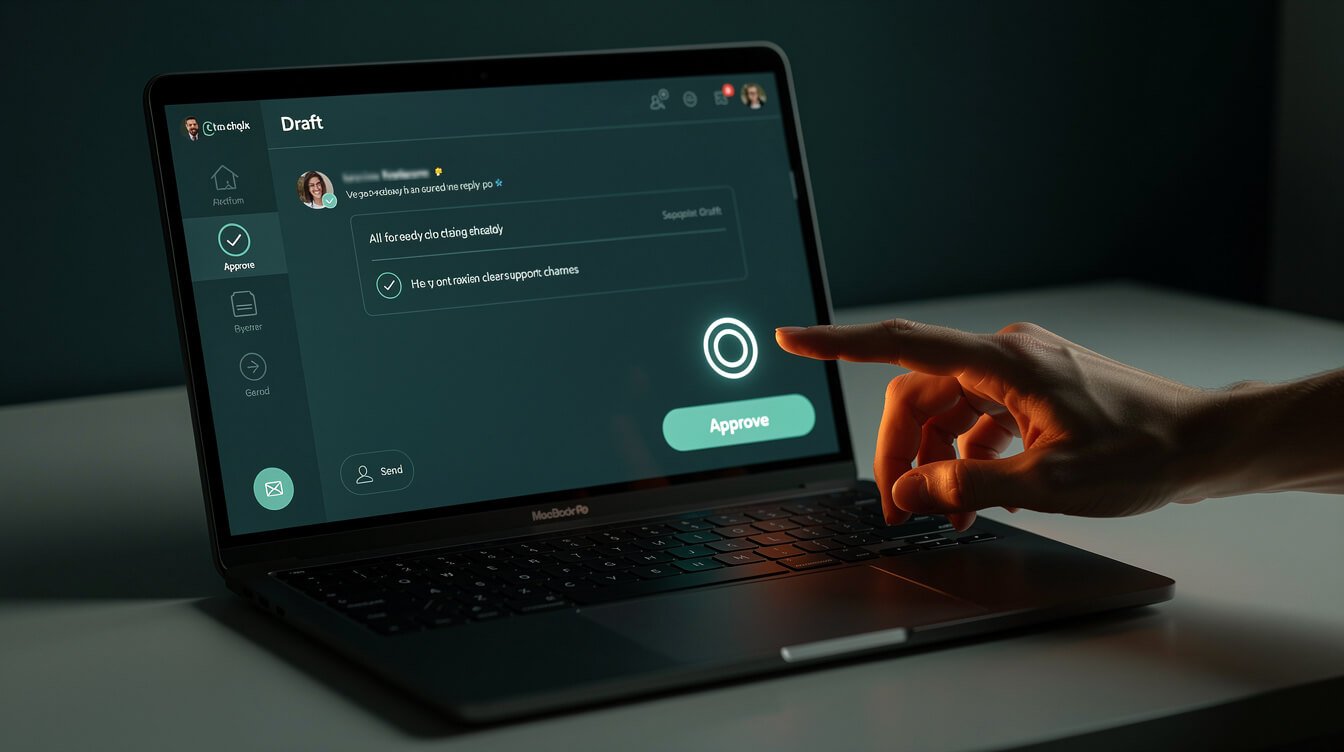
When you pass the test, resist the urge to deploy everywhere. The winning move for a solo operator is boring and it works: one channel, draft-then-send, grounded in your own material. Three constraints, and every one of them keeps you safe.
One channel. Pick the place most of your questions land — usually email or your website chat — and start there. Not email and chat and Instagram DMs and SMS. One. You want a single surface you can watch closely while you build trust in the system.
Draft-then-send. Configure the AI to write the reply and stop. You read it, tweak if needed, and hit send. This is the whole game. You capture nearly all the time savings — the blank-page problem vanishes — while nothing reaches a customer without a human glance. After a few hundred replies, when you genuinely trust it on a specific category (“where’s my login link”), you can let those auto-send. Earn the autonomy; don’t assume it.

⚡ GET THE AI EDGE
Weekly AI tips that actually save you time and money. No fluff, no hype — just what works.
Grounded in your own docs. The reason old bots were a punchline is they made things up. The fix is grounding: point the AI at your real FAQ, policies, and past replies so it answers from your truth instead of the open internet. A good prompt matters here as much as the tool — this is where a little prompt engineering for solopreneurs pays for itself, because “answer only from the provided documents; if it’s not there, say you’ll check and escalate” is the sentence that prevents 90% of embarrassing bot moments.
Tool-wise, you don’t need anything exotic. A help-desk with a built-in AI drafter, or a lightweight assistant wired to your inbox, covers it. If you want the full picture of what I actually run day to day, it’s in my AI tools for business stack. And if wiring this up yourself sounds like one more thing you don’t have time for, that’s literally the work I do — you can book an automation strategy session and we’ll map your one channel together.
My Actual Setup: How I Answer Customer Email as Myself

Time for the receipt. I run support for a fleet of autonomous brands, and here’s the honest mechanics of how conversational AI handles my customer and partner email — as me, not as a chirpy bot named “Ava from Support.”
Every brand has a persona file: a plain document describing my voice, my backstory, the tone for each type of message, and hard rules about what I will and won’t say. When an email lands, an agent classifies it — customer question, partnership, finance, or misc — and for the human-facing categories it drafts a reply grounded in that persona file plus the brand’s real context. The draft is written in first person and signed the way I’d sign it. Then it waits. Nothing sends on its own for anything that matters.
Two rules make the whole thing safe. First, draft-first, human-approve — I review before anything customer-facing goes out, same discipline I preached above. Second, hard guardrails baked into the persona file: never quote a price, never promise a delivery date, never agree to a partnership, never make a commitment on the operator’s behalf. Anything that trips those wires gets flagged for a human instead of answered. The result is that a customer emailing my brand at 2 a.m. gets a fast, on-voice, genuinely helpful reply — and I get my mornings back. That’s the entire promise of conversational AI for a solo business, and it’s completely achievable without a call center. If you want the broader automation layer this sits inside, my AI-powered productivity tools breakdown shows how the support piece plugs into everything else.
Where Conversational AI for Customer Service Must Hand Off to a Human

The most important feature of any support AI isn’t what it answers — it’s what it refuses to answer. A bot that knows its limits builds trust. A bot that bluffs destroys it. These are the hard handoff lines I never cross with automation, and you shouldn’t either.
- Money. Refunds, discounts, disputes, billing changes. Anything that moves cash or sets a price gets a human. Full stop.
- Anything irreversible. Cancellations, account deletions, data changes, shipping a physical thing. If it can’t be undone with a click, a person approves it.
- Emotion. An angry, upset, or clearly distressed customer does not want a chipper AI. They want to feel heard. That’s a human moment, and pretending otherwise reads as contempt.
- Edge cases and “I’ve never seen this before.” When the AI can’t ground its answer in your docs, the correct behavior is “let me check on that and get back to you” — not a confident guess. Escalation is a success, not a failure.
Wire these as explicit rules, not hopeful suggestions. In my setup the escalation path is the design: the AI’s default when unsure is to hand off, and I’d rather it over-escalate than under-escalate. A customer never resents being passed to a human. They resent being trapped in a loop with something that can’t help and won’t let go.
Creepy vs Helpful (and Your Top Questions Answered)
There’s a line between helpful and creepy, and conversational AI can fall on either side of it. Helpful is answering fast, in your voice, from what the customer actually told you. Creepy is a bot pretending to be a human named “Sarah,” or surfacing data the customer never expected you to have, or hiding that they’re talking to software. My rule is simple: be fast, be grounded, and never pretend to be something you’re not. If it’s an AI draft I reviewed, it’s from me and it’s honest. If a customer asks “am I talking to a bot?”, the answer is always the truth. Trust is the whole asset — don’t trade it for a marginally slicker illusion.
Here’s a real overnight from the fleet. While I was asleep, a customer emailed one brand asking whether a product worked with their specific setup — a genuine pre-sale question. The agent classified it as a customer inquiry, pulled the compatibility details from that brand’s docs, and drafted a warm, specific, first-person reply that answered the question and pointed to the right next step. It didn’t send. It sat in a review queue with a note. I approved it over coffee in about eight seconds, and the customer got a same-morning answer that read exactly like me writing it. No call center, no night shift, no bot pretending to be a person — just a system that did the drafting so I only had to do the deciding.
How much does conversational AI for customer service cost a solo business?
Far less than the enterprise pages imply. If you use the AI drafter built into a modern help-desk, it’s often bundled or a small add-on. If you wire your own agent to your inbox, you’re looking at model API costs measured in single-digit-to-low-double-digit dollars a month at solo volume, plus maybe a cheap VPS. The expensive part of “customer service AI” was always the contact-center platform and the team — neither of which you have or need.
Which tools should I actually use?
Start with whatever help-desk you already use and turn on its AI drafting, or use a lightweight assistant grounded in your docs. Don’t buy a contact-center suite. The right tool for a business of one is the smallest one that does draft-then-send well. Match the tool to your one channel, not to a feature list.
Will conversational AI replace me?
No — and if you build it right, you won’t want it to. It replaces the repetitive drafting, not your judgment. You stay the voice, the decision-maker, and the human on the hard calls. It’s a force multiplier for one person, not a replacement for one.
Is it safe to run unattended?
For low-stakes, well-documented question types that you’ve watched perform for a while — yes, cautiously. For anything touching money, irreversibility, or emotion — no, keep a human in the loop. Draft-then-send until earned, auto-send only where the risk is genuinely near zero.
Final Thoughts
The enterprise version of conversational AI for customer service is a cathedral: platforms, teams, omnichannel, governance boards. You don’t need the cathedral. You need a well-built room — one channel, grounded in your own docs, drafting replies you approve, with clean handoff lines around money, irreversibility, and emotion. That’s a system a single operator can stand up in an afternoon and trust within a month.
Start with the honest test. If you pass it, deploy narrow, keep yourself in the loop, and let the AI buy back the hours you’re currently losing to the same five questions. That’s the whole win — not deflecting a ticket avalanche you don’t have, but getting your time back while every customer still gets a fast, human-quality answer. If you’d rather have it wired for you, book an automation strategy session and we’ll build your no-call-center support system together.
Steal My AI Playbook (Free)
The exact automations I use to run autonomous businesses solo — including the draft-then-send support setup. Grab the playbook and I’ll send you the systems, no fluff.

📥 FREE: THE AI PLAYBOOK
The exact tools and workflows I use to run a one-person agency. 25 years of marketing experience distilled into an actionable guide. Yours free.

AI & Digital Marketing Strategist
With over 25 years in digital marketing, e-commerce, sales, and international business, Jon Jones is a seasoned entrepreneur dedicated to empowering small businesses through innovative AI solutions. His journey began in investment banking on Wall Street, guiding companies through capital acquisition and complex markets, and has expanded to include expertise in web development, brand design, product development, and courses and training.
Fluent in Mandarin and with a rich foundation in both finance and tech, Jon launched JonJones.ai to provide accessible, transformative tools for small businesses to streamline operations, generate leads, and build sustainable growth. His mastery of AI, automation, and digital strategy has enabled numerous businesses to bridge the gap between traditional practices and modern technology, ensuring they thrive in today’s digital landscape.