
Everyone searching for a Claude Code sandbox wants the same thing: to stop clicking “Approve” forty times an hour without handing an AI agent the keys to their whole machine. Fair. But most guides stop at day one: run /sandbox, pick a mode, done. This one starts at day 130.
I run a fleet of autonomous businesses on Claude Code. The container writing this sentence has been running scheduled jobs unattended since June 12, 2026: 1,729 dated run logs, 20 different jobs, from blog posts to inbox triage to outreach. No human in the loop on most of them. So the question for me was never “how do I turn the sandbox on?” It was “what does the box actually stop, and what walks straight through it?”
Here’s the honest answer, with receipts from the box itself. You’ll get the three things “Claude Code sandbox” can mean, which threat each one stops, the leak list nobody prints, and a 5-command audit you can run in your own sandbox in two minutes.
What “Claude Code Sandbox” Actually Means (It’s Three Different Things)
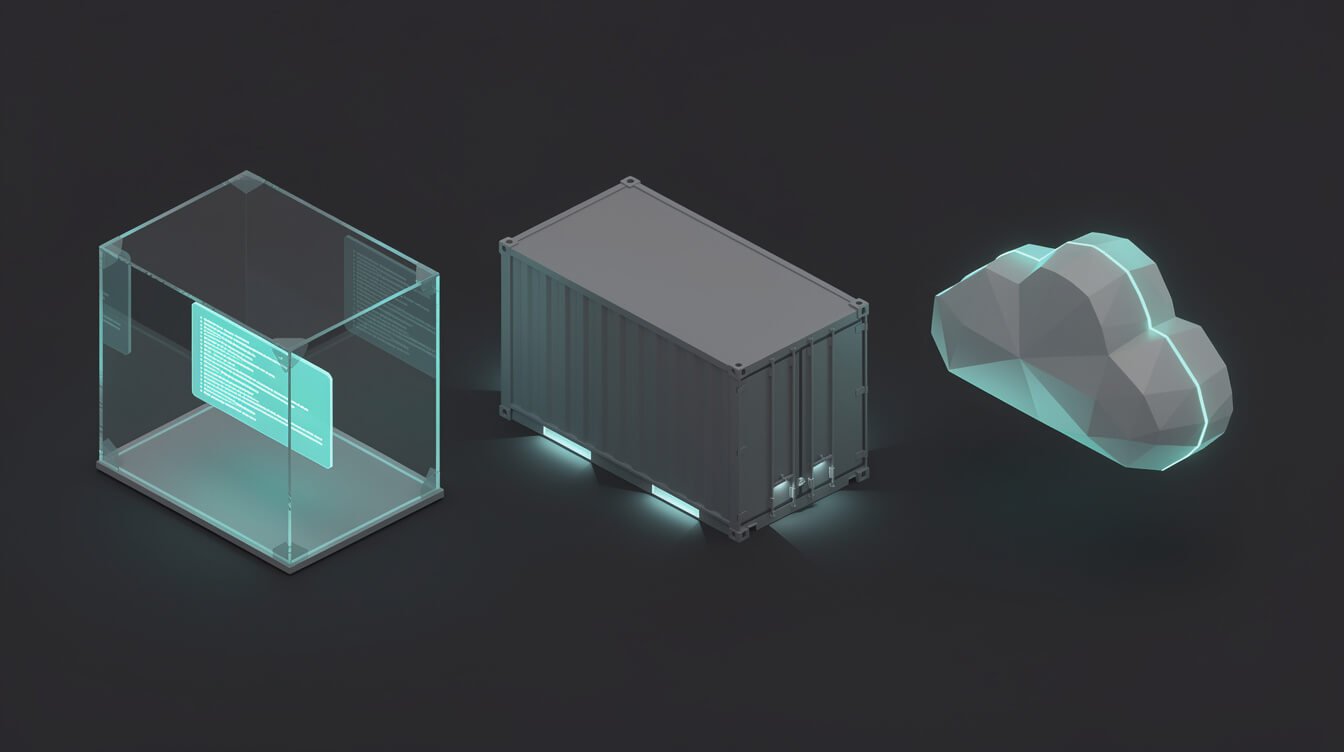
Half the confusion in this SERP comes from people using one phrase for three different boundaries. Pin down which one you mean before you configure anything.
1. The built-in sandboxed Bash tool
This is what /sandbox turns on. Per Anthropic’s sandboxing docs, it’s an operating-system boundary around the shell commands Claude runs: Bash, PowerShell, Monitor, and the child processes they start. On Linux and WSL2 it uses bubblewrap; on macOS it uses Seatbelt. It’s off by default.
The detail most people miss: it covers shell commands only. Claude’s own Read, Edit, Write, WebFetch and WebSearch tools, your MCP servers, and your hooks all run outside it, governed by permission rules instead.
2. Running Claude Code inside a container or VM
Docker, a dev container, a VM. Here the whole Claude Code process lives inside the boundary, so file tools, MCP servers and hooks are boxed in too. This is the setup Anthropic’s own sandbox environments guide recommends for unattended work. There’s also the open-source sandbox-runtime, which wraps the whole process without Docker.
3. Cloud sandboxes
Claude Code on the web, or hosted sandboxes from third parties. Someone else’s machine, disposable by design. Great for untrusted repos. Not where you keep a business running every night.
Real talk: if a guide says “sandbox your Claude Code” without saying which of these three it means, it hasn’t told you anything yet.
Why People Turn It On: The Permission-Prompt Problem

Nobody turns on a sandbox because they love security config. They turn it on because Claude Code asks permission for everything, and by prompt number thirty you’re approving without reading. That’s not safety. That’s a rubber stamp with extra steps.
So there are two ways out of prompt hell, and they are not the same thing:
- Sandbox auto-allow mode. Sandboxed commands run without a prompt because the OS boundary contains them. Deny rules, critical-path
rmchecks and content-scoped ask rules likeBash(git push *)still apply. --dangerously-skip-permissions. Nothing replaces the prompt. Claude just acts. The docs are blunt about it: always run these sessions inside a container, a VM or the sandbox runtime, and Claude Code refuses to start with that flag as root on Linux and macOS.
Here’s the trap. People read “skip permissions” as the risky part and “sandbox” as the safe part. The real risk is skip-permissions with no box around it. On your laptop, that’s an agent with your SSH keys, your browser profile and your cloud credentials one cat away.
And one more thing worth knowing before you rely on the built-in sandbox alone: by default Claude can ask to retry a failed command unsandboxed. That’s an escape hatch, and it’s on unless you set "allowUnsandboxedCommands": false. Fine when you’re watching. Meaningless when you’re asleep.
My Claude Code Sandbox: One Container per Brand, Unattended Since June
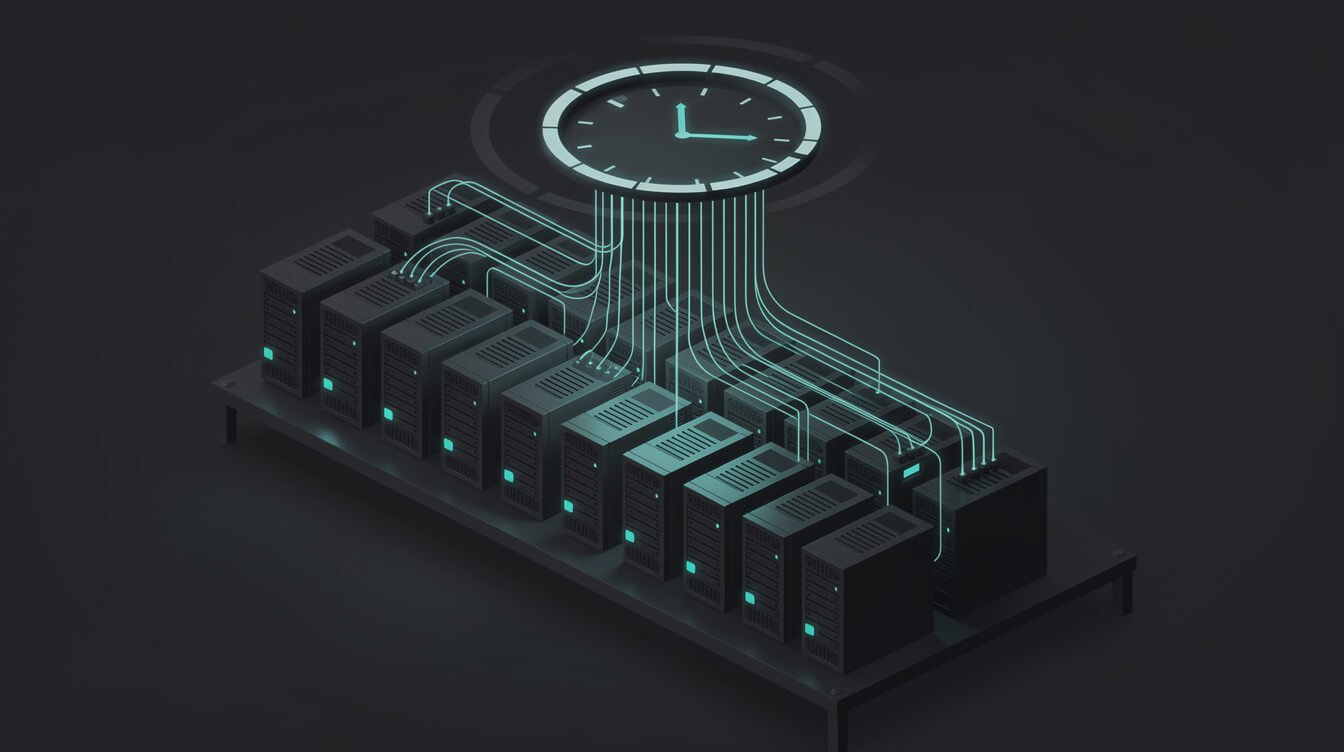
Here’s what my setup actually looks like. Every number below was measured inside the container on October 20, 2026, the night this post was written.
The shape: one Docker container per brand. Inside each one, a scheduler fires Claude Code jobs on cron. Each job runs claude --print --dangerously-skip-permissions with one instruction, does its work, logs a result line and exits. The container is the boundary. I don’t run the built-in /sandbox inside it (more on that in a minute).
What the box gets right:
- Non-root.
idreturnsuid=1001(agent). The agent can’t write to/etc; I tried, “Permission denied”. - Zero Linux capabilities.
CapEff: 0000000000000000in/proc/self/status. A seccomp filter is on. - No SSH keys, no cloud CLI creds.
~/.sshand~/.awsdon’t exist in the container. Nothing to steal there. - No Docker socket.
/var/run/docker.sockisn’t mounted. That matters more than almost anything else on this list, because mounting the socket is root on the host with extra steps. - A short, known mount list. 32 lines in
/proc/self/mountinfo; apart from the image itself and Docker’s standard host files, there are eight bind mounts, and I can name every one.
That’s the brochure. The next section is the part I’d actually want you to read. If you want the wider architecture first, I broke down how the whole fleet runs on one server and what my Claude Code agents do in production.

Get the AI Playbook
The operator notes behind my fleet: how the containers are set up, what they cost, and what broke this week. Free, and you can leave whenever you like.
The Leak List: What a Sandbox Still Sees

Here’s the line I’d tattoo on every sandbox guide: the sandbox doesn’t protect you from the agent. It protects you from everything you didn’t hand the agent. Whatever you mount, inject or allow is inside the box by definition. So the real audit is a list of what you handed over.
For my container, that list is:
1. Environment variables: 29 secrets, by name
The container has 114 environment variables. 29 of them have KEY, TOKEN, SECRET or PASS in the name. WordPress, Airtable, Asana, image generation, email outreach, social scheduling. That’s how the agents do their jobs, and it means anything that can run env can read all 29.
The built-in sandbox doesn’t fix this by default either. Anthropic’s own table says sandboxed commands inherit Claude Code’s environment “including any secrets in its environment”. You have to name each variable under sandbox.credentials to strip or mask it, because there’s no built-in deny list.

⚡ GET THE AI EDGE
Weekly AI tips that actually save you time and money. No fluff, no hype — just what works.
2. Bind mounts: one of them is a credential file
Of my eight bind mounts, one is a Google service-account key file. It’s readable from inside the box, because the agents need it to mint tokens for Gmail and Search Console. It’s mounted on purpose, but it’s still a credential sitting inside the sandbox, and a lot of setups have one like it that nobody remembers adding.
3. The agent’s own config is writable
This is the one that surprised me. ~/.claude is bind-mounted read-write, so the agent could edit its own settings.json. Same with the project folder holding its instructions. The built-in sandbox has a “protected paths” list that blocks exactly this: writes to .claude settings, skills, hooks and .mcp.json, so a command can’t grant itself new permissions. A plain Docker container has no such list. The container stops the agent from escaping to the host. It does nothing to stop it rewriting its own rules inside.
4. The network is open
From inside, curl https://example.com returns 200. The agents talk to over a dozen APIs a night, so I’ve never locked egress down. Put items 1 and 4 together and you get the uncomfortable truth: if a prompt injection ever landed in a page an agent read, it could send those 29 secrets anywhere. That’s the gap in my setup, stated plainly.
Even a perfect allowlist isn’t airtight. Anthropic’s docs warn that allowing broad domains like
github.comopens exfiltration paths, and the proxy decides by hostname without inspecting TLS, so domain fronting is possible.
None of this is exotic. It’s exactly what the docs warn about: any approach that allows network egress can still leak data the agent can read. The difference is that now you’ve seen a real one, itemized. For the broader security rules I follow on the server, see my Claude Code security guide. I won’t repeat those here.
Built-In Sandbox vs Docker vs Both: Which Threat Each One Stops

Stop asking “which Claude Code sandbox is best?” Ask “which threat am I stopping?” Here’s how the options map, based on the docs and on what I measured above.
| Threat | Built-in /sandbox | Docker container | Both (layered) |
|---|---|---|---|
| Shell command wrecks files outside the project | Stops it (writes limited to working dir + temp) | Stops it at the container edge; anything mounted is fair game | Stops it |
Reads ~/.ssh, ~/.aws | Does not stop it by default (reads are open) | Stops it if you don’t mount them | Stops it |
| Read/Edit tools, MCP servers, hooks misbehave | Not covered (they run outside) | Contained | Contained |
| Agent edits its own settings or hooks | Blocked for shell commands (protected paths) | Not blocked if .claude is mounted writable | Blocked for shell commands |
| Secrets in env vars | Exposed unless named in credentials | Exposed (whatever you inject) | Strip or mask per variable |
| Data sent to an unknown host | Blocked: proxy allowlist starts empty | Open unless you add egress rules | Allowlist enforced |
| Setup cost | Minutes on macOS, low on Linux | Medium | Higher: needs bubblewrap in the image and enableWeakerNestedSandbox |
So why don’t I layer both?
Honest answer: I haven’t yet, and it’s the obvious next hardening step. Three reasons it’s not a five-minute job. First, bubblewrap isn’t installed in my image. Second, inside an unprivileged container you need enableWeakerNestedSandbox, which the docs say “considerably weakens security” and is only for when the outer box already does the real isolating. Third, the allowlist would have to name every API host the agents call, and keep up as I add tools.
The cheaper win, which I’d do first: egress filtering at the container level plus mounting .claude read-only wherever the agent doesn’t need to write it. That closes items 3 and 4 on the leak list without touching Claude Code at all.
The rule of thumb
- You’re at the keyboard and tired of prompts: built-in
/sandboxin auto-allow mode. Addcredentialsdeny entries for~/.sshand~/.awson day one. - Nobody’s watching: container or VM, non-root, no Docker socket. The built-in sandbox alone isn’t enough, and Anthropic says so.
- Nobody’s watching and the agent reads the open web: both, plus egress rules. That’s where I’m heading.
The 5-Command Claude Code Sandbox Self-Audit

Open a shell inside your Claude Code sandbox, as the same user the agent runs as. Run these five. I ran every one inside my container before publishing; my results are in the comments.
# 1. Who am I? You want a non-root uid.
id
# mine: uid=1001(agent) gid=1001(agent)

# 2. Are the classic credential stores and the Docker socket here?
ls -la ~/.ssh ~/.aws /var/run/docker.sock 2>&1
# mine: "No such file or directory" x3

# 3. What did I mount in? Read every line.
awk '$5 !~ /^\/(proc|sys|dev)/ {print $5}' /proc/self/mountinfo
# mine: 12 lines, including one credential file

# 4. How many secrets can the agent read? (counts names, never prints values)
env | cut -d= -f1 | grep -cE 'KEY|TOKEN|SECRET|PASS'
# mine: 29

# 5. Can it reach the internet?
curl -s -o /dev/null -m 5 -w '%{http_code}\n' https://example.com
# mine: 200 (open)
How to read your results
- Command 1 says
uid=0: fix this first. Root inside a container is one misconfiguration away from root outside it. - Command 2 lists a real file: that credential is inside your sandbox. Unmount it, or deny it under
sandbox.credentialsif you’re on the built-in sandbox. Ifdocker.sockshows up, stop and remove it. - Command 3 shows a path you didn’t expect: that’s the “forgot I mounted it” problem in one line. Every mount should have a reason you can say out loud.
- Command 4 is above zero: normal for agents that do real work. Now ask: does this job need all of them?
- Command 5 returns 200 and command 4 is above zero: you’ve got an exfiltration path. Decide on purpose whether that’s acceptable.
Three of my five results are ones I’d flag in a client audit, and I’m publishing them anyway. That’s the point of an audit: the box you’ve got versus the box you think you’ve got. If you want this run against your own setup, that’s literally what I do in a strategy session.
Claude Code Sandbox FAQ

Is the Claude Code sandbox on by default?
No. The built-in sandbox is off until you run /sandbox or set sandbox.enabled to true in a settings file. If you’ve never done either, your Bash commands run unsandboxed.
Does the sandbox slow Claude down?
A little, per command. One independent test using the standalone runtime measured roughly 80 to 160 ms of fixed overhead per sandboxed call, and that cost doesn’t grow with the work. You’d only notice it in loops of hundreds of tiny commands. Not a reason to skip it.
Can a sandboxed command still reach the internet?
Only through the sandbox proxy, and only to domains you’ve allowed. The allowlist starts empty. Tools that ignore proxy settings, like plain ssh and most database drivers, can’t connect at all, and nothing that isn’t TCP gets out. Inside a plain Docker container it’s the opposite: the network is open unless you close it.
Do I need Docker on macOS?
Not for the built-in sandbox; it uses macOS’s own Seatbelt. You need Docker (or a VM) when you want the whole Claude Code process boxed, which is the recommendation for --dangerously-skip-permissions and unattended runs.
Does the sandbox stop Claude reading my files with the Read tool?
No. The built-in sandbox governs shell commands. A denyRead entry doesn’t stop the Read tool; use permission deny rules for that, or put the whole process in a container.
Can I use the built-in sandbox inside Docker?
Yes, but in an unprivileged container bubblewrap can’t mount a fresh /proc, so you need enableWeakerNestedSandbox. Only use it when the outer container is already your real boundary.
Do updates change sandbox behavior?
Often. The sandbox settings keep growing: credential masking and the option to disable filesystem isolation both arrived in v2.1.2xx releases. Pin and test before you roll an update across a fleet; here’s how I update Claude Code without breaking running agents.
Final Thoughts: Box the Agent, Then Audit the Box
A Claude Code sandbox is worth turning on. Just be clear about what you bought. The built-in /sandbox is a seatbelt for your shell commands at the keyboard. A container is the boundary for anything unattended. And neither one does anything about the secrets, mounts and network access you handed over yourself.
Here’s the action, tonight:
- Run the five audit commands inside whatever your agent runs in.
- For every secret, mount and open route on the list, write one line: why does this agent need it?
- Remove one thing that doesn’t have an answer.
That’s ten minutes, and it’ll teach you more about your setup than any comparison table. Mine taught me that my agents can rewrite their own settings and talk to any host on the internet. Those are next on the fix list, in public.
If you’re putting agents to work unattended, two more reads: the CLAUDE.md file that runs them, and how I keep an eye on the fleet from my phone. Box the agent. Then audit the box. Let’s build.
Running Agents Unattended?
Get the AI Playbook: container setups, cost receipts and failure notes from a fleet that runs while I sleep, written for solo operators. No fluff, no filler.

📥 FREE: THE AI PLAYBOOK
The exact tools and workflows I use to run a one-person agency. 25 years of marketing experience distilled into an actionable guide. Yours free.

AI & Digital Marketing Strategist
With over 25 years in digital marketing, e-commerce, sales, and international business, Jon Jones is a seasoned entrepreneur dedicated to empowering small businesses through innovative AI solutions. His journey began in investment banking on Wall Street, guiding companies through capital acquisition and complex markets, and has expanded to include expertise in web development, brand design, product development, and courses and training.
Fluent in Mandarin and with a rich foundation in both finance and tech, Jon launched JonJones.ai to provide accessible, transformative tools for small businesses to streamline operations, generate leads, and build sustainable growth. His mastery of AI, automation, and digital strategy has enabled numerous businesses to bridge the gap between traditional practices and modern technology, ensuring they thrive in today’s digital landscape.