

If you searched claude chat vs cowork, you probably wanted a simple rule for which tab to open. Here’s the honest answer for November 2026: on Pro, Max and Ultra that choice is being taken away from you. On 16 September, Anthropic started merging Chat and Cowork into one conversation where Claude decides whether your request needs a quick reply or a whole task. Most of the “which mode should I use” guides ranking for this term were written before that happened.
So this post does three things. It explains what the old split was, what changed when the two merged, and how to tell which version you’re on today. Then it covers the decision that doesn’t go away: how much you let Claude do without asking. That’s the setting that actually matters, and I have opinions about it, because my own agents run with every approval switched off. I’ll explain why that’s fine in my setup and a bad idea on your laptop.
One disclosure up front. My production fleet runs Claude Code headless on a schedule, not Cowork. Everything below about Cowork comes from Anthropic’s own documentation (linked inline, checked on 11 November 2026) and an independent benchmark, not from me pretending I’ve lived in it for months.
Claude Chat vs Cowork in One Paragraph (and Why the Question Is Expiring)

Chat was the conversation: you ask, Claude answers, you steer every turn, and the output is text you read or copy somewhere else. Cowork was the delegate: you describe a finished deliverable, Claude plans the steps, works across your files, browser and connected apps, and hands back a document, spreadsheet or deck. Chat was you driving. Cowork was you handing over the keys and checking back later.
That distinction was real, and for most of 2026 it was a reasonable thing to write a guide about. Then Anthropic published “Claude Cowork and chat are now one Claude” on 16 September. Their explanation is refreshingly blunt: people used both, and “the frustrating part was deciding where a task belonged.” So they stopped making you choose. In the new experience, a quick question still gets a quick answer, and a big job gets treated like a Cowork task, in the same thread.
The rollout is gradual. It started with Pro and Max (Ultra was split out of Max on 30 October, so it’s included), went generally available for Enterprise on 23 October, and is in beta on Team where an admin turns on Chat and Cowork unified. Free is listed as “to follow.”
The short version: Claude chat vs Cowork used to be a choice of tool. It’s turning into a choice of leash length. You no longer pick the mode. You pick how much Claude may do before it checks with you.
The Old Split: What Claude Chat Did and What Cowork Did

It’s still worth knowing the old Claude chat vs Cowork split, for two reasons. If your message box still shows separate “Chat” and “Cowork” options, you’re living in it right now. And the logic behind it is exactly the logic Claude now applies for you, so understanding it helps you write better requests.
Anthropic’s own Academy tutorial on choosing between Cowork and Chat boils it down to four questions:
| Chat | Cowork | |
|---|---|---|
| Your goal | Still working it out | Clear deliverable in mind |
| The work | A few turns of back-and-forth | Multi-step, multi-source, or long-running |
| Your role | Present for every turn | Describe it once, check back |
| The output | Text you’ll read or copy | A finished file or an action taken |
Under the hood, the gap was bigger than the table suggests. The same tutorial says Cowork “runs on the same agentic engine as Claude Code”: the loop that lets Claude plan, use tools, check its own work and deliver. Cowork could read and write local folders through Claude Desktop, drive a logged-in browser, run parallel sub-tasks, and run on a schedule. Chat could do none of that by itself. You were the integration layer, copying material in and results out.
What the older guides now get wrong
Several of the pages ranking for this term still repeat claims that have since expired. The most common one: “Cowork doesn’t know what you told Chat.” In April that was a fair summary. Today Anthropic’s Get started with Claude Cowork page says the opposite for cloud sessions: Claude starts from what it remembers from your chats, and what comes up in a task carries back to chat. Another one: “Cowork runs in a VM on your computer.” Sessions now run in the cloud, and Claude only reaches your machine through the desktop app for folders you’ve connected. If a guide doesn’t mention the merge, check its date before trusting its details.
What Changed When Claude Chat and Cowork Merged
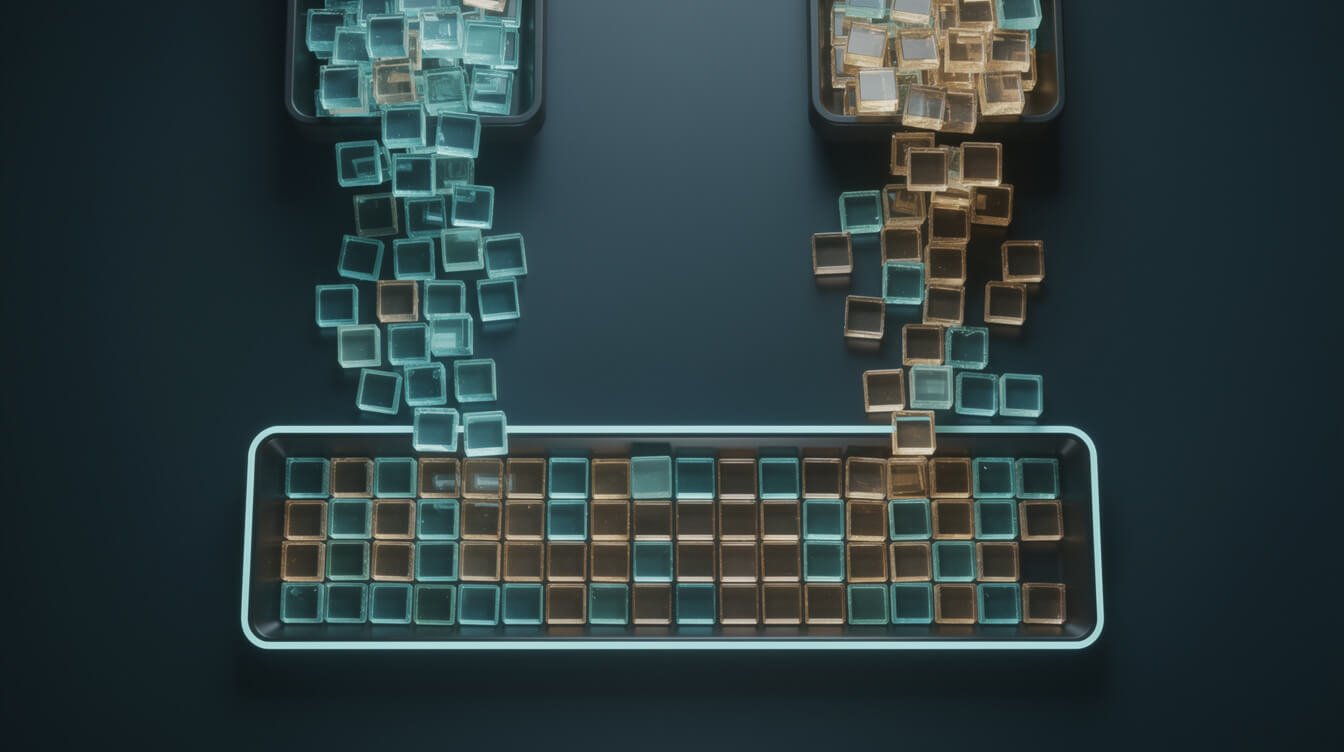
Anthropic’s help article “Claude Cowork and chat are one Claude” is the source of truth here, and it’s worth reading in full. Here’s the practical map of what moved where:
| Thing you used | Where it lives now |
|---|---|
| Cowork tasks | In Recents, alongside your chats. Old tasks open and continue as before. |
| Cowork “Global instructions” | Merged into Settings > Your Claude (Instructions for Claude). Check the result, since two sets of instructions just became one. |
| Web search toggle | Gone. Claude searches when it helps. |
| Research mode | Type /deep-research, or use the “+” menu and choose Research. |
| Files Claude makes | Next to the conversation. On desktop, the old Cowork Storage folder is still in Settings, and connected folders are listed under Trusted folders. |
| Projects, connectors, skills, plugins | Carried over, and they now work in every conversation. |
| Scheduled tasks | Created from any conversation (“every weekday at 8 AM, summarize…”). They run in the cloud, so your computer can be off. |
| Model picker and the Code tab | Exactly where they were. |
What still depends on your desktop
The cloud part is the headline: longer tasks keep running when you close the laptop, and you can check on them from your phone. But the line Anthropic draws is clear. Local files, the built-in browser and computer use only work while Claude Desktop is open. If your task needs something on your machine, your machine has to be awake. If it only needs connected apps like Drive, Gmail or Slack, it doesn’t.
The current limitations
As of 11 November the help article lists these: Add from GitHub isn’t supported, you can’t branch a conversation from an earlier point, Incognito chats open in the old experience (so no files or code there), Search doesn’t cover older Cowork tasks (find them by name in Recents), and Dispatch is closed to new users. Also note that once your account moves over, you can’t switch back to separate modes.
Is the merged version any good?
The best outside test I’ve found is The New Stack’s head-to-head of merged Claude against ChatGPT’s Work mode (22 September). Both scored perfectly on accuracy: 12 of 12 research fields, 16 of 16 hidden tests on a coding spec, and 30 of 30 numbers on a spreadsheet handoff. ChatGPT was faster on every task, and the handoff gap was large (28 seconds vs about 4 minutes). Claude wrote more (2,468 vs 1,933 visible output tokens) but explained its method and flagged judgment calls. That’s one reviewer and three tasks, so treat it as a signal, not a verdict. The part that matters for you: a chat question and a delegated job really did work in the same thread, with no mode switch.

Get the AI Playbook
The briefs, approval settings and real run logs behind a fleet of unattended business agents, plus whatever broke this week. Free, and you can leave whenever you like.
How to Tell Which Claude You Have Right Now

This is the question I’d answer first if a client asked me about Claude chat vs Cowork tomorrow, because the rest of the advice depends on it. Accounts on the same plan move over at different times, and you don’t have to switch anything on. Here’s the test:
- Look at your message box. If it still shows separate “Chat” and “Cowork” options, you’re on the old experience. If those options are gone, you have the new one.
- Check your plan. Pro, Max and Ultra are in the rollout. On Team it’s a beta that an admin turns on. On Enterprise it’s whatever your admin has enabled. On Free there’s no Cowork at all: the pricing page lists “Hand off and schedule tasks” as Pro and up (Pro is $20 a month, or $17 billed annually).
- Open an Incognito chat as a sanity check. Incognito always opens in the previous experience, so if it looks different from your normal chats, your normal chats have moved.
If you’re still on the old split
Use the Academy table above. My rule of thumb for solopreneurs is simpler. If you’ll read the answer and act on it yourself, use Chat. If you’d rather come back to a finished file, use Cowork. And if you catch yourself pasting the same five documents into Chat for the third time, that’s the job Cowork exists for.
If you have the new experience
Stop thinking about modes and start writing briefs. Anthropic’s own advice is to describe the job the way you’d brief a colleague: the outcome (“a one-page summary,” “a spreadsheet with a tab for each region”), the format (Word doc, deck, Slack-ready message), and the inputs (which files, links or apps). A vague request gets a chat answer. A clear brief gets a task. Same box, very different result.
The Choice That Stays: How Much Claude Does Before It Asks

Here’s the part the rest of the SERP skips. The merge removes the mode decision, but it keeps a permission decision, and that one has consequences. A permission setting in the message box controls how independently Claude works, and it applies to the whole conversation.

⚡ GET THE AI EDGE
Weekly AI tips that actually save you time and money. No fluff, no hype — just what works.
Anthropic’s Use Claude Cowork safely page describes three levels:
- Manually approve. Claude asks before it takes actions, and you allow each one.
- Automatically approve. Claude keeps going without stopping, but screens each action for safety first and blocks anything it judges unsafe.
- Skip all approvals. In Anthropic’s words, “nothing checks its actions.”
In every mode, Claude still asks before permanently deleting files.
Anthropic’s own pages disagree on the default
This tripped me up while researching, so I’ll save you the confusion. The merge help article says the default is Auto on Pro, Max, Ultra and Team, and Manual on Enterprise. The September announcement says that “by default, Claude asks before taking an action” and you can turn on the more independent mode. Both pages were live on 11 November. Don’t trust either default. Look at the setting in your own message box before you hand over anything that touches real accounts.
Why I run with every approval off (and why you shouldn’t copy me)
Full receipts: every agent in my fleet runs as claude --print --dangerously-skip-permissions, on cron, about 400 runs a month across 20 skills. That’s the Claude Code equivalent of “Skip all approvals.” I’m comfortable with it for one reason: the blast radius is fenced outside the agent. Each brand runs in its own container as a non-root user, with no SSH keys and no Docker socket, and every important file is backed up before the agent writes to it. I published the full audit, including the two gaps that are still open, in my Claude Code sandbox write-up.
Your laptop is not that container. Cowork with Skip all approvals can reach the folders you’ve connected, your logged-in browser, and apps like Gmail and Slack. Anthropic’s safety page is explicit about the risk: prompt injection works when Claude can both read content from outside your trust boundary and take actions that matter. An email with hidden instructions plus permission to send messages is exactly that combination.
So here’s how I’d set it up for a small business:
- Default to Automatically approve for research, drafting, summaries and file creation in a dedicated working folder.
- Switch to Manually approve for anything that sends, buys, deletes, posts, or touches finance and client records. Do the same the first time you use a new plugin or site.
- Skip all approvals only inside a sandbox you’ve built and tested. If you don’t know what that sentence means in practice, that’s your answer.
- Give Claude one folder, not your whole drive. Anthropic recommends exactly this, plus backups.
Scheduled tasks are the real unattended mode
The genuinely new power for non-developers is the schedule. Per the scheduling docs, scheduled tasks are on every paid plan, run in the cloud even when your computer is asleep, and each run is its own session. (On Pro, Max and Ultra, local scheduled tasks created before 6 October keep running on your machine.) That’s a small version of what my fleet does all day, so here’s the lesson that cost me the most: “it ran” is not “it worked.” In my logs, all 44 failed runs over five months exited cleanly. That’s why I write about reading back every result. Anthropic’s advice lines up: start with low-risk tasks, keep sensitive data and irreversible actions out of schedules, review every run, and pause what you’re not using.
If you want help deciding what’s safe to hand over and what needs a human gate, that’s exactly the work I do with clients. You can book an automation strategy session and we’ll map your first three scheduled jobs and the approval level each one deserves.
Where Claude Code Still Fits

The merge doesn’t touch Claude Code. The Code tab is still its own thing, and the terminal CLI is still where developers and operators like me live. Cowork borrowed Claude Code’s engine for documents, spreadsheets and decks. Claude Code keeps it pointed at code, scripts, and anything you want to run headless on your own infrastructure.
Practical split, and the one I’d add to any Claude chat vs Cowork decision: if the output is a deliverable a human reads, unified Claude is now the right home. If the output is software, or you need an agent that runs from cron on a server you control, you want Claude Code. I’ve covered that boundary in detail in Claude Cowork vs Claude Code and Claude vs Claude Code, and the operator setup in my Claude Code CLI guide.
Claude Chat vs Cowork: Frequently Asked Questions

Is Claude Cowork going away?
The name is fading, but the capabilities aren’t. Anthropic’s words: “everything Claude Cowork does is available from any conversation.” Your existing tasks, projects, connectors, skills, artifacts and files carry over.
Does Cowork know what I told Chat?
In the unified experience, yes. Claude uses what it remembers from your chats in the tasks it runs. The exception is memory from old Cowork tasks that ran only on your computer, which stays with those tasks. You can switch Memory off for a single task from the “+” menu before you send the first message.
Does a task use more of my plan limit than a chat?
Generally, yes. Everything counts toward the same usage limits, and Anthropic says longer agentic tasks that search, run code or create files “generally use more than a quick question.” It also warns that usage may be measured slightly differently during the rollout. Check Settings > Usage after your first few big tasks before you schedule anything daily.
Can I switch back to separate Chat and Cowork?
No. Once your account has the new experience, the separate options don’t come back. Incognito chats are the only place the old experience remains, and there Claude can’t create files or run code.
Is the unified Claude on the Free plan?
Not yet. Free accounts can chat, search, create files and use connectors, but handing off and scheduling tasks is a Pro-and-up feature. Anthropic’s announcement says Free and Team “will follow soon.”
Do I still need Claude Code if I have unified Claude?
Only if you’re building software or running agents on your own servers. For reports, decks, research and inbox summaries, unified Claude is now the simpler tool.
Final Thoughts: Stop Choosing a Mode, Start Choosing a Leash
The Claude chat vs Cowork question is quietly being answered for you. Anthropic decided that making people pick a mode was friction, and on the evidence so far, they’re right. That leaves you with a better question: what am I willing to let Claude do while I’m not looking?
Answer that per job, not per app. Research and drafts can run on automatic. Anything that sends, spends or deletes gets a human click. Scheduled work starts small and gets reviewed every time until it earns your trust. That’s the same discipline that lets my fleet run 10 businesses overnight. The tools got simpler this autumn. The judgment didn’t, and that part is still yours.
Get the AI Playbook
Every week: one real job I hand to an agent, the leash I give it, and what broke. No fluff, unsubscribe anytime.
📥 FREE: THE AI PLAYBOOK
The exact tools and workflows I use to run a one-person agency. 25 years of marketing experience distilled into an actionable guide. Yours free.

AI & Digital Marketing Strategist
With over 25 years in digital marketing, e-commerce, sales, and international business, Jon Jones is a seasoned entrepreneur dedicated to empowering small businesses through innovative AI solutions. His journey began in investment banking on Wall Street, guiding companies through capital acquisition and complex markets, and has expanded to include expertise in web development, brand design, product development, and courses and training.
Fluent in Mandarin and with a rich foundation in both finance and tech, Jon launched JonJones.ai to provide accessible, transformative tools for small businesses to streamline operations, generate leads, and build sustainable growth. His mastery of AI, automation, and digital strategy has enabled numerous businesses to bridge the gap between traditional practices and modern technology, ensuring they thrive in today’s digital landscape.