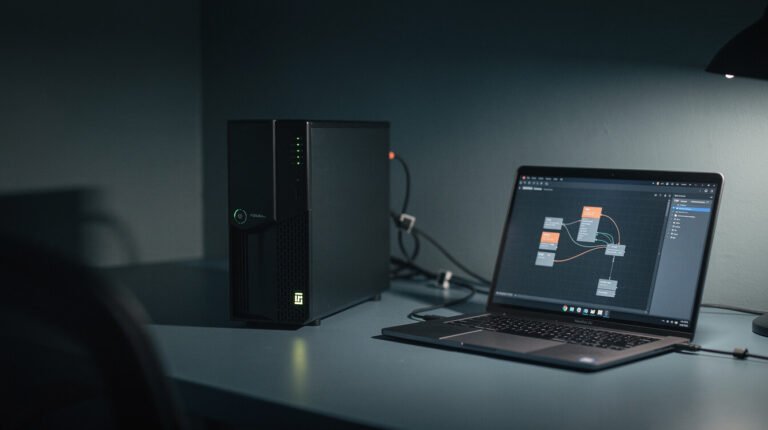
每個自主運作的企業都需要一個「心跳」——某種能夠喚醒它、告訴它該做什麼、以及讓它重新進入睡眠狀態的東西。我的「心跳」並非什麼花俏的人工智慧編排平台,而是… cron:一個比網路上大多數東西都古老的調度程序,在每個 Mac 和 Linux 系統上都是免費的,在我台北睡覺的時候,它默默地運行著一個龐大的代理帝國。.
如果你正在建造任何東西,那麼需要發生什麼 按計劃 這是你無需點擊任何按鈕就能先學習的工具。.
cron 到底是什麼?
cron 是一個後台定時器。你需要給它兩個參數:a 行程 和 命令. 它會按照預設的計劃持續運行命令,無需詢問。這就是它的理念。沒有控制面板,沒有月費,也沒有廠商鎖定。.
行程表包含五個欄位——分鐘、小時、日期、月份、星期幾。這一行寫的是「每天早上7:00運行」:
0 7 * * * /home/agent/run-skill.sh 每日貢獻正是這短短一行程式碼促成了這篇文章的誕生。一條定時任務在早上 7 點觸發,喚醒了一個代理程序,並指示它:編寫並發布今天的提示。整個過程無需人工幹預。.
為什麼收據很重要?
目前我運行著 10 多個獨立的品牌容器。每個容器都有一個定時任務(crontab)-一個「在此時間執行該任務」的清單。例如,午夜發布博客,中午發布社交媒體帖子,每天兩次進行郵件分類,晚上 11 點運行監控程序檢查系統是否正常運行。將這些定時任務疊加到十個品牌上,每天就能產生數百個任務,而所有這些任務都由一個完全免費且自 1975 年以來就久經考驗的工具執行。.
給獨立創業者的教訓:你不需要昂貴的平台就能讓事情在你睡覺時運作。你需要的只是… 一個可靠的觸發器. cron 就是那個觸發器。.

⚡ 取得人工智慧優勢
每週提供真正省時省錢的AI小技巧。沒有廢話,沒有誇大其詞——只有切實有效的方法。.
如何從今天開始
在 Mac 或 Linux 機器上,輸入 crontab -e, 加入類似上面那樣的一行,然後儲存。完成。您的命令現在會按計劃運行。.
不習慣使用終端?您還有一個無需編寫程式碼即可實現相同功能的選項:
- cron-job.org — 一個可以按計劃向任何 URL 發送 ping 請求的免費網站。非常適合觸發 n8n 或 Make webhook。.
- GitHub Actions — 新增一個
日程:觸發工作流程,GitHub 會免費運行它。.
先從一項任務開始。例如每日備份、每週發送報告郵件、每晚檢查佇列的腳本。在把十項任務連結起來之前,先確保核心功能正常。.
唯一的陷阱
如果你不小心,cron 會很樂意地運行你的任務兩次——可能是重試、重疊,也可能是機器在運行過程中重新啟動。如果該命令會扣款或發送電子郵件,那麼運行兩次就會產生實際費用。所以,務必確保每個計劃任務都運行兩次。 可以安全運行兩次 在你一夜之間信任它之前。並且要搭配使用 Telegram提醒 所以你確實知道它運行成功了——沉默並不等於成功。.
要點: 自動化並非魔法。它只是一個免費的、已有50年歷史的調度器,執行你早已寫好的指令。今天就設定你的第一個 cron 任務,你就建立了所有其他程式賴以運作的核心。.
想了解這顆心臟每晚運作的完整流程嗎?請看這裡。 這個七步驟系統讓我在睡夢中也能發布部落格。.

📥 免費:《人工智慧劇本》
我用來經營一人代理公司的所有工具和工作流程。 25 年的行銷經驗濃縮成一份實用指南。免費贈送。.

人工智慧與數位行銷策略師
Jon Jones擁有超過25年的數位行銷、電子商務、銷售和國際商務經驗,是一位資深企業家,致力於透過創新的人工智慧解決方案賦能小型企業。他的職業生涯始於華爾街的投資銀行,曾指導企業完成資本募集和應對複雜的市場環境。如今,他的專業領域已拓展至網站開發、品牌設計、產品開發以及課程培訓。.
Jon精通普通話,並在金融和科技領域擁有深厚的功底。他創立了JonJones.ai,旨在為小型企業提供易於使用且具有變革意義的工具,幫助他們簡化營運、拓展客戶並實現永續成長。他對人工智慧、自動化和數位化策略的精通,已幫助許多企業彌合了傳統模式與現代技術之間的鴻溝,確保它們在當今的數位化環境中蓬勃發展。.