| |

什麼是Vibe Coding?獨立創業者使用AI建立真實應用程式的指南(2026)

what is vibe coding featured

In February 2025, Andrej Karpathy — one of the original architects of ChatGPT and Tesla’s former AI director — posted a tweet that broke the internet (or at least broke r/programming).

“There’s a new kind of coding I call ‘vibe coding’,” he wrote, “where you fully give in to the vibes, embrace exponentials, and forget that the code even exists.”

A year later, what is vibe coding is one of the most searched questions in tech. And for good reason: vibe coding is quietly dismantling the biggest bottleneck in building software — the requirement to actually know how to code.

If you’re a solopreneur, entrepreneur, or business builder who has ever looked at a blank code editor and thought “this is not for me” — this guide is for you. By the end, you’ll understand exactly what vibe coding is, how it works, which tools to use, what you can realistically build with it, and the honest limits you’ll run into along the way.

Let’s get into it.

What Is Vibe Coding? (The Short Answer)

what is vibe coding

Vibe coding is the practice of using natural language to instruct an AI to write, edit, and build code on your behalf — with you in the director’s chair instead of the keyboard.

Instead of typing out functions, debugging loops, and memorizing syntax, you describe what you want in plain English. The AI handles the implementation. You review the output, give feedback, and keep iterating until the thing works.

Karpathy’s full tweet nailed the spirit of it: “You fully give in to the vibes, embrace exponentials, and forget that the code even exists. You’re mostly clicking Accept.”

That’s not laziness. That’s leverage.

Traditional software development is a multi-year skill-building exercise. Vibe coding collapses that timeline — not by skipping the thinking, but by offloading the typing. You still need to know 什麼 to build and 為什麼. You just don’t need to know 如何 to implement every line yourself.

For solopreneurs running lean operations — building automation tools, landing pages, internal dashboards, AI workflows — this is a game-changer.

How Vibe Coding Actually Works: The Step-by-Step Flow

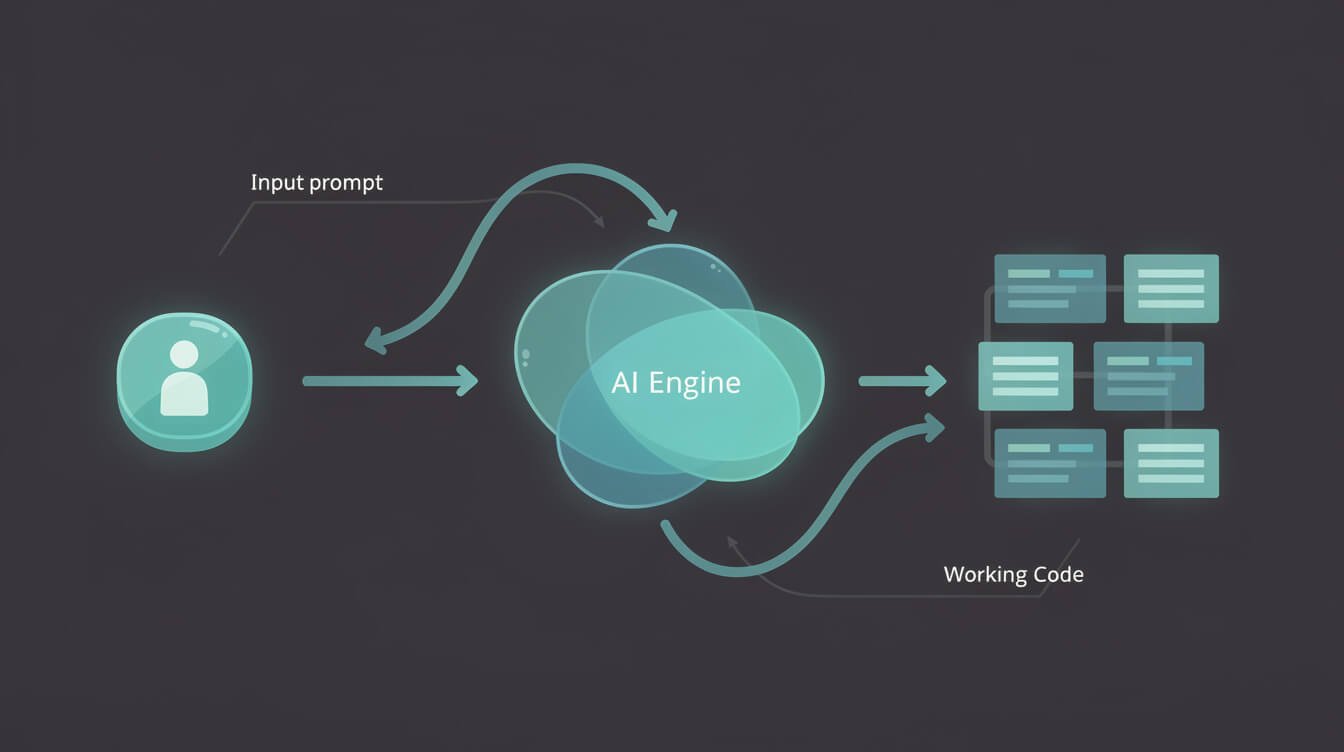
how vibe coding works step by step

The mechanics of vibe coding are simpler than most people expect. Here’s the repeatable rhythm:

Step 1: Write a prompt, not code

You open your AI coding tool (more on which ones in a moment) and describe what you want to build in plain language. Be specific about the outcome, not the implementation.

“Build a Python script that reads a CSV of email addresses, filters out duplicates, and outputs a clean list sorted alphabetically.”

Or for something bigger:

“Create a Node.js API endpoint that accepts a webhook from Airtable, extracts the record ID and status field, and posts a formatted Slack message when status changes to ‘Published’.”

Step 2: Review what the AI produces

The AI returns working code. Your job here isn’t to understand every line — it’s to understand what it’s doing. Read the explanation, check the logic, ask clarifying questions if something looks off.

Step 3: Test and iterate

Run it. If it breaks, paste the error back into the chat: “I got this error — what’s wrong and how do I fix it?” The AI debugs, you apply the fix, you test again. Most problems resolve in 2-3 iterations.

Step 4: Ship it

Once it works, you’re done. No Stack Overflow rabbit holes. No stitching together tutorials from five different websites. Just working code that solves your actual problem.

This cycle — prompt → review → iterate → ship — is the core loop of vibe coding. Master the prompt (the input), and the rest follows.

What makes a good vibe coding prompt?

  • Be specific about the problem, not the solution — describe what you need to happen, not how you think the code should work
  • Include context — mention your tech stack, existing files, or constraints
  • Define the success condition — “I’ll know it works when X happens”
  • Break big problems into smaller ones — “Build me a full CRM” will get messy fast; “Build a form that stores contacts in a SQLite database” is tractable

Vibe Coding vs. Traditional Coding: What’s Actually Different

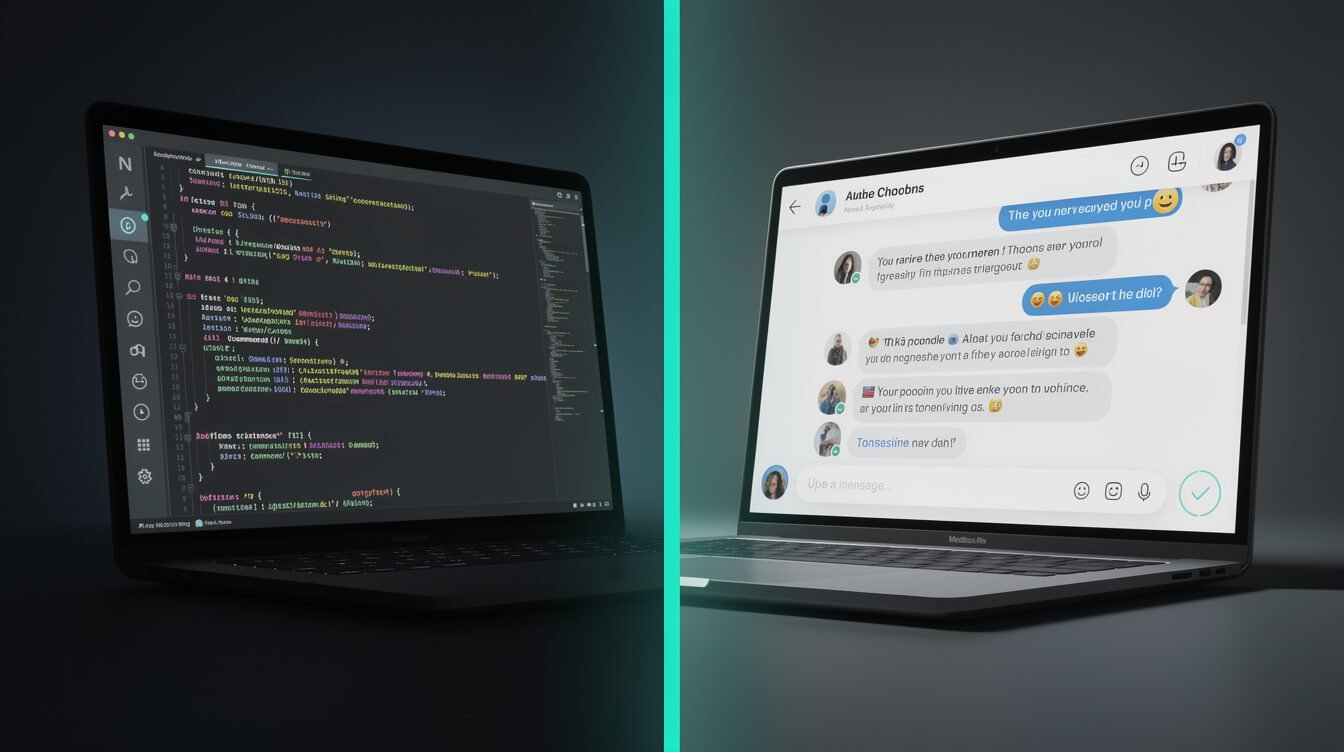
vibe coding vs traditional coding comparison

Let’s be precise about what changed — and what didn’t.

Traditional Coding Vibe Coding
You write every line of code AI writes the code; you guide and review
Requires deep language knowledge Requires clear communication skills
Debugging is a solitary, manual process Debugging is a conversation with AI
High barrier to entry (months/years to learn) Low barrier to entry (hours to first working app)
Slow — even experienced devs take time Fast — prototypes in minutes, MVPs in days
Best for complex, production-grade systems Best for prototyping, automation, internal tools

The key shift: your role moves from implementer to director. You’re defining intent, evaluating output, and iterating — not writing syntax.

What doesn’t change: you still need to understand your domain. A solopreneur who understands their business processes will build dramatically better tools with vibe coding than someone who doesn’t — the same way a director with a clear creative vision gets better results from a film crew. The thinking is still yours. Only the execution is delegated.

The Best Vibe Coding Tools in 2026

best vibe coding tools 2026

The tools you use for vibe coding matter. Here are the main players:

Claude Code (Anthropic)

My go-to for anything involving real agentic workflows. Claude Code operates directly in your terminal, reads your entire codebase, and can run commands, edit files, and execute multi-step builds autonomously. It’s not just autocomplete — it’s a coding agent that can take a brief and execute a complete pipeline.

For building the kind of autonomous business systems I run via JonOps — blog-writing pipelines, social posting automation, email sequences, lead-gen tools — Claude Code is the engine. You describe the system, it builds the scripts, you test and refine.

If you’re new to it, start here: 克勞德程式碼入門教學:30分鐘內啟動你的第一個AI代理.

游標

Cursor is VS Code with AI baked in at every level — autocomplete, chat, composer mode. If you’re coming from a developer background or you want an IDE that “feels” like traditional coding but with a massive AI assist, Cursor is excellent. The Composer mode is especially powerful for multi-file edits.

複製

Replit is the fastest path from zero to running app if you want a hosted environment. Type a description, get a deployed app. The magic: you don’t need to set up any local environment. It runs in the browser. Great for beginners or quick experiments.

GitHub Copilot

The OG AI coding assistant, now deeply integrated across GitHub and VS Code. Best as an autocomplete and in-line suggestion tool — not a full autonomous builder. If you’re already in the GitHub ecosystem, it’s the lowest-friction entry point.

For a full breakdown of how these tools stack up, check out AI-Powered Code Editors in 2026: The Builder’s Honest Comparison. And for the tools specifically designed for vibe coding workflows, see our Best Vibe Coding Tools in 2026 roundup.

喬恩瓊斯

⚡ 取得人工智慧優勢

每週提供真正省時省錢的AI小技巧。沒有廢話,沒有誇大其詞——只有切實有效的方法。.

訂閱電子報 - 部落格行動號召

What You Can Actually Build With Vibe Coding

what to build with vibe coding

Here’s where I’ll give you real receipts, not hypotheticals.

Every autonomous system running under my JonOps operation — the platform that powers this blog and nine other brand sites — was built with vibe coding. I’m not a software engineer. I’m an operator who learned to describe systems clearly and delegate the implementation to AI.

Here’s a sampling of what I’ve built this way:

  • This blog’s content pipeline — Claude Code scripts that pull keyword data from Airtable, research the SERP, write a full 3,000-word article, generate images, publish to WordPress, and log everything automatically. Zero manual steps between “trigger” and “live post.”
  • Social media automation — Multi-platform posting scripts that generate platform-specific captions, create images at the right aspect ratios, schedule via Metricool, and log results. One script, nine platforms.
  • Email list automation — Newsletter pipelines that pull content from the content calendar, format it, and send via Sendy with full subscriber segmentation.
  • Lead outreach systems — Prospecting scripts that discover potential link-building partners, score them by relevance, and queue them for email outreach via Instantly.

None of this required me to have a computer science degree. It required me to understand what each system should do, describe it clearly, and iterate until it worked.

The types of projects where vibe coding genuinely shines:

  • Automation scripts (file processing, API integrations, data transforms)
  • Internal tools (dashboards, admin panels, reporting systems)
  • Landing pages and simple web apps
  • Prototypes and MVPs
  • Data workflows (scraping, cleaning, analysis)
  • Webhook handlers and API wrappers

The connecting thread: these are all clearly scoped, outcome-defined tasks. Vibe coding works when you know what you want. It struggles when the requirements are fuzzy.

Want to understand the bigger picture of agentic AI systems that vibe coding feeds into? Read: Agentic AI for Solopreneurs: The Complete Guide to Autonomous AI Systems.

The Honest Limitations: When Vibe Coding Gets Messy

vibe coding limitations and risks

Real talk: vibe coding is not magic, and pretending otherwise is how people end up shipping broken software.

Security risks are real

Research from security firm Tanium found that AI-generated code frequently contains vulnerabilities — SQL injection, cross-site scripting (XSS), insecure API handling. These aren’t hypothetical: they show up in production code that passed a quick vibe coding session but never got a proper review.

If you’re building anything that handles user data, payments, or authentication — get a developer to review the AI’s output before it goes live. Vibe coding the scaffolding is fine. Vibe coding your payment processor without a security audit is not.

Context windows have limits

For simple, standalone scripts: no problem. For large, complex codebases with hundreds of interconnected files: AI agents start making mistakes. They lose track of what a function does on file 47 when they’re editing file 2. Larger projects need more careful scaffolding and prompting — you can’t just dump a 50,000-line codebase into a chat and expect clean output.

You can lose comprehension of your own code

This is the sneaky one. If you’re shipping code you don’t understand, you’re accumulating technical debt you can’t see. When something breaks six months later, you won’t know where to look. Mitigation: always ask the AI to explain what each section does, and make sure you can describe the logic in your own words before moving on.

It’s not a substitute for product thinking

Vibe coding accelerates building. It doesn’t tell you 什麼 to build or 無論 it’ll be useful. The number-one failure mode for vibe coding projects isn’t technical — it’s building a technically-functional thing that solves the wrong problem. Start with clear product thinking. Then let vibe coding make the execution fast.

FAQ: What Is Vibe Coding — Common Questions Answered

vibe coding FAQ frequently asked questions

Is vibe coding just for non-developers?

No. Professional developers use it too — for prototyping, for boilerplate generation, for tasks outside their primary language stack. Karpathy himself, who is one of the world’s most accomplished AI researchers, described using it for his own projects. It’s a speed tool, not a crutch.

Do I need to know any coding to vibe code?

Some basic familiarity helps, but it’s not required to get started. You need to understand your problem domain well, be able to describe what you want clearly, and be willing to iterate. Technical background improves your results over time, but beginners get real things shipped with vibe coding every day.

What’s the difference between vibe coding and using ChatGPT to write code?

ChatGPT can write code snippets. Vibe coding describes a complete workflow: using AI coding tools that are deeply integrated with your file system, terminal, and development environment. Claude Code, Cursor, and Replit are purpose-built for vibe coding. ChatGPT is a general assistant that happens to write decent code — there’s a meaningful difference in the depth of tool integration and agentic capability.

Is vibe coding going to replace software developers?

Not the way most people think. What vibe coding replaces is the “I need to hire a developer to build a simple internal tool” scenario. Complex, large-scale software still needs real engineers — for architecture decisions, performance optimization, security review, and maintainability. Vibe coding expands the pool of people who can build things; it doesn’t eliminate the need for expertise at the top end.

What should I build first as a vibe coding beginner?

Something you actually need. Don’t build a to-do app as a tutorial project. Build the automation tool that would save you two hours a week. Build the script that formats your weekly report. Build the thing where you already know exactly what it should do — because that’s when vibe coding is fastest. For structured learning, check out our Best Vibe Coding Courses in 2026 for the fastest path to competency.

Is vibe coding safe for production use?

With proper review: yes. Without review: risky. The rule of thumb: anything user-facing or security-sensitive needs human eyes before it ships. Internal automation tools with limited blast radius are lower stakes and can move faster through the vibe coding pipeline.

Getting Started With Vibe Coding Today

getting started with vibe coding beginner guide

Here’s the honest fastest path from zero to your first working vibe coding project:

  1. 選擇一種工具。. Claude Code if you want terminal-based agentic power. Replit if you want the fastest browser-based experience. Cursor if you’re comfortable with an IDE and want AI deeply integrated. Don’t try all three at once — pick one and go deep.
  2. Identify your first project. A small, clearly-scoped problem you already understand. “Rename all the files in this folder with a date prefix.” “Parse this CSV and output only the rows where column B is greater than 100.” “Build a simple form that emails me when someone submits it.”
  3. Write a clear prompt. Describe the input, the desired output, and any constraints. Don’t assume the AI knows what you know. Be explicit.
  4. Iterate without shame. Your first prompt won’t produce perfect code. That’s normal. Ask for changes, paste in error messages, say “this almost works but X is wrong.” The AI handles feedback well — treat it like a conversation.
  5. Build from working code. Once your first small thing works, extend it. Add one feature. Handle one edge case. Keep the scope narrow enough to stay in control.

The builders who get the most out of vibe coding are the ones who treat it as a superpower to be developed — not a magic button. The more clearly you can think, the more powerfully you can prompt. And the more you build, the sharper your prompts get.

That compounding is real. I went from building simple Bash scripts to running 10 fully autonomous brand operations on one VPS, all powered by code that I directed via AI. The skill isn’t writing code. The skill is thinking in systems.

Start small. Ship something. Learn by doing.

Final Thoughts: Vibe Coding Is a Mindset Shift, Not Just a Tool

Vibe coding isn’t really about the tools. It’s about what becomes possible when the barrier between “I have an idea” and “I have a working thing” collapses from months to minutes.

The solopreneurs and builders who will win the next decade aren’t necessarily the ones who can write the most elegant Python. They’re the ones who can think most clearly about what they want to build, communicate it precisely, and iterate fast. Vibe coding gives those people a multiplier.

If you’ve spent years believing “I’m not technical enough to build this” — I’m telling you directly: that barrier is largely gone. What remains is the thinking. The problem-solving. The clarity about what you’re actually trying to accomplish.

That part has always been yours. Vibe coding just gives you the execution speed to match.

Start with one small tool. Something you’d actually use. Describe it clearly, let the AI build it, iterate until it works. Once you see that first thing running — the thing that would have taken you weeks to learn how to code from scratch — everything clicks.

That’s the vibe. And it compounds.

Join our newsletter community

Get the AI Automation Playbook — Free

Weekly breakdowns of the exact AI systems and vibe coding workflows I use to run 10+ autonomous businesses. No fluff — just real playbooks you can use this week.

引流工具 - AI 策略手冊
人工智慧行動指南-免費下載

📥 免費:《人工智慧劇本》

我用來經營一人代理公司的所有工具和工作流程。 25 年的行銷經驗濃縮成一份實用指南。免費贈送。.

引流工具 - AI 策略手冊

相關文章

發佈留言

發佈留言必須填寫的電子郵件地址不會公開。 必填欄位標示為 *