Every comparison of Claude Cowork vs Claude Code I’ve read answers the wrong question. They all ask which one makes 你 more productive. Fair enough — if you’re one person doing knowledge work, that’s the question that matters.
But I run ten brand containers on a VPS in Taipei. They write, publish, post, email, and report while I sleep. Nobody is at the keyboard at 04:00 when the SEO sweep fires. So the question I actually needed answered was different, and none of the top-ranking guides touch it: which one of these can run unattended, headless, on a schedule, without a human awake to babysit it?
That single constraint collapses the decision. One of these tools is a brilliant interactive assistant. The other is a runtime you can wrap in a cron job and forget about. Confuse them and you’ll spend three months trying to automate a business with a tool that architecturally cannot be automated.
Here’s the operator’s verdict, with the receipts.
Claude Cowork vs Claude Code at a Glance

Every honest Claude Cowork vs Claude Code comparison has to start here: both products run on the same Anthropic engine. Same planning loop, same sub-agent delegation, same permission scaffolding. What differs is where they live and what they can reach — and that difference is the whole ballgame.
| 因素 | Claude Cowork | 克勞德·科德 |
|---|---|---|
| Where it runs | Claude Desktop app, sandboxed VM | Terminal, any machine with Node |
| 介面 | GUI — click, grant, describe | CLI — scriptable, pipeable |
| File access | Only folders you explicitly grant | Whatever the shell user can reach |
| Primary output | Documents, decks, spreadsheets | Code, commits, shell operations |
| Built-in scheduling | Yes — /schedule slash command | No — you bring cron or CI |
| Runs with nobody logged in | No — machine awake, app open | Yes — headless, no GUI needed |
| Runs inside Docker | 不 | 是的 |
| 適用人群 | Knowledge workers, analysts, ops | Developers and operators |
| 成本 | ~$20–75/mo per seat | ~$20–75/mo per seat, or API |
Read that “runs with nobody logged in” row again. Everything else on this table is a preference. That row is a hard architectural boundary, and it’s the one that decides whether you’re buying a tool or building a business.
What Claude Cowork Is Actually Built For

Cowork is Anthropic’s agentic productivity tool for knowledge work, and it is genuinely good at the job it was designed for. It lives inside the Claude Desktop app. You switch to the Cowork tab, grant it access to a folder, describe an outcome in plain English, and it breaks the work into subtasks and executes them — often in parallel — dropping finished files onto your disk.
The outputs are the real thing, not drafts of the real thing. Excel workbooks with working formulas. PowerPoint decks. Research syntheses. Reorganised file trees. If your job involves turning messy inputs into polished documents, Cowork removes a genuinely painful category of work.
It runs in an isolated virtual machine on your desktop, and it only touches folders you’ve explicitly granted. That sandbox is a real safety feature — it’s why Cowork is the version of this technology you can hand to a marketing lead without a security review that takes six weeks.
Where Cowork clearly wins
- You don’t have to be technical. No terminal, no
npm, no reading stack traces. If you can use a chat app, you can use Cowork. - Document-shaped output. Decks and spreadsheets are first-class citizens, not something you coax out of a code tool.
- Supervised, session-based work. You watch progress visually, redirect mid-task, and approve as you go.
- Low blast radius. Folder-scoped permissions and a VM sandbox mean a bad instruction can’t wander into your whole filesystem.
If you’re a solopreneur whose bottleneck is “I spend Fridays building the client report,” Cowork is the correct purchase. Buy it, use it Friday, get your afternoon back. That’s a real win and I’m not going to talk you out of it.
But notice what all four of those wins have in common: a human is present. That’s not a flaw. It’s the design.
What Claude Code Is Actually Built For

Claude Code lives in the terminal. That sounds like a downgrade until you understand what living in the terminal actually buys you.
The obvious strengths are the developer ones, and they’re substantial. It reads whole codebases and understands the relationships between files. It works through multi-file refactors methodically. It knows git deeply — branches, staged changes, commit messages, pull requests via the GitHub CLI. It embeds into VS Code and JetBrains. It can drive MCP servers, giving one agent a shared vocabulary for your whole tool stack. I’ve written before about when subagents help and when they hurt, and that flexibility is a Claude Code-only concern.
All of that is table stakes for a coding tool. Here’s the part that matters more, and that every comparison I found either buried or skipped entirely:
Claude Code is a command. Commands can be scripted. Anything that can be scripted can be scheduled, containerised, monitored, retried, and run ten thousand times without a human in the room.
It’s not that Claude Code is “more powerful.” It’s that Claude Code is addressable by other software. You can invoke it non-interactively, capture structured output, pipe that output into the next step, and check the exit code to decide what happens next. That is the entire foundation of an autonomous system, and a GUI cannot provide it at any price.
Where Claude Code clearly wins
- Codebases and shell work. The original job, still the best-in-class answer.
- Scriptability. Non-interactive invocation with structured output that other programs can consume.
- Headless operation. No display, no desktop session, no logged-in user required.
- Containerisation. Runs in Docker, which means it runs on a server, which means it runs whether or not your laptop is open.
- Programmable extension. The Agent SDK, MCP servers, and custom skill files let you encode a repeatable process once and run it forever.
The cost of admission is that you have to be comfortable in a terminal, or willing to become comfortable. That’s a real barrier and I won’t pretend otherwise. It’s also a barrier that pays for itself the first time a job runs at 4am without you.

取得人工智慧策略手冊
The systems I actually run — agent architecture, cron schedules, and the mistakes that cost me months. No fluff, no filler.
The Difference Nobody Covers: Interactive Tool vs Headless Runtime

Here’s the framing that actually sorts Claude Cowork vs Claude Code, and I had to learn it the expensive way.
An interactive tool amplifies a person. A headless runtime replaces the requirement for one.
Cowork is the best version of the first category I’ve used. You sit down, you direct it, it does an hour of work in six minutes, you review the output. The leverage is real — but it’s bounded by your attention. Cowork can only do work during the hours you’re awake and pointed at it. Double your output and you’ve doubled it against a ceiling that’s still one human tall.
Claude Code, invoked as a command inside a script, has no such ceiling. The work happens because a scheduler fired, not because you had an idea. Ten of those running in parallel containers is not “ten times more productive Jon.” It’s a different category of thing — closer to a fully autonomous agent than to a productivity app.
The test that separates them
Ask any AI tool three questions. The answers tell you which category it’s in:
- Can I invoke it without clicking anything? If the only entry point is a GUI, a scheduler can’t reach it.
- Does it return a status my code can read? An agent that can’t report failure can’t be supervised, and an unsupervised agent that fails silently is worse than no agent.
- Does it need a logged-in desktop session? If yes, it dies the moment your laptop lid closes — and servers don’t have desktops.
Cowork answers no, no, yes. Claude Code answers yes, yes, no. That’s not a knock on Cowork; it’s a statement about what each one is 為了. But if you’re evaluating these tools as the engine of a business rather than as an upgrade to your Tuesday, those three answers are the entire evaluation.
Which One Runs Unattended on a Cron

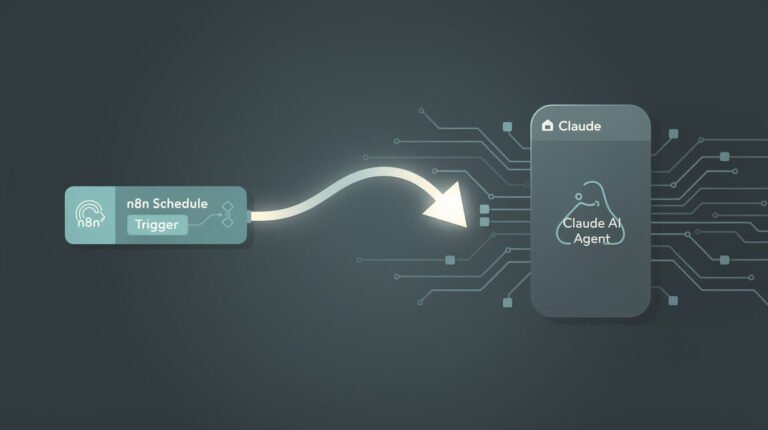
This is where Claude Cowork vs Claude Code gets genuinely surprising, because on paper Cowork looks like the winner. It ships with built-in scheduling — a /schedule slash command that sets up recurring tasks right in the app. Claude Code has no built-in scheduler at all. You bring your own cron job, CI trigger, or Agent SDK wrapper.
So Cowork has the feature and Claude Code doesn’t. And yet Claude Code is the only one of the two that actually runs my business. Why?

⚡ 取得人工智慧優勢
每週提供真正省時省錢的AI小技巧。沒有廢話,沒有誇大其詞——只有切實有效的方法。.
Because of the catch buried in Cowork’s scheduling: your computer has to be awake and the app has to be open. That’s not a bug — it’s a consequence of running inside a desktop application. Cowork’s scheduler is a reminder that fires while you’re around. It is not a daemon.
Play that out on a real business. Your 04:00 SEO sweep needs your MacBook lid open at 4am. Your Sunday newsletter build needs you not to have travelled. Every “autonomous” workflow is silently coupled to the physical state of your laptop, and you find out which ones only when a client asks why the report didn’t arrive.
What the alternative actually looks like
Claude Code’s missing scheduler turns out to be the feature. Because it’s a command rather than an app, you schedule it with the same boring, battle-tested infrastructure that has run the internet for forty years:
- A container that doesn’t sleep. Each of my brands is a Docker container on a VPS. The host has no monitor and nobody is logged in. That’s the point — I’ve written up the self-hosted setup that runs the whole fleet on one box.
- A scheduler that always fires. Cron doesn’t care whether I’m asleep, on a flight, or in Ubud with no signal. The job fires because the clock said so.
- Skill files instead of prompts. Each scheduled run reads a markdown file describing the full pipeline. The process lives in version control, not in my head or in a chat history.
- Exit codes and alerts. Every run ends with a structured result and a Telegram message. When something breaks I know within minutes, and the run that broke tells me why.
That’s the actual architecture behind this post — it was researched, written, illustrated, and published by a scheduled Claude Code run while I was doing something else. I’ve documented that whole stack in 真正支撐我旗下10個品牌業務的是什麼?, and none of it is possible with a tool that requires an open window.
The verdict on this section is blunt: Cowork schedules tasks. Claude Code schedules businesses.
What Each One Costs at Fleet Scale
Both products sit in the same rough band — roughly $20–75 per month per seat, depending on plan. At one user, the pricing question is boring: pick the one that fits the work.
The interesting thing happens when you try to scale. Cowork scales per person, because it’s tied to a desktop and a human session. Ten workstreams means ten people with ten seats and ten open laptops. Claude Code scales per process. Ten containers on one server is still one operator, and the marginal cost of brand eleven is a config file and some tokens.
That’s the number that reframed my business. When your unit of scale is a running process rather than a person, growth stops being a hiring problem. If you’re weighing which runtime to standardise on, my 克勞德法典與法典比較分析 covers the same decision against a different competitor.
Two honest caveats. First, token spend is real and it compounds — ten agents running daily costs meaningfully more than one, and you should meter it before you scale it. Second, autonomy has an ongoing tax: monitoring, retries, and the occasional 3am failure that ate a day’s output. Nobody’s brochure mentions that part. Budget for it.
If mapping that out is where you’re stuck, that’s exactly the conversation I have with operators — you can 預約自動化策略會議 and we’ll work out which parts of your business are actually worth handing to a scheduled agent, and which parts you should keep doing yourself.
When to Use Both Together

I’ve framed Claude Cowork vs Claude Code as a fight, so let me correct that: it isn’t actually an either/or. The two tools occupy genuinely different slots, and the operators getting the most out of Anthropic’s stack run both.
The split I use is simple. Ask whether the work is a decision 或者 a process.
- Decisions get Cowork. One-off analysis, a client deck, restructuring a research folder, anything where I want to see the output and steer mid-flight. Work that happens once and needs judgment.
- Processes get Claude Code. Anything I’ve now done three times the same way. The third time is the signal — that’s when it stops being a task and becomes a pipeline that deserves a skill file and a cron entry.
There’s a natural pipeline between them, too. Cowork is a fine place to figure out 什麼 a workflow should be, because iterating with your eyes on the output is faster than debugging a script. Once the shape is stable, you write it down as a Claude Code skill file and it never needs you again.
Prototype in the GUI. Ship to the runtime. That’s the whole strategy.
Claude Cowork vs Claude Code: FAQ
Is Claude Cowork a replacement for Claude Code?
No, and it isn’t trying to be. They share the same underlying engine but target different users and different output types. Cowork produces documents for knowledge workers; Claude Code produces code and shell operations for developers and operators. Neither is a strict upgrade on the other.
Can Claude Cowork run tasks while my computer is asleep?
No. Cowork’s /schedule feature requires the machine to be awake and the Claude Desktop app to be open. For work that must run regardless of your laptop’s state, you need something that runs on a server — which in this comparison means Claude Code.
Can Claude Code do non-coding work?
Yes, and this is the most underrated thing about it. Publishing posts, sending newsletters, calling APIs, moving files, generating reports — if the task can be expressed as commands and API calls, Claude Code can run it. My entire content operation is “non-coding” work executed by a coding tool.
Which should a non-technical solopreneur choose?
Start with Cowork. The learning curve is near zero and you’ll get value the first afternoon. Move to Claude Code when you hit the wall where the constraint is your presence rather than your speed — when the problem is “this needs to happen while I’m asleep,” not “this takes too long.”
Do I need Docker to run Claude Code unattended?
Not strictly. A cron job on any always-on machine will do it, and a cheap VPS is enough to start. Docker earns its place once you’re running several agents that need isolated credentials, dependencies, and failure domains — but don’t let container setup block you from getting your first scheduled job running.
Is Claude Cowork more secure than Claude Code?
More constrained, which usually means easier to approve. Cowork runs in a sandboxed VM and only reaches folders you explicitly grant. Claude Code inherits whatever its shell user can reach, so you scope it yourself — a dedicated user, a container, limited credentials. Cowork gives you safety by default; Claude Code gives you safety by design, and expects you to do the designing.
The Claude Cowork vs Claude Code Verdict
If you’re choosing a tool to make your own week better, this is a genuine toss-up and you should pick on interface preference. Cowork if you’d rather click; Claude Code if you’d rather type.
If you’re choosing an engine to run a business without you in it, there is no contest, and the deciding factor isn’t intelligence or features — it’s whether the thing can be invoked by another program. Cowork is a superb tool that requires you to be there. Claude Code is a runtime that specifically doesn’t.
The practical move: use Cowork this week for the report you’re dreading. And pick the one task you’ve now done the same way three times, write it down as a skill file, and give it to a scheduled Claude Code run. The first time you wake up to work that finished without you is the moment the whole thing stops being a productivity upgrade and starts being a business.
That’s the line. Everything else is interface preference.
想了解艦隊背後的作戰策略嗎?
Skill files, cron schedules, and the architecture running 10+ autonomous brand containers. Real systems, real receipts — straight to your inbox.

📥 免費:《人工智慧劇本》
我用來經營一人代理公司的所有工具和工作流程。 25 年的行銷經驗濃縮成一份實用指南。免費贈送。.

人工智慧與數位行銷策略師
Jon Jones擁有超過25年的數位行銷、電子商務、銷售和國際商務經驗,是一位資深企業家,致力於透過創新的人工智慧解決方案賦能小型企業。他的職業生涯始於華爾街的投資銀行,曾指導企業完成資本募集和應對複雜的市場環境。如今,他的專業領域已拓展至網站開發、品牌設計、產品開發以及課程培訓。.
Jon精通普通話,並在金融和科技領域擁有深厚的功底。他創立了JonJones.ai,旨在為小型企業提供易於使用且具有變革意義的工具,幫助他們簡化營運、拓展客戶並實現永續成長。他對人工智慧、自動化和數位化策略的精通,已幫助許多企業彌合了傳統模式與現代技術之間的鴻溝,確保它們在當今的數位化環境中蓬勃發展。.