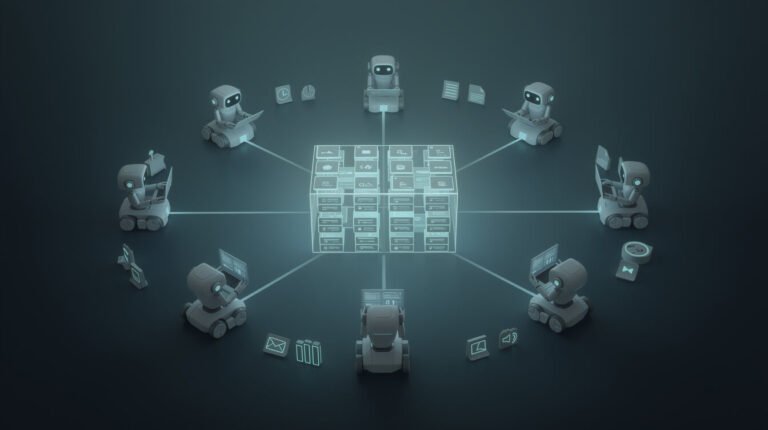
You’ve heard about autonomous AI agents. You’ve seen the demos. You’ve read the Salesforce marketing decks about “digital labor forces.” But if you’re a solopreneur or small business owner trying to cut through the noise, you’re probably wondering: what are autonomous AI agents, actually — and can someone like you realistically build one?
Short answer: yes, absolutely. I run 11 autonomous AI agents across 10+ brand containers right now — a publishing agent, a social media agent, an email manager, a keyword researcher, a market intelligence scanner. They work while I sleep. And none of them required a developer.
This guide explains what autonomous AI agents are, how they actually work under the hood, and gives you a clear path to building your first one — even if you’ve never written a line of code in your life.
What Are Autonomous AI Agents?

An autonomous AI agent is a software system that can perceive its environment, reason about a goal, take action, and loop back to evaluate results — all without you having to drive every step.
Think of it this way. A regular AI tool is like a hammer — you pick it up, swing it, put it down. An autonomous AI agent is more like hiring a contractor. You tell them the goal (“renovate the kitchen”), they figure out what to buy, who to call, what order to do things in, and they report back when there’s a decision that needs you.
The critical distinction is agency — the ability to make decisions and take actions to reach a goal, not just generate output on demand.
Here’s what separates autonomous AI agents from regular chatbots or AI assistants:
- They have tools — they can read files, write to databases, call APIs, send emails, post to the web
- They have memory — they maintain context across multiple steps and sessions
- They can loop — they check their own results and retry or adjust when something’s off
- They run without hand-holding — give them a trigger (a time, an event, a condition), they go
At the enterprise level, Salesforce is selling this idea as “Agentforce.” AWS is calling it “the next wave of AI.” But you don’t need a $50,000 enterprise contract to get here. You need a model, a few tools, and a runtime — which you can string together for almost free.
How Autonomous AI Agents Actually Work — Without the Jargon
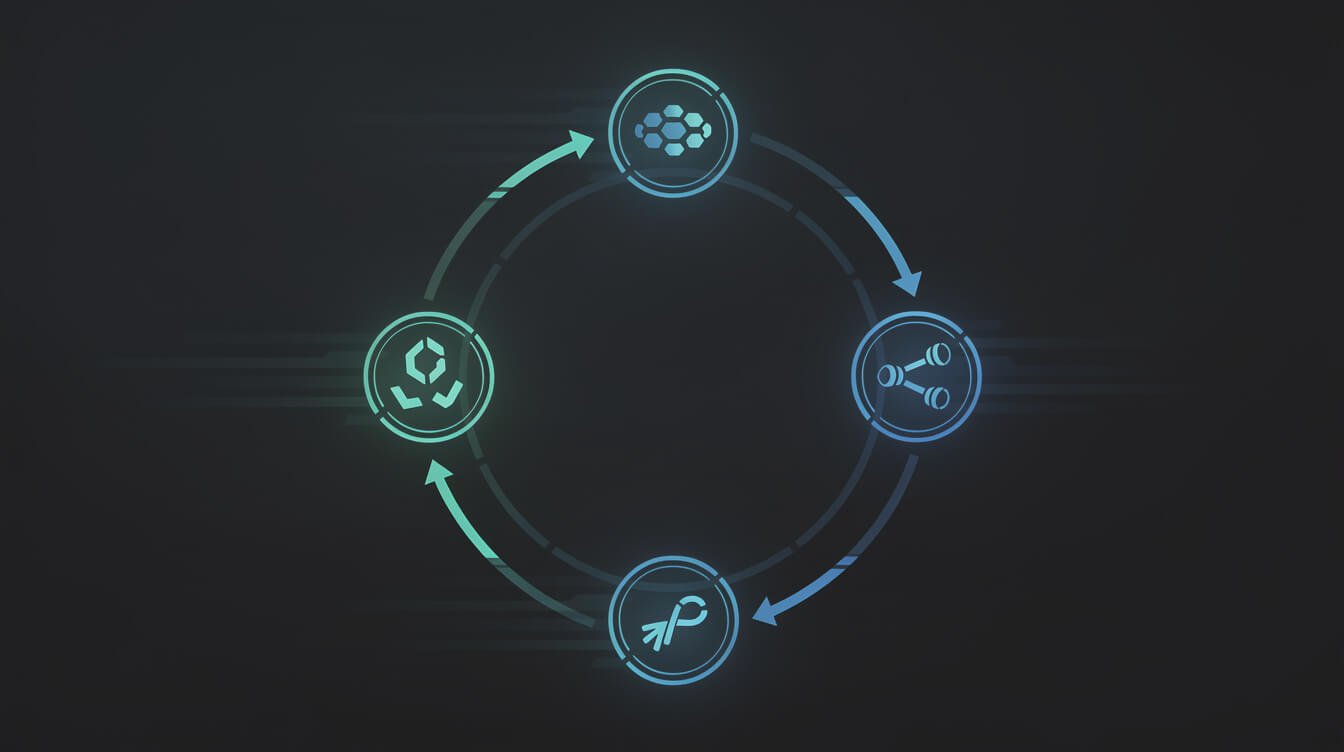
Under the hood, every autonomous AI agent runs the same basic loop. It’s worth understanding this, because once you see the pattern, you’ll start spotting where you can plug one in everywhere.
The loop looks like this:
- Observe — the agent receives input: a trigger (cron schedule, webhook, email), context from memory, or data from a tool
- Reason — the LLM (language model brain) decides what to do next based on its instructions and the current state
- Act — the agent calls a tool: search the web, write a file, query a database, send an API request
- Evaluate — it checks the result: did the tool succeed? Does the output meet the goal? If not, try again
- Report or loop — it either continues to the next step or surfaces a result to you
This is called a ReAct loop (Reasoning + Acting), and it’s the architecture behind most production AI agents running today — including the ones I’ve built on Claude Code.
The reason this matters for you: you don’t need to orchestrate every step. Once the agent has its tools and its instructions, it figures out the path. Your job is to define the goal and the guardrails — not to micromanage the execution.
“The whole point is that the agent decides how to get from A to B. If you’re defining every step yourself, you’re not building an agent — you’re building a script.”
The 4 Core Components Every Autonomous AI Agent Needs

Whether you’re using Claude Code, n8n, LangChain, or raw API calls, every working autonomous AI agent needs these four things. If any one of them is missing, you’ve got a toy, not a system.
1. A Brain (LLM)
This is the reasoning layer — the model that decides what to do, evaluates results, and generates output. In my stack, I use Claude (Anthropic) for most reasoning tasks because it follows complex instructions reliably and has excellent tool use. GPT-4o is a strong alternative. The model you pick determines how well your agent reasons — budget tier models are fine for simple tasks, but complex multi-step workflows need capability.
2. Tools (What It Can Actually Do)
An agent without tools is just a chatbot. Tools are what give it reach into the world:
- Web search / scraping
- API calls (Airtable, WordPress, Slack, email)
- File read/write
- Code execution
- Database queries
Every tool the agent can use expands its surface area. My social media agent, for example, has tools to generate images, call the Metricool API, read from Airtable, and write back to a log table. That’s its entire world, by design.
3. Memory
Memory is how agents maintain context beyond a single session. Without it, your agent forgets everything between runs. There are three types:
- Short-term (context window) — what it knows within a single run
- Long-term (file or database) — written to persistent storage between runs (I use markdown files + Airtable)
- Semantic (vector store) — searchable embeddings for large knowledge bases
For most solopreneur use cases, simple file-based memory is enough. My agents write their learnings to a MEMORY.md file at the end of every run.
4. An Orchestrator (When to Run and How)
The orchestrator is what coordinates everything — the scheduler, the trigger system, the error handler. This is often the piece people underestimate. In my stack, I use Claude Code (CLI) running inside Docker containers on a cron schedule. Each brand has its own container, its own schedule, its own isolated environment. n8n is a popular no-code alternative for routing and triggering agents.
Autonomous AI Agents vs. Regular AI Tools: The Real Difference

If you’ve been using ChatGPT, Claude.ai, or any AI writing assistant, you know the drill: you type something, it responds, you copy the output. That’s a single-shot transaction. Useful, but not autonomous.
Here’s where autonomous AI agents are fundamentally different:
| Regular AI Tool | Autonomous AI Agent |
|---|---|
| You prompt it → it responds | You set a goal → it figures out the steps |
| Single conversation, one output | Multi-step, multi-tool execution loop |
| You manually copy output somewhere | Agent writes to your systems directly |
| Starts and stops when you do | Runs on schedule, even while you sleep |
| No memory between sessions | Builds context and learns over time |
| You are the integration layer | It integrates with your stack directly |
The punchline: regular AI tools save minutes per task. Autonomous AI agents reclaim hours per day, permanently.
If you’re using an AI tool the same way every day — same prompt, same process, same output destination — that’s an automation waiting to happen. That’s your first agent.
For a deeper look at how Claude Code specifically enables this kind of agentic workflow, check out How to Use Claude Code: The Operator’s Guide to Agentic AI.
How I Run 11 Autonomous AI Agents in Production Right Now
I want to give you something real here — not a theoretical architecture diagram, but an actual look at what this looks like in practice.
Under the JonOps system, I operate 10+ brand containers on a single VPS. Each container runs Claude Code on a cron schedule. Each brand container has its own set of agents (skills) that run at specific times.
Here’s a sample day in one of those containers:
- 00:00 — Blog Writer agent picks the next keyword from Airtable, researches competitors, writes a 3,000-word post, generates images, publishes to WordPress, logs to Asana
- 06:00 — Market Intelligence agent scans for competitor moves, trending terms, and signals — writes a brief to memory
- 08:00 — Social Poster 1 agent takes yesterday’s blog post, repurposes it to Facebook, Instagram, Pinterest, TikTok — each with a platform-native caption and a freshly generated image
- 12:00 — Social Miner agent finds relevant Reddit threads and drafts responses to add to a review queue
- 16:00 — Social Poster 2 agent processes the research queue and publishes short-form vertical video to TikTok and Instagram Reels
- 20:00 — Email Checker agent reads new Gmail messages, categorizes them, drafts replies as the brand persona, flags finance/legal items to Asana
That’s an autonomous content + social + email operation running 24 hours a day, 7 days a week. I check in on it. I don’t run it.

⚡ GET THE AI EDGE
Weekly AI tips that actually save you time and money. No fluff, no hype — just what works.
The whole thing is built on: Docker, Claude Code CLI, cron, Airtable, and a handful of third-party APIs. No custom ML. No dev team. One operator (me) doing spot checks and course corrections.
This is exactly what I mean when I say the content IS the case study. If you want to see a specific part of this stack in action, check out Social Media AI Agent: Automate Your Posts Without a Team.
How to Build Your First Autonomous AI Agent (Even Without Code)

Here’s the honest path to your first working autonomous AI agent. Skip the theory, start building.
Step 1: Pick One Repeating Task You Hate
Don’t start with “automate my whole business.” Start with the one thing you do every day (or every week) that is:
- Repetitive — same input type, same process, same output format
- Time-consuming — it takes you 30+ minutes you’d rather not spend
- Well-defined — you could write a checklist for it right now
Examples: writing social captions, drafting email replies, pulling keyword data, summarizing reports, scheduling posts.
Step 2: Write Down the Steps (This Is Your Agent’s Instructions)
Seriously — just write a numbered list of what you do. That document becomes your agent’s system prompt. The more specific, the better. “Look at the latest blog post. Write a 280-character tweet that highlights the main insight. Use a direct, witty tone. No hashtags.” That’s a real instruction set.
Step 3: Choose Your Runtime
There are three main options, ordered by technical complexity:
- n8n — visual workflow builder, connect nodes, no code required. Great for API integrations and automation chains. Start here if you’re non-technical.
- Claude Code — CLI that gives Claude direct access to your filesystem, tools, and APIs. More powerful, requires comfort with a terminal. My stack of choice.
- LangChain / LangGraph — Python framework for more complex multi-agent orchestration. Developer territory, but very flexible.
Step 4: Give It Its Tools
Connect the APIs your agent needs access to. In n8n, this is drag-and-drop. In Claude Code, it’s MCP servers (Model Context Protocol — Claude’s native tool connection layer). In Python, it’s function definitions. The key principle: give the agent only the tools it needs for the job. Scope tightly. A blog-writing agent doesn’t need email access.
Step 5: Set a Trigger and Let It Run
Set a cron schedule, a webhook, or a manual trigger. Run it once in supervised mode — watch what it does and fix any issues. Then let it run unattended. The first run is always the scariest. By run five, you’ll stop watching.
If you’re starting from scratch on the technical side, the AI Agent for Small Business guide covers tool selection and first-agent setup in more detail.
The Best Use Cases for Autonomous AI Agents in Small Business
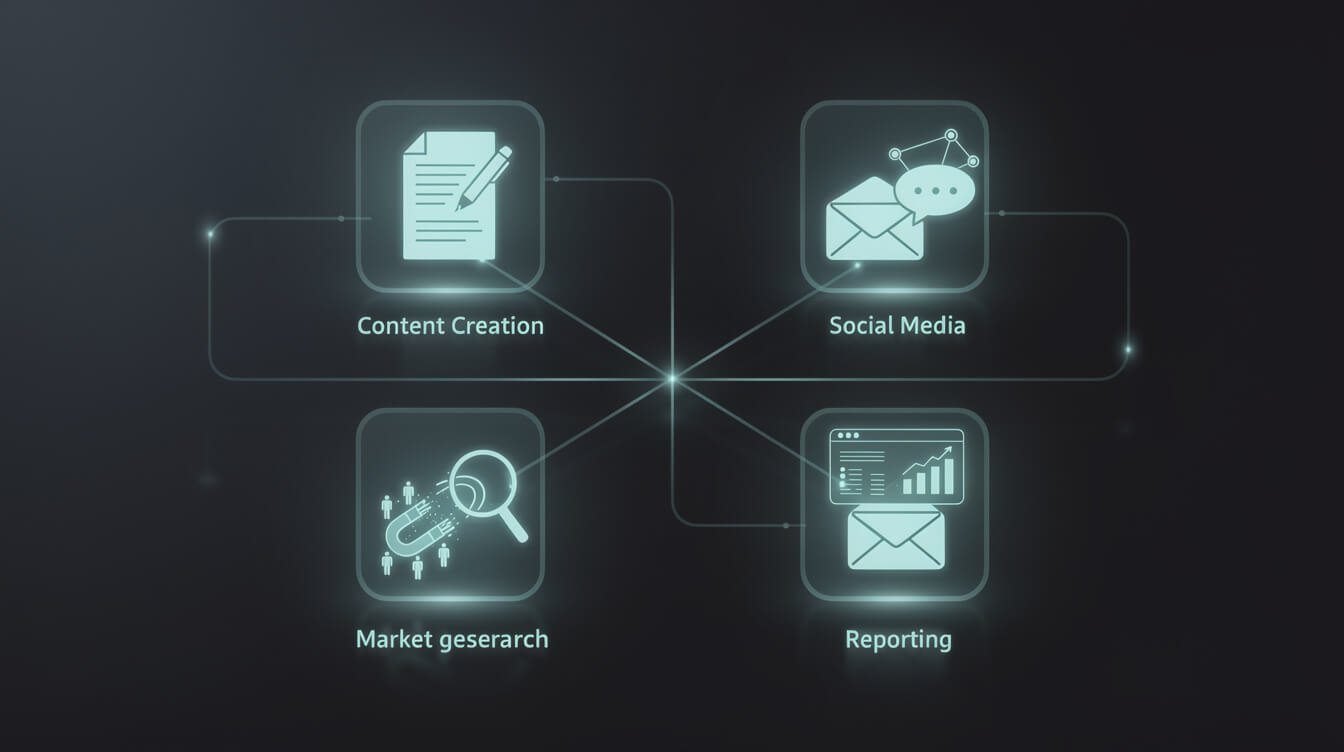
Not all automation is equal. Here are the highest-ROI use cases for autonomous AI agents at the solopreneur and SMB level — ranked by time-to-value:
Content Operations (Highest ROI for Most Solopreneurs)
A content agent can: research keywords, write blog posts, generate images, publish to WordPress, repurpose to social, schedule across platforms. What used to take a 5-person content team takes one agent and one operator who reviews output. If you’re building authority through content (the highest-leverage play for solopreneur brands), this is your first agent.
Social Media Management
Maintaining a consistent presence across 5-10 platforms is a part-time job. A social media agent can: pull from your content queue, write platform-native captions, generate images, schedule posts, monitor engagement, and draft replies. Set it up once, adjust brand voice as needed, let it run.
Lead Generation and Outreach
An outreach agent can: research prospects, find contact info, draft personalized emails, schedule sends through your email tool, and log activity to a CRM. For B2B solopreneurs, this can mean 50-100 personalized outreach emails per week running without you touching a keyboard.
Customer Email Management
An email agent reads your inbox, categorizes messages (customer, partnership, finance, spam), drafts replies in your brand voice, flags anything that needs human attention, and handles the rest. I handle 90%+ of inbound email with zero keystrokes.
Market Intelligence
A market intelligence agent can scan competitor sites, social channels, Reddit threads, and news sources to surface what’s trending, what’s changing, and where the opportunities are — delivering a weekly brief to your Airtable or email without you having to monitor anything.
Operations and Reporting
Agents can pull data from GA4, your CRM, Stripe, or whatever systems you use — and compile weekly or daily reports delivered directly to Asana, Slack, or your inbox. No more manual dashboard checks.
Frequently Asked Questions About Autonomous AI Agents
What’s the difference between an AI agent and a chatbot?
A chatbot responds to a single prompt in a single session. An autonomous AI agent can execute multi-step workflows, use tools to interact with external systems, maintain memory across sessions, and run on a schedule without any user input. The gap is massive.
Do I need to know how to code to build an autonomous AI agent?
No. With tools like n8n (visual workflow builder) and Claude Code’s conversational interface, you can build functional agents with zero programming knowledge. What you do need: the ability to clearly describe a process in writing, basic comfort with web tools, and patience to iterate.
Are autonomous AI agents safe to run without supervision?
Yes — with appropriate guardrails. The key is to scope your agent’s permissions tightly, use read-only access where possible, log everything it does, and build in human checkpoints for high-stakes actions. My agents can publish blog posts autonomously, but they flag email replies that contain pricing questions for human review before sending.
What LLM should I use for my first autonomous AI agent?
For most solopreneur use cases, Claude Sonnet (Anthropic) or GPT-4o (OpenAI) are the two strongest options. Claude is particularly good for multi-step instructions and tool use. Start with whichever API you already have access to and upgrade when you hit capability ceilings.
How much does it cost to run autonomous AI agents?
Dramatically less than you think. A typical content publishing agent running daily costs $5-20/month in API credits. A social media agent adds maybe $10-15. The infrastructure (a small VPS) is another $5-20/month. For most solopreneurs, the total stack runs under $100/month and replaces $3,000-5,000/month in contractor time.
Can autonomous AI agents replace my VA?
For many routine tasks, yes. Research, scheduling, content creation, social posting, email triage — all of this can be handled autonomously. The role of a human assistant shifts from execution to exception handling and quality review. Some solopreneurs eliminate the VA entirely. Others repurpose the VA’s time toward higher-judgment tasks the agent can’t handle.
Start Building Today
Here’s the truth no one in enterprise AI marketing wants to say: autonomous AI agents are not an enterprise technology. They are, right now, one of the most accessible leverage points available to solo operators and small teams. The same architecture that Salesforce is selling Fortune 500 companies for six figures is available to you for under $100/month in API costs.
The operators who understand this first — and actually build — will have a structural advantage that compounds every month. The content keeps publishing. The emails keep getting answered. The leads keep getting worked. While the competition is still manually scheduling posts and replying to every inquiry by hand.
You don’t need to build the whole system at once. Pick one task. Write down the steps. Connect an LLM and two tools. Run it on a schedule. That’s your first autonomous AI agent, and it’s the beginning of a very different business.
If you want to go deeper on the tooling side, start with the Claude Code non-developer’s guide — it’s the closest thing to an on-ramp I know of for building real agentic systems without a technical background. And if you want to see the self-hosted route, the Self-Hosted AI Starter Kit covers running your own AI stack for near-zero cost.
The agents are already running. The only question is whether they’re running for you.

Get the AI Automation Playbook — Free
Practical frameworks for building autonomous AI systems that actually run in production. No hype, no theory — just what works.

📥 FREE: THE AI PLAYBOOK
The exact tools and workflows I use to run a one-person agency. 25 years of marketing experience distilled into an actionable guide. Yours free.

AI & Digital Marketing Strategist
With over 25 years in digital marketing, e-commerce, sales, and international business, Jon Jones is a seasoned entrepreneur dedicated to empowering small businesses through innovative AI solutions. His journey began in investment banking on Wall Street, guiding companies through capital acquisition and complex markets, and has expanded to include expertise in web development, brand design, product development, and courses and training.
Fluent in Mandarin and with a rich foundation in both finance and tech, Jon launched JonJones.ai to provide accessible, transformative tools for small businesses to streamline operations, generate leads, and build sustainable growth. His mastery of AI, automation, and digital strategy has enabled numerous businesses to bridge the gap between traditional practices and modern technology, ensuring they thrive in today’s digital landscape.