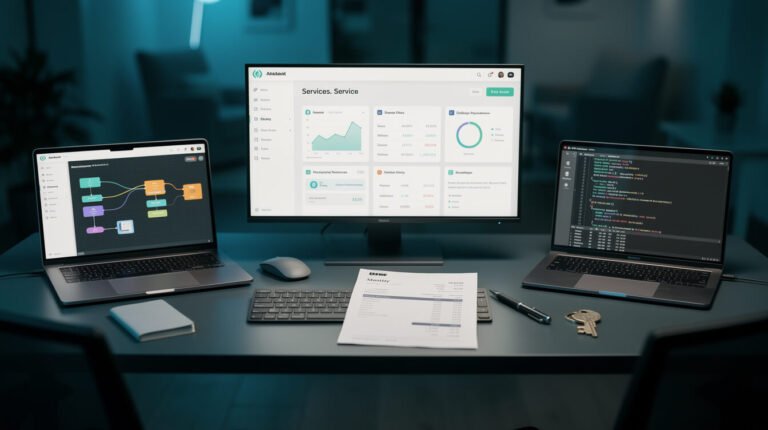
MCP Apps let an AI agent show you a screen instead of a wall of text. A tool call comes back as a working dashboard, form, or approval card, rendered right inside Claude or ChatGPT. You click, the agent sees what you decided, and the conversation carries on.
That’s a genuinely useful idea. It’s also the kind of idea that makes people want to bolt a UI onto everything. So before you do, here’s the question every ranking page skips: which of your workflows actually need a screen, and which ones should never have a human in the chat at all?
I run 10+ autonomous brand containers on Claude Code. In the last 30 days, the container that wrote this post ran 404 scheduled jobs across 20 skills. Not one of them had a human in the conversation while it ran. MCP Apps would have added exactly nothing to those 404 runs. But there’s one part of my business where a screen would change everything, and it’s the part I’m worst at. That’s what this guide is about.
Quick note so nobody gets the wrong idea: JonOps does not run MCP Apps today. This is an operator’s evaluation, done with the spec open and my own logs on the other monitor.
What MCP Apps Are, in Plain English

The Model Context Protocol (MCP) is the standard that lets an AI model talk to outside tools: your calendar, your CRM, your database. If you need the refresher, start with MCP 伺服器究竟是什麼?. Until this year, everything those tools sent back was text, structured data, or an image. The model read it and summarized it for you.
MCP Apps change the return type. A tool can now say “I come with a user interface,” and the chat app (the host) renders that interface inline, in the conversation. Charts you can filter. Forms with real dropdowns. A PDF with clauses you can click to approve or flag.
Where MCP Apps came from
The extension was proposed in November 2025 and went live as the first official MCP extension on January 26, 2026. It wasn’t invented from scratch. It standardizes patterns that two earlier projects proved out: the community-built MCP-UI and OpenAI’s Apps SDK for ChatGPT. Anthropic, OpenAI and the MCP-UI maintainers co-developed the shared version, which is why the same app can render in both Claude and ChatGPT without client-specific code.
How MCP Apps work under the hood
You don’t need to build one to understand it, but the mechanics explain every gotcha later on, so here’s the short version:
- The tool declares a UI. Its description carries a
_meta.ui.resourceUrifield pointing at aui://resource on the MCP server. - The host fetches that resource. It’s an HTML page, usually bundled with its own JavaScript and CSS.
- The host renders it in a sandboxed iframe inside the conversation. The sandbox stops the app from touching the parent page, your cookies, or anything else it shouldn’t.
- The app and host talk over
postMessage, using JSON-RPC. The app can call tools on its server, send a message into the chat, or quietly update the model’s context (“the user picked option B”).
One detail matters a lot for cost: a tool result can be split. The part meant for the model goes into 內容; the rich data meant for the screen goes into structuredContent. So a 500-row table can live in the UI without burning 500 rows of tokens in the model’s context window.
And if a host doesn’t support MCP Apps? The tool still works. It falls back to plain text. The UI is a progressive enhancement, not a requirement.
MCP Apps vs MCP Servers vs MCP Tools: The One-Table Difference

This is the most-searched confusion on the topic, and it’s simpler than the jargon suggests. A good one-liner from the SERP: the server provides the connection, the app provides the experience. Here’s the full picture:
| MCP伺服器 | MCP 工具 | MCP app | |
|---|---|---|---|
| 它是什麼 | The program that connects an AI to an outside system | One function that server exposes (“create_task”, “search_orders”) | An interactive UI attached to a tool, rendered inside the chat |
| Who sees the output | Nobody directly. It’s plumbing | The model (as text or data) | You (as a screen) and the model (as events you commit) |
| Needs a human present? | 不 | 不 | Yes. That’s the whole point |
| Works in a headless cron job? | 是的 | 是的 | Falls back to text, so the UI part is wasted |
| 例子 | A calendar server | “find_open_slots” | A visual week view where you click the slot you want |
Every MCP app depends on an MCP server. Not every server needs an app. Most of mine don’t even need a server: as I measured in the MCP gateway breakdown, the 39 live skill files in this container make zero MCP tool calls and do all their integration work over plain REST. If you want the deeper dive on the tool layer itself, I covered MCP tools and the ones I actually run separately, so I won’t re-explain them here.
Where MCP Apps Run Today (and Where They Don’t)

Client support is where most explainers go stale, so I checked the official MCP extension client matrix on the day of writing (October 23, 2026). These hosts render MCP Apps:
- 克勞德 on the web and 克勞德桌面
- ChatGPT
- VS Code (GitHub Copilot) and 游標
- Microsoft 365 Copilot
- Goose (Block’s open-source agent, the reference implementation)
- Postman, MCPJam, Archestra.AI 和 PostHog Code
Not on the list for MCP Apps: the MCP Inspector, fast-agent, and the mcpc CLI. And, notably for anyone running agents the way I do, Claude Code isn’t listed either. That makes sense. A terminal session started by a scheduler at 00:05 has nowhere to draw an iframe.
The ecosystem is real, and it’s consumer-shaped
Big names already ship apps: Asana, Slack, Canva, Figma, Hex, Amplitude, monday.com, Zillow, Spotify and Expedia all appear in current roundups. Look at the pattern, though. Almost every one is a moment where a person is sitting in the chat and wants to see, pick or confirm something. Slack’s app drafts a message and shows a preview before it posts. Asana’s turns a planning chat into a project you can see before it goes live. Nobody is building MCP Apps for jobs that run while the owner is asleep.
How mature is it?
Mature enough to use, young enough to be careful. The official SDK, @modelcontextprotocol/ext-apps, shipped its 2.x line this year (2.0.3 landed on September 25, 2026, and 2.x needs Node 20+), with the wire protocol unchanged from 1.x. Thoughtworks put MCP Apps in the “Assess” ring of its April 2026 Technology Radar, with a sensible warning: teams should check whether the added complexity over plain text is worth it for their use case. That’s the right instinct, and it’s the test in the next section.

取得人工智慧策略手冊
The operator notes behind my fleet: which jobs run headless, where the handoffs pile up, and what broke last week. Free, and you can leave whenever you like.
The Operator Test: Does This Workflow Need a Screen or a Cron Job?

Here’s the rule I’d use, and it fits on a sticky note:
MCP Apps are for the moments a human has to decide. Everything else should stay headless.
A screen is only worth building if three things are true at once:
- A human is present when it runs. If the job fires from a scheduler, nobody is there to click.
- The human has to make a judgment call. Approve, reject, pick, edit, explore. If they’d rubber-stamp it every time, automate the stamp.
- Text is genuinely worse for that decision. Comparing three image options, scanning a diff, filtering a table. If one sentence and a yes/no would do, a UI is overhead.
My own fleet, run through the test
I pulled the logs for the last 30 days (September 23 to October 22, 2026). That’s 404 scheduled runs across 20 skills: 361 ended in success, 18 skipped cleanly, 1 failed, and 24 never wrote a result line at all. Here’s how the work breaks down:
| 工作流程 | Runs (30 days) | Human present? | Decision needed? | 判決 |
|---|---|---|---|---|
| Nightly blog post (this one) | 29 | 不 | Only afterwards, at review | Headless |
| Social scheduling (2 posters) | 60 | 不 | 不 | Headless |
| Email triage + reply drafts | 60 | 不 | Yes, before anything is sent | Headless run, screen for the send |
| Backlink outreach (finder + conductor) | 63 | 不 | Rarely | Headless |
| Community reply drafts (social miner) | 30 | 不 | Yes, every draft | Headless run, screen for the decision |
| Weekly search and analytics sweep | 4 | 不 | Yes, interpreting it | Candidate for a live dashboard |
Read the right-hand column again. The runs never need a screen. 這 decisions the runs create do. That’s the distinction almost every MCP Apps article misses, because they’re written from inside a chat window where a human is always present. In an autonomous agent setup, the human shows up later, asynchronously, to a pile of things the agents left for them.
So the honest operator answer is: don’t put MCP Apps 在 your agents. Put them at the handoff point, where the agent’s output waits for your judgment.
Three Places MCP Apps Earn Their Keep in a Small Business

With that rule in hand, here are the three uses I’d actually consider, ranked by how much money and time they’d save a small team.
1. The approval queue (the one I need most)
Here’s the uncomfortable receipt. My agents file anything outward-facing (blog posts, email drafts, policy calls) into an Asana section called “Drafts (Awaiting Approval).” As of this morning, that section holds 198 tasks. 194 are still open. Not one has been closed by a human more than a minute after it was created. The oldest has been waiting 128 days. 116 of the open cards are blog-post reviews, and tonight’s post adds another one.

⚡ 取得人工智慧優勢
每週提供真正省時省錢的AI小技巧。沒有廢話,沒有誇大其詞——只有切實有效的方法。.
I wrote a whole piece on why a human in the loop only counts if someone closes the loop. The agents are doing their job. The approval step is where the system stalls, because reviewing means opening another tool, finding the card, opening the link, and deciding.
This is exactly the moment an MCP App is built for. Picture it: you’re already in Claude, you type “what’s waiting for me?”, and instead of a list of links you get a card per draft. The headline, the first paragraph, the image, and three buttons: approve, edit, reject. One click writes the decision back to the tracker. That’s the “document review” pattern the MCP team itself calls out, applied to a one-person business.
The honest caveat: a nicer screen doesn’t fix a queue nobody opens. The win isn’t the UI. It’s putting the decision where you already spend your day, so reviewing is no longer a separate errand. And before building anything, test the cheap version first: Asana already ships an interactive connector inside Claude. If you live in Claude and your queue lives in Asana, try that before you write a line of code.
2. Live metrics you actually explore
My weekly search-and-analytics sweep produces a ranked list of pages losing ground. As text, that’s fine. But the follow-up questions (“show me just the posts from September,” “sort by impressions,” “what’s on row 7?”) are exactly the ping-pong the official MCP blog uses to justify MCP Apps. A filterable table that pushes your selection back to the model beats five more prompts. Rule of thumb: if you keep asking follow-ups about the same output, it wants to be a screen.
3. Configuration wizards for setup work
Onboarding a new brand container means dozens of interdependent choices: categories, form IDs, social platforms, schedule slots. Done in chat, it’s twenty rounds of “which one?” A form that shows every option at once, with defaults filled in and validation built in, emits one clean config object instead. Setup is rare, but it’s high-stakes, and a wrong answer gets copied into every run after it.
注意一下什麼是… 不是 on this list: anything that runs on a schedule. If you’re mapping your own business and can’t tell which of your workflows sit on which side of that line, that’s precisely what I work through with people in an automation strategy session. Usually the answer is “fewer screens, better handoffs.”
The Gotchas: Latency, the Iframe the Model Can’t See, and Host UX You Don’t Control

Every feature page shows the demo. Here’s what the documentation and early builders say happens after the demo.
The model can’t see the iframe
This one bites approval queues hardest. The agent only knows what the app explicitly sends it: a submitted form, a context update, a tool call. If you edit a draft inside the app and close the tab without clicking “approve,” the model saw nothing. Your edit is gone and the agent still thinks the draft is pending.
The fix is design discipline: every app needs an explicit commit button, and the decision must be written somewhere durable (your tracker, your database), not just into the chat. A conversation is not an audit trail.
Every click can be a round trip
UI-triggered tool calls are still tool calls. If each click hits the MCP server, which hits an API, which answers, the app feels sluggish even when nothing heavy is happening. Good apps batch: let the human make all their choices locally, then send one committed result. That also avoids the quieter problem builder.io flags, where an app that emits every slider drag reinvents context bloat as an event stream.
The host owns the frame
You don’t control how big the panel is, whether it stays pinned or scrolls away, or how it looks next to the host’s own design. The same app can feel great in Claude Desktop and cramped somewhere else. Google’s A2UI team makes the same criticism of iframes (clashing design systems, redundant scrollbars) and is pushing a declarative alternative, A2UI, where the server sends a JSON description and the host draws it with its own native components. For simple approve/reject cards, that approach may age better. Watch that space before you invest heavily in custom HTML.
Security: sandboxed, not safe by default
MCP Apps run in a sandboxed iframe, templates can be reviewed before rendering, messages are loggable JSON-RPC, and hosts can require your consent before an app triggers a tool call. That’s a solid model. But an app is only as trustworthy as the server behind it. If the host lets a UI fire sensitive tools without asking, the UI can still do damage. Vet the server the same way you’d vet any code with your credentials. My audit of 423 Claude agent templates is a reminder of how casually permissions get handed out in this ecosystem.
The question Thoughtworks asks
Is the added complexity worth it over plain text? For a yes/no decision, often not. One well-written message with “reply APPROVE or tell me what to change” is a perfectly good interface. Build the app when the decision genuinely needs eyes: images, diffs, side-by-side options, tables.
MCP Apps FAQ

What are MCP Apps?
MCP Apps are an official extension to the Model Context Protocol that lets a tool return an interactive user interface (a dashboard, form, chart or approval card) that renders inside the chat, instead of plain text. They went live on January 26, 2026.
What’s the key difference between MCP and MCP Apps?
MCP is the protocol that connects AI models to tools and data. MCP Apps are one extension on top of it that adds a visual layer: the tool’s output becomes something you can click, and your clicks flow back to the model. All MCP Apps use MCP; most MCP servers don’t need an app.
Can the ChatGPT app use MCP Apps?
Yes. ChatGPT is on the official client support list, and the MCP Apps standard grew partly out of OpenAI’s own Apps SDK. Claude (web and Desktop), VS Code, Cursor, Microsoft 365 Copilot and Goose support it too.
Do MCP Apps work in Claude Code or other terminal agents?
Claude Code isn’t on the official MCP Apps support matrix as of October 2026. Because MCP Apps degrade gracefully, a tool with a UI still returns its text result in a terminal, so nothing breaks. You just don’t get the screen.
Do I need to code to use MCP Apps?
To 使用 them, no. Connect an app like Asana, Canva or Figma in a supported host and it appears in your conversations. To 建造 one, yes: you’ll write an MCP server plus an HTML/JavaScript interface, typically with the official @modelcontextprotocol/ext-apps SDK.
Are MCP Apps safe?
They run in a sandboxed iframe that can’t read the host page or your cookies, and hosts can require approval before an app calls a tool. The sandbox protects the host, not your data inside the server. Only connect servers you’d trust with the same access outside of a chat.
Should a small business build an MCP App?
Only for workflows where a person must make a judgment call and text makes that call harder. Approval queues, data you explore, and setup wizards qualify. Scheduled automations, reports nobody acts on, and anything that runs while you sleep don’t.
Final Thoughts: Give Your Agents Fewer Screens and Better Handoffs
MCP Apps are one of the best things to happen to MCP this year. They turn tool output into something you can actually work with, and they do it across Claude, ChatGPT and a growing list of hosts without anyone writing client-specific code.
But the operator lesson is the boring one. My 404 scheduled runs last month needed zero screens. The thing that needed a screen was 我: a 194-card approval queue that no human has worked through. If you’re running AI employees of your own, I’d bet your pile looks similar. The agents aren’t the bottleneck. The handoff is.
So here’s the order I’d go in. First, find the moments where your agents wait on you. Second, try the existing apps your tools already ship (Asana’s, in my case). Only then, if the decision still lives in five clicks across three tabs, build an MCP App for that single moment, with an explicit commit button and a durable record of what you decided. Keep everything else headless. That’s how the agents that run my business in production stay boring, which is exactly what you want from them.
And if you’d like help drawing that line for your own business, between what should run on its own and what deserves your two minutes of judgment, 預約自動化策略會議. We’ll find your handoff points first.
取得人工智慧策略手冊
Every week: one system from the fleet, what it costs, and the log line that taught me something. No fluff, unsubscribe anytime.

📥 免費:《人工智慧劇本》
我用來經營一人代理公司的所有工具和工作流程。 25 年的行銷經驗濃縮成一份實用指南。免費贈送。.

人工智慧與數位行銷策略師
Jon Jones擁有超過25年的數位行銷、電子商務、銷售和國際商務經驗,是一位資深企業家,致力於透過創新的人工智慧解決方案賦能小型企業。他的職業生涯始於華爾街的投資銀行,曾指導企業完成資本募集和應對複雜的市場環境。如今,他的專業領域已拓展至網站開發、品牌設計、產品開發以及課程培訓。.
Jon精通普通話,並在金融和科技領域擁有深厚的功底。他創立了JonJones.ai,旨在為小型企業提供易於使用且具有變革意義的工具,幫助他們簡化營運、拓展客戶並實現永續成長。他對人工智慧、自動化和數位化策略的精通,已幫助許多企業彌合了傳統模式與現代技術之間的鴻溝,確保它們在當今的數位化環境中蓬勃發展。.