Open source AI agents are having a moment — and if you’re a solopreneur, the hype is aimed squarely over your head. Search the term and you’ll drown in developer framework docs, GitHub star-count leaderboards, and 50-item directory pages written for engineers who build software for a living. Almost none of it answers the question you actually have: can I use one of these to run part of my business, and what am I signing up for if I do?
I run ten autonomous brands out of a Docker-based system I call JonOps, and a lot of it leans on open tooling. So this is the guide I wish existed — a plain-English, operator’s-eye view of open source AI agents: what the term really means, what “open source” genuinely buys you, the honest catch nobody puts on the landing page, and a build-vs-buy line you can actually use without a computer science degree.
What “Open Source AI Agents” Actually Means (and What It Doesn’t)

Let’s clear up the vocabulary first, because two words are doing a lot of quiet work here.
一個 人工智慧代理 is software that can take a goal, decide on a sequence of steps, use tools (search the web, call an API, write a file, send an email), and act on your behalf — not just answer a question and stop. A chatbot responds. An agent does things. When it checks your inbox, drafts three replies, files two tasks, and flags one for you, that’s agentic behaviour.
開源 means the code that runs the agent is published under a licence that lets you read it, run it, modify it, and self-host it — usually for free, and usually without asking anyone’s permission. The opposite is a closed, proprietary product where you rent access through a monthly subscription and the vendor controls the roadmap, the pricing, and the off switch.
Here’s the part the framework marketing pages blur: “open source AI agent” almost never means a finished, press-play product. It usually means one of two things:
- An agent framework — a toolkit like CrewAI, LangGraph, or AutoGen that gives developers the building blocks to assemble an agent. Powerful, but it’s lumber and nails, not a house.
- A self-hostable agent platform — something like n8n, where the orchestration is visual and you can wire up agent behaviour without writing much code, then run it on your own server.
And the models themselves? That’s a third, separate axis. Most “open source agents” still call a closed model like Claude or GPT under the hood. You can swap in genuinely open-weight models (Llama, Mistral, Qwen), but the agent being open source and the brain being open source are two different decisions. If you want the deeper version of that distinction, my 自主人工智慧代理指南 unpacks how the pieces fit together.
So when someone says “just use open source AI agents,” the honest translation is: here’s some free, inspectable machinery — you’ll be the one assembling and running it. Whether that’s a gift or a trap depends entirely on what kind of operator you are, which is the rest of this article.
What Open Source Really Buys You: Control, Cost, No Lock-In

There are three genuine advantages, and they’re worth understanding before you weigh the downsides.
1. Control — the agent does exactly what you tell it
With a closed SaaS agent, you get the features the vendor decided to build. With open tooling, if you need the agent to hit a weird internal API, run a custom Python step, or store its memory in a specific place, you can just make it do that. Nothing is off-limits because someone’s product manager didn’t prioritise it. For a business with any non-standard workflow, that ceiling-removal is the whole point.
2. Cost — you pay for infrastructure, not seats
Closed agent platforms charge per user, per “run,” or per credit, and those meters climb fast once something actually works. Self-hosted open source agents flip the model: your recurring cost is a cheap server (a $5–$10/month VPS handles a surprising amount) plus whatever the underlying model API charges per token. You’re not renting the software — you own the copy. My breakdown of what n8n actually costs to self-host shows how dramatic that gap gets at volume.
3. No vendor lock-in — nobody can rug-pull you
This is the quiet one that matters most over a multi-year horizon. When you build on a closed platform, you’re exposed to their price hikes, their pivots, their acquisition, and their shutdown emails. Open source can’t send you a “we’ve sunset this product” notice. The code is on your machine. Worst case, the project dies on GitHub and you keep running the last version that worked. That durability is the difference between a tool and a dependency.
Put together, open source buys you sovereignty: your automations, on your infrastructure, at your cost, on your terms. For an operator building something they intend to run for years, that’s not a nice-to-have — it’s the foundation.
The Honest Catch: Open Source Means You’re the Ops Team Now

Here’s what the framework landing pages leave off. Every advantage above has a bill attached, and the currency is your attention.
When you self-host an open source AI agent, there is no support desk. There’s no account manager, no “contact sales,” no SLA. When the agent silently stops running at 3 a.m. because a dependency updated and broke a config, you are the on-call engineer. You own:
- Setup — installing, configuring, connecting API keys, and getting the thing to run at all. This can be an afternoon or a lost weekend depending on the tool.
- Hosting — a server that stays up, gets patched, and doesn’t run out of disk. That’s real, if small, sysadmin work.
- Maintenance — updates, breaking changes, deprecated integrations. Open projects move fast, and “fast” cuts both ways.
- 安全 — an agent with API keys and the ability to act is a liability if you leave it wide open. Least-privilege access and never putting an unattended agent near anything it could destroy are non-negotiable.
- Debugging — when output is wrong, you diagnose it. No vendor is watching your logs.
None of this requires you to be a developer. But it does require you to be willing to be the ops team — to read a log file, follow a setup guide carefully, and not panic when something breaks. If that sentence made your stomach drop, that’s useful information: it means a no-code or managed path is probably the smarter first step. I wrote a whole honest take on that in my 無程式碼人工智慧代理指南.
The trap I see solopreneurs fall into is treating “free” as “cheap.” Open source software is free the way a puppy is free. The licence costs nothing; the ongoing care is the real price. Whether that price is worth it comes down to how load-bearing the automation is — which we’ll get to.

Steal My AI Automation Playbook
The exact systems I use to run ten autonomous brands solo. Free playbook, no fluff — get it straight to your inbox.
The Framework Landscape for Non-Developers (n8n vs CrewAI vs LangGraph vs AutoGen)

Four names dominate the open source agent conversation. Here’s the honest, non-developer translation of who each one is actually for.
n8n — the one most solopreneurs should start with
n8n is a self-hostable workflow automation platform with real AI-agent nodes built in. You wire logic together visually — triggers, steps, an agent node, integrations — instead of writing code. It’s the closest thing to “open source agents you can actually operate without a dev team,” and it’s the backbone of a lot of what I run. If most of your automations are “when X happens, have an agent do Y and Z,” n8n is your answer. Pair it with MCP and Claude agents and it gets genuinely powerful.
CrewAI — role-based agent teams, but you’re writing Python
CrewAI lets you define multiple agents with distinct “roles” that collaborate on a task — a researcher agent handing off to a writer agent, for example. The mental model is friendly. The reality is that you’re writing Python to define those crews. If you can follow a tutorial and edit code, it’s approachable. If you can’t, it isn’t.

⚡ 取得人工智慧優勢
每週提供真正省時省錢的AI小技巧。沒有廢話,沒有誇大其詞——只有切實有效的方法。.
LangGraph — powerful, stateful, and firmly for developers
LangGraph (from the LangChain ecosystem) models agents as graphs with explicit state and control flow. It’s the choice when you need complex, reliable, branching agent logic — and it assumes a developer is driving. As a non-coding solopreneur, treat this as “the thing my technical contractor might use,” not your starting point.
AutoGen — Microsoft’s multi-agent research framework
AutoGen focuses on conversations between multiple agents (and humans) to solve problems. It’s capable and well-backed, but it’s aimed at engineers building multi-agent systems, and it changes quickly. Same verdict as LangGraph: powerful, not your first move.
The honest map: of these four, exactly one — n8n — is built for someone who wants to operate agents rather than program them. The other three are excellent lumber for people who write code. There’s no shame in that distinction; there’s only expensive confusion if you ignore it.
| 工具 | Who it’s for | Code required? | Best use |
|---|---|---|---|
| n8n | Non-dev operators | Little to none | Running business workflows with agent steps |
| CrewAI | Comfortable-with-code | Yes (Python) | Role-based agent teams |
| LangGraph | Developers | Yes (Python) | Complex, stateful agent logic |
| AutoGen | Developers | Yes (Python) | Multi-agent conversations & research |
Build vs Buy: When Open Source AI Agents Are the Right Call
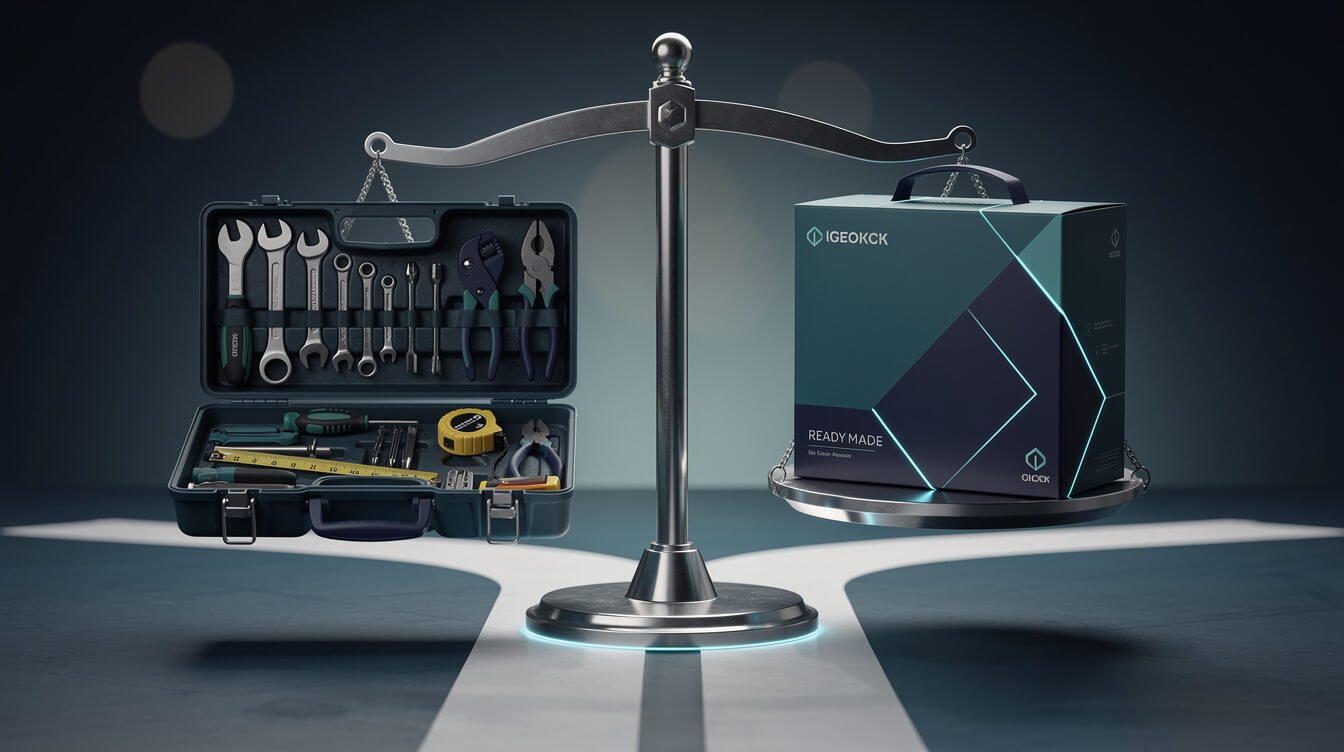
Forget the ideology. The build-vs-buy decision for open source AI agents comes down to one question: how load-bearing is this automation?
Here’s the line I use across my own fleet.
Buy (use a closed, managed product) when:
- The automation is a nice-to-have, not core to how you make money.
- You need it working 今天 and can’t afford setup time.
- The task is generic — email triage, scheduling, transcription — and a polished SaaS already nails it.
- You have zero appetite for maintenance and would rather pay to make the problem disappear.
Build (self-host open source) when:
- The automation is load-bearing — it runs every day and your business leans on it.
- Per-seat or per-run pricing would get expensive at your volume.
- You need custom behaviour a closed product won’t give you.
- Long-term control and no lock-in matter more than speed-to-launch.
- You’re willing to own the ops (or hire someone who will).
The trap at both extremes: over-buyers bleed money on subscriptions for things they run thousands of times a month, while over-builders sink weekends into self-hosting a tool that saves them ten minutes a week. Match the effort to the stakes.
And here’s the option most guides skip: you don’t have to decide alone. If open source AI agents clearly fit your business but you don’t want to become a part-time sysadmin, that’s exactly the gap a done-for-you build closes — you get the control and cost profile of open tooling without personally owning the 3 a.m. pager. If that’s where you are, 預約自動化策略會議 and we’ll map the build-vs-buy line for your specific stack.
Running Open-Source Agents in a Real Business: JonOps Receipts
Theory is cheap, so here’s what this actually looks like in production. JonOps is the system that runs ten autonomous brands — including the one publishing this post — and it’s built heavily on open and self-hostable tooling.
A few concrete receipts:
- Self-hosted orchestration. A single self-hosted n8n instance coordinates workflows across the fleet. The recurring cost is a rounding error — one cheap server — versus what per-run SaaS pricing would bill for the same execution volume.
- Agents that publish without me. The post you’re reading was assembled by an agent: it picked the topic from a queue, researched the live SERP, wrote the draft, generated its own images, and published — on a schedule, unattended. That pipeline runs on open tooling I control, not a closed product I rent.
- File-based memory. Each brand’s agent keeps its long-term memory in plain files it owns and updates. No proprietary database, no vendor holding my context hostage. If I moved hosts tomorrow, the memory moves with it.
- Model-agnostic by design. Because the orchestration is open, I can point an agent at whichever model is best for the job. The plumbing doesn’t care.
The honest footnote: this didn’t appear fully formed. It’s the compounding result of choosing tools I could own and being willing to be the ops team when things broke. That willingness is the real prerequisite — not coding ability. If you want to see how the pieces map onto a smaller operation first, my rundown of the 小型企業的最佳人工智慧代理 is the gentler on-ramp, and the Claude Agent SDK 指南 covers the code-first path for when you outgrow visual tools.
FAQ: Are They Free? Do I Need to Code? Are They Safe to Run Unattended?
Are open source AI agents actually free?
The software licence is free. Running them is not. You’ll pay for hosting (a cheap VPS) and, in almost every case, for the underlying model’s API usage per token. Budget “low but not zero” — think tens of dollars a month for a modest setup, not hundreds, and definitely not the per-seat pricing of closed platforms.
我需要懂程式設計嗎?
It depends entirely on the tool. Visual, self-hostable platforms like n8n let you run genuine agent workflows with little to no code. Frameworks like CrewAI, LangGraph, and AutoGen require Python. The mistake is assuming “open source” means “no code” — it means “you can see and change the code,” which is different.
Is it safe to run an open source agent unattended?
Only if you scope it carefully. An unattended agent should have least-privilege access (only the permissions it truly needs), no ability to touch anything genuinely destructive without a human check, and its credentials kept out of prompts and logs. Run it read-mostly first, watch it for a while, and expand its powers slowly. Safe-to-run-unattended is earned, not assumed.
What’s the single best open source AI agent tool to start with?
For a non-developer solopreneur: n8n. It’s self-hostable, visual, has real agent capabilities, and gives you the open-source cost and control profile without demanding you write Python. Start there, and reach for the code-first frameworks only when you hit a wall n8n can’t clear.
How is this different from a no-code AI agent builder?
No-code builders are usually closed, managed products — easy to start, but you’re renting and you inherit their limits and pricing. Open source AI agents can be no-code (n8n) or code-heavy (CrewAI), but the defining trait is ownership: you host it and control it. Easier isn’t always cheaper or more durable.
Final Thoughts: Own Your Agents, Own Your Leverage
Open source AI agents aren’t magic and they aren’t free lunch. What they are is leverage you own — control, low running cost, and freedom from anyone else’s roadmap or off switch — in exchange for being willing to run the thing yourself. For a solopreneur building something meant to last, that trade is often exactly the right one. For a nice-to-have you need working this afternoon, it usually isn’t.
The skill isn’t coding. It’s judgment: knowing which automations are load-bearing enough to own, and which to happily rent. Get that call right and a one-person business starts operating like a ten-person one — quietly, cheaply, on infrastructure you control. If you’d rather have that leverage without personally becoming the ops team, 預約自動化策略會議 and we’ll build it with you.
Want the Full Build Playbook?
Get the free AI Playbook and follow how a one-operator business runs like a ten-person team. Real receipts, delivered to your inbox.

📥 免費:《人工智慧劇本》
我用來經營一人代理公司的所有工具和工作流程。 25 年的行銷經驗濃縮成一份實用指南。免費贈送。.

人工智慧與數位行銷策略師
Jon Jones擁有超過25年的數位行銷、電子商務、銷售和國際商務經驗,是一位資深企業家,致力於透過創新的人工智慧解決方案賦能小型企業。他的職業生涯始於華爾街的投資銀行,曾指導企業完成資本募集和應對複雜的市場環境。如今,他的專業領域已拓展至網站開發、品牌設計、產品開發以及課程培訓。.
Jon精通普通話,並在金融和科技領域擁有深厚的功底。他創立了JonJones.ai,旨在為小型企業提供易於使用且具有變革意義的工具,幫助他們簡化營運、拓展客戶並實現永續成長。他對人工智慧、自動化和數位化策略的精通,已幫助許多企業彌合了傳統模式與現代技術之間的鴻溝,確保它們在當今的數位化環境中蓬勃發展。.