
Let me save you the marketing pitch: OpenAI Agent Kit (branded “AgentKit,” which is what most people mean when they search “openai agent kit”) is not one product. It’s a bundle of four tools OpenAI announced at DevDay to help you build, deploy, and measure AI agents without stitching together a dozen half-baked pieces yourself. That sounds great. And parts of it genuinely are.
But here’s the thing every tutorial, every Udemy course, and every “practical guide” ranking for this term conveniently skips over: OpenAI is already sunsetting two of the four pieces. I run more than ten autonomous businesses on AI agents that publish, email, and post while I sleep, so when a big platform ships a shiny new agent toolkit, the first question I ask isn’t “how do I use it” — it’s “will this still exist in eighteen months, and what happens to my business if it doesn’t?” This post is that answer, written by an operator who actually ships, not a review farm chasing the keyword.
What OpenAI Agent Kit Actually Is
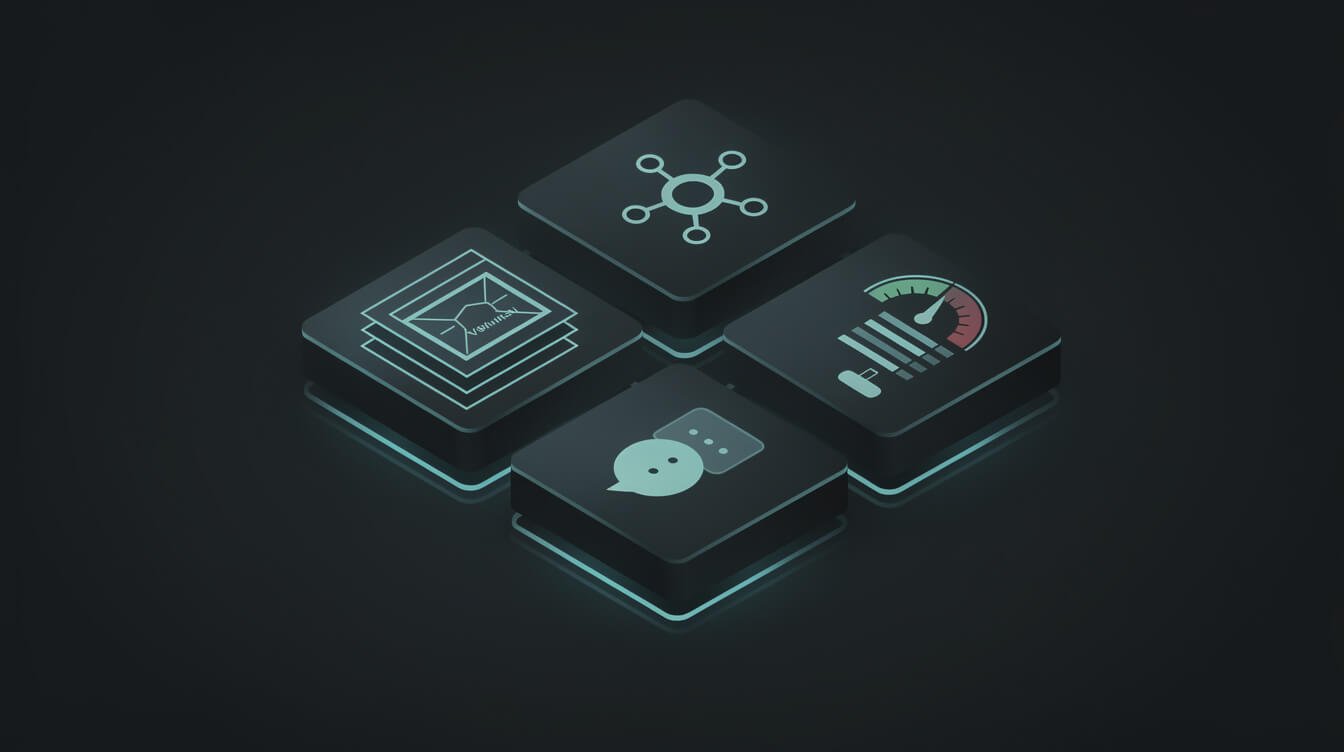
AgentKit launched on October 6, 2025 as a “complete set of tools for developers and enterprises to build, deploy, and optimize agents.” Underneath the branding, OpenAI Agent Kit is really four separate building blocks sitting on top of the Responses API:
- Agent Builder — a visual, drag-and-drop canvas for composing multi-agent workflows, with versioning and preview runs. This is the piece most people picture when they hear “AgentKit.” If you’ve seen my breakdown of ChatGPT Agent Builder, this is that same canvas.
- ChatKit — a toolkit for embedding a customizable, chat-based agent interface directly inside your own product, so you skip weeks of frontend work.
- Connector Registry — a central admin panel for managing how data and tools connect across your OpenAI products (think: one place to govern which agents can touch which systems).
- Evals (expanded) — evaluation tooling with datasets, trace grading, automated prompt optimization, and even third-party model support, so you can measure whether your agent is actually getting better instead of guessing.
Put simply: Agent Builder is the “wire up the logic” tool, ChatKit is the “put a chat window on it” tool, Connector Registry is the “control what it can reach” tool, and Evals is the “prove it works” tool. It’s a legitimately thoughtful bundle. OpenAI even has receipts — Ramp reportedly went from a blank canvas to a working buyer agent in a few hours, and Klarna’s support agent handles two-thirds of its tickets. That’s real.
Why bundle them at all? Because until AgentKit, building an agent meant duct-taping fragmented tools together — orchestration with no versioning, custom connectors, manual eval pipelines, prompt tuning by vibes, and weeks of frontend work before you could show anyone a demo. AgentKit’s pitch is that it collapses all of that into one coherent surface built on the Responses API (the same foundation as the Agents SDK that OpenAI shipped back in March). For a team that lives inside OpenAI’s ecosystem, that consolidation is real leverage. The question is never whether the tool is clever — it’s whether the specific pieces you’d lean on are the ones sticking around.
So far, so good. Now let’s talk about the part that changes everything.
The Part Nobody’s Tutorial Leads With: What’s Getting Sunset

Go to OpenAI’s own AgentKit announcement page right now. Before you get to a single feature, there’s an update dated June 3, 2026:
OpenAI is winding down the Agent Builder and Evals products. From November 30, 2026 onward, they will no longer be available on the OpenAI platform.
Read that again. Two of the four things that make up “OpenAI Agent Kit” are being killed. The visual canvas everybody’s making tutorials about — gone at the end of November 2026. The evaluation suite — gone with it. That’s roughly seven months of runway from when I’m writing this, on a tool that launched barely a year earlier.
What survives? ChatKit and the Connector Registry stay. And OpenAI’s guidance is clear about where to go next: if your workflow “should continue as code,” they point you to the Agents SDK. If it’s better suited to plain-language prompting, they point you to Workspace Agents in ChatGPT. The docs now file Agent Builder under legacy APIs.
I’m not telling you this to dunk on OpenAI — fast iteration is how they move, and consolidating a visual builder into code-first and prompt-first paths is a defensible call. I’m telling you because every other page ranking for this keyword is teaching you to invest hours learning a tool with a published expiration date, and not one of them mentions it. When I evaluated Vertex AI Agent Builder, the same pattern held: the marketing leads, the caveats hide. An honest operator’s guide flips that order.
How Agent Builder Actually Works (While It’s Still Here)
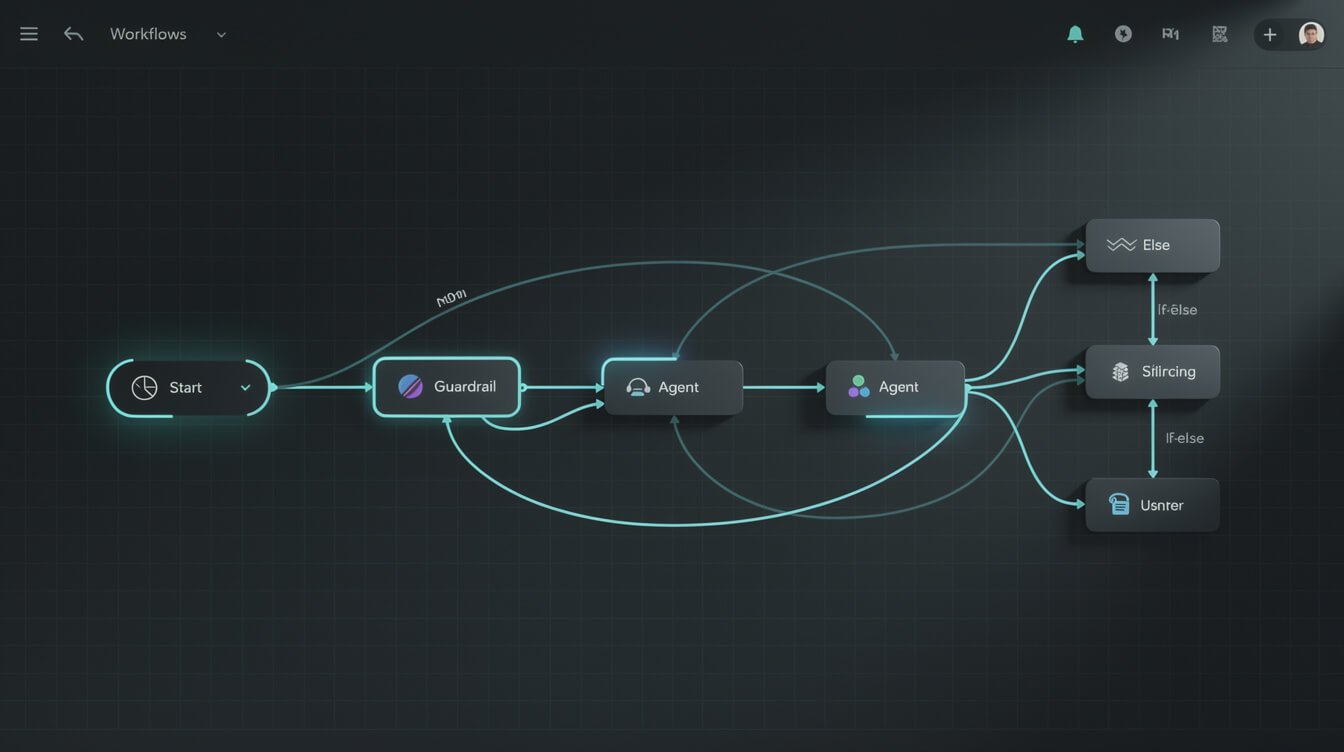
If you still want to try Agent Builder before it retires — and there are good reasons to, which I’ll get to — here’s what you’re actually working with. It’s a visual canvas that will feel instantly familiar to anyone who’s touched n8n, Make, or Zapier. You drag nodes onto a board and connect them with lines that represent the flow of a request.
The node types tell you everything about how OpenAI thinks about agents:
- Start — where a request enters the workflow.
- Agent — an LLM-powered step with its own instructions and tools (you can run several, hand off between them, and pick models like GPT-5, GPT-5-mini, or 4o).
- Guardrails — dedicated safety nodes for things like jailbreak detection, PII filtering, moderation, and hallucination checks. These are genuinely nice as first-class citizens.
- If/else — branching logic, so a “classification agent” can route a request to the right specialist.
- MCP — connect external tools and data via the Model Context Protocol.
- File search, User approval, , 和 Note nodes for retrieval, human-in-the-loop steps, and documentation.
In practice, the experience lands somewhere between “pleasant” and “deceptively simple.” Wiring up a linear flow — start, one agent, a guardrail, done — takes minutes and feels magical. The trouble starts when real life shows up: an edge case the classification agent misroutes, a tool call that times out, a guardrail that’s too aggressive and blocks legitimate requests. The canvas makes the happy path obvious and the failure paths easy to forget, which is precisely the trap that turns a slick demo into a 2 a.m. incident. That’s not unique to OpenAI — it’s true of every visual builder, including the ones I use — but it’s worth naming before you fall in love with the preview run.
You get Preview to test runs, inline Evals to grade them, full versioning, and a 程式碼 button that exports the whole thing to TypeScript or Python via the Agents SDK. That export button, honestly, is the most important feature in the whole tool — and it’s your escape hatch, which we’ll come back to.

竊取我的人工智慧劇本
The exact systems I use to run ten-plus autonomous businesses with AI agents. Free, no fluff.
What OpenAI Agent Kit Is Genuinely Good At

I don’t want this to read as pure skepticism, because OpenAI Agent Kit does two things really well, and if either matches your situation it’s worth your time even with the clock ticking.
First: speed from zero to a working prototype. The visual canvas plus prebuilt templates genuinely collapses “I have an idea” into “I have a running demo” in an afternoon. For validating whether an agent workflow is even worth building, that’s valuable. Ramp’s few-hours buyer agent wasn’t a fluke — the tool is built for fast iteration.

⚡ 取得人工智慧優勢
每週提供真正省時省錢的AI小技巧。沒有廢話,沒有誇大其詞——只有切實有效的方法。.
Second: if you’re already all-in on OpenAI and shipping a product that needs an embedded chat agent, ChatKit is the real prize — and it’s not going anywhere. Skipping weeks of frontend work to embed a polished, customizable agent UI inside your app is a legitimate reason to reach for this kit. The guardrail nodes and Connector Registry also make it easier to keep an enterprise security team comfortable.
Here’s a concrete example from my own fleet. One of my agents drafts and publishes blog posts end to end — research, writing, image generation, SEO, publishing. Getting the 第一的 post out was an afternoon’s work, exactly like Ramp’s buyer agent. Getting it to run every single night, unattended, without publishing something embarrassing or breaking when an API hiccuped, took weeks of guardrails, retries, logging, and fallbacks. The demo was 5% of the effort. The reliability was the other 95%. A visual canvas gives you the 5% fast — which is fantastic for proving the idea, and completely silent about the 95% that actually keeps a business running.
Where it gets shakier is the gap between “works in a demo” and “runs my business unattended at 2 a.m.” A visual canvas that impresses in a preview run is not the same as a system you trust to email your customers while you’re asleep. That gap — the boring, load-bearing reliability part — is exactly where most teams underestimate the work. If you’d rather have that gap closed 為了 you rather than discover it the hard way, that’s literally the work I do; you can book a meeting with me and we’ll pressure-test whether an agent belongs in your business at all before you build one.
My Honest Verdict: Should You Build Your Business on It?

Here’s my rule, and I apply it to every tool in my stack: buy the nice-to-haves, build the load-bearing things.
If an agent is a nice-to-have — a demo, an internal experiment, a prototype you want in front of a client this week — then yes, use Agent Builder. It’s fast, it’s visual, and the fact that it’s being sunset barely matters for something you’ll rebuild anyway. Prototype freely.
But if the agent is 承重 — if your revenue, your customer replies, or your reputation depend on it running correctly and unattended — then no, I would not build that on Agent Builder specifically. Not because it’s bad, but because OpenAI just told you, in writing, that it disappears on November 30, 2026. Building a load-bearing system on a tool with a published death date is a choice you’ll regret the week it’s deprecated and you’re migrating under pressure instead of on your own schedule.
The nuance: this verdict is about Agent Builder, not about OpenAI’s models or the broader ecosystem. The Agents SDK (code) and ChatKit are staying, and they’re a fine foundation. My caution is narrow and specific — don’t pour concrete on the one component that’s already scheduled for demolition. If you want the deeper framework I use for this call, I wrote it up in how to build an AI agent as a solopreneur.
What to Build Instead (A Comparison Table)
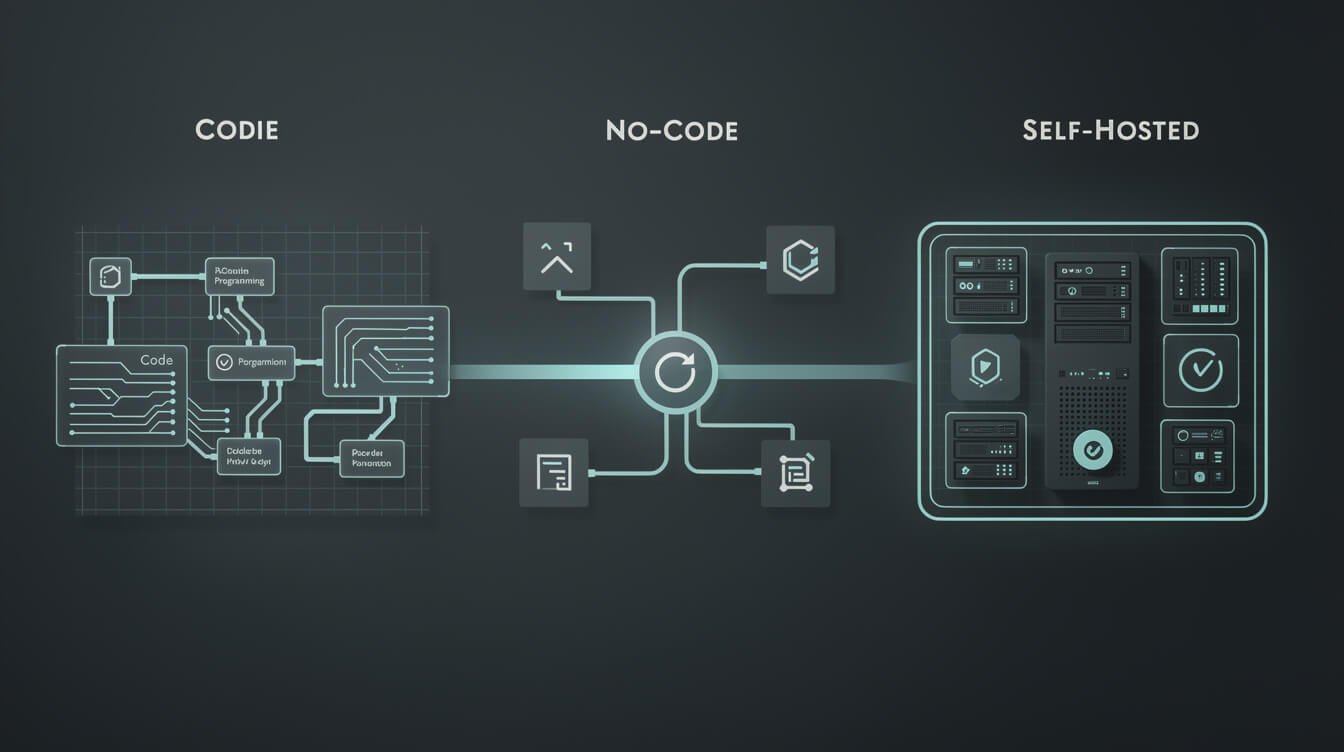
So if not the visual canvas, then what? It depends entirely on whether you write code, and how much you value owning your stack versus renting it. Here’s how I’d frame the real options for a solopreneur or small team:
| 選項 | 最適合 | 陷阱 | Do you own it? |
|---|---|---|---|
| OpenAI Agent Builder | Fast visual prototypes, OpenAI-native teams | Sunset Nov 30, 2026; export to code before then | No — rented |
| OpenAI Agents SDK | Devs who want code-first agents that survive the sunset | You write and host the code yourself | Partly — your code, OpenAI’s models |
| Claude Agent SDK | Operators who want a serious code-first agent framework | Requires comfort in a terminal | Partly — your code, your infra |
| Self-hosted n8n | Visual workflows you actually control and can run forever | You’re the ops team (updates, hosting) | Yes — fully yours |
| No-code agent tools | Non-coders who want something running this week | Vendor lock-in and per-run pricing | No — rented |
Read that table as a spectrum of ownership, not a ranking. The further down you go, the more control and longevity you get, and the more of the plumbing you’re responsible for. There’s no shame in renting — if you don’t write code and you need something live this week, a no-code tool you’ll happily replace later beats a perfect self-hosted system you never ship. The mistake is renting something load-bearing and pretending you own it. Pick your row based on the stakes of the specific agent, not on which tool has the best launch video.
My actual production stack for the ten-plus businesses I run leans on self-hosted n8n as the nervous system and code-first agents for the heavy lifting — because when something is load-bearing, I want to own it outright, not wake up to a deprecation email. That’s not the right answer for everyone. But it’s the one that lets me sleep while the agents work.
Frequently Asked Questions About OpenAI Agent Kit
Is OpenAI Agent Kit free?
AgentKit itself is a set of tools layered on OpenAI’s platform — you don’t pay a separate “AgentKit fee,” but you pay for the underlying model tokens and API usage your agents consume. Costs scale with how much your agents run, which is exactly why the “will it survive” question matters more than the sticker price.
我需要懂程式設計才能使用它嗎?
Not for Agent Builder — the whole point of the visual canvas was no-code composition. But since Agent Builder is being sunset in favor of the code-first Agents SDK (or the prompt-first Workspace Agents in ChatGPT), the honest answer for anything long-term is: some code helps, or use a tool built to last like a no-code agent platform you control.
What exactly is being discontinued?
Per OpenAI’s own notice, Agent Builder and Evals are being wound down and will be unavailable after November 30, 2026. ChatKit and the Connector Registry are staying. If you built anything in Agent Builder, use the Code export to move it to the Agents SDK before the deadline.
Is it safe to run an OpenAI agent unattended?
AgentKit’s guardrail nodes (jailbreak, PII, moderation, hallucination checks) and User Approval steps are a solid start. But “safe unattended” is a discipline, not a feature — read-only first, human-approval on anything irreversible, and log every action. I hold every one of my autonomous agents to that standard regardless of the platform.
OpenAI Agent Kit vs building my own — which wins?
For a throwaway prototype, AgentKit wins on speed. For a system your business depends on, owning your own agent build wins on longevity and control. Match the tool to the stakes.
最後想說的話
OpenAI Agent Kit is a genuinely good toolkit with a genuinely important asterisk. The four pieces — Agent Builder, ChatKit, Connector Registry, and Evals — are thoughtfully designed, and for fast prototyping or embedding a chat agent in your product, they earn their place. Just go in with both eyes open: two of those four pieces have a published expiration date, and the tutorials cheering you into the visual canvas won’t tell you that.
Prototype on it freely. Prove your idea in an afternoon. But when the agent becomes load-bearing — when your business actually leans on it — build it somewhere you own, so no deprecation notice can pull the rug. If you want a second set of eyes on that decision before you commit, 預約會議 and we’ll figure out what actually belongs in your business. — Jon
取得人工智慧策略手冊
Join the operators getting my real autonomous-business build logs and playbooks, straight to your inbox.

📥 免費:《人工智慧劇本》
我用來經營一人代理公司的所有工具和工作流程。 25 年的行銷經驗濃縮成一份實用指南。免費贈送。.

人工智慧與數位行銷策略師
Jon Jones擁有超過25年的數位行銷、電子商務、銷售和國際商務經驗,是一位資深企業家,致力於透過創新的人工智慧解決方案賦能小型企業。他的職業生涯始於華爾街的投資銀行,曾指導企業完成資本募集和應對複雜的市場環境。如今,他的專業領域已拓展至網站開發、品牌設計、產品開發以及課程培訓。.
Jon精通普通話,並在金融和科技領域擁有深厚的功底。他創立了JonJones.ai,旨在為小型企業提供易於使用且具有變革意義的工具,幫助他們簡化營運、拓展客戶並實現永續成長。他對人工智慧、自動化和數位化策略的精通,已幫助許多企業彌合了傳統模式與現代技術之間的鴻溝,確保它們在當今的數位化環境中蓬勃發展。.