Every Monday I take one popular belief about AI agents and test it against my own fleet. This week’s is the one on almost every landing page: “Your AI agent works 24/7.”
I run an AI agent 24/7 for this business. At least, that’s how I used to describe it. This morning I measured it properly. Over the last 30 days my agent was actually working for 59 hours. That’s 8.2% of the month. The other 91.8% it was asleep, and the business still published, posted, answered and followed up every single day.
The receipt: 402 runs, 59 hours, 8.2% awake
I timed every job from September 26 to October 25 using its log file: when it started and when it last wrote anything.
- 402 runs across 20 different jobs. Blog posts, social scheduling, inbox triage, outreach, a nightly health check.
- The median run took 6.6 minutes. 90% finished inside 18 minutes. The longest took 37.
- A typical day used about 88 minutes of agent time. The busiest day used 4.4 hours.
- Every night there’s a quiet stretch of up to 7 hours where no agent runs at all.
- My inbox agent checks email twice a day. That’s 60 check-ins in a month, 4.5 hours in total, about 3 minutes each. When I counted last month’s emails, about 2% actually needed a reply. A round-the-clock watcher would have spent its hours waiting.
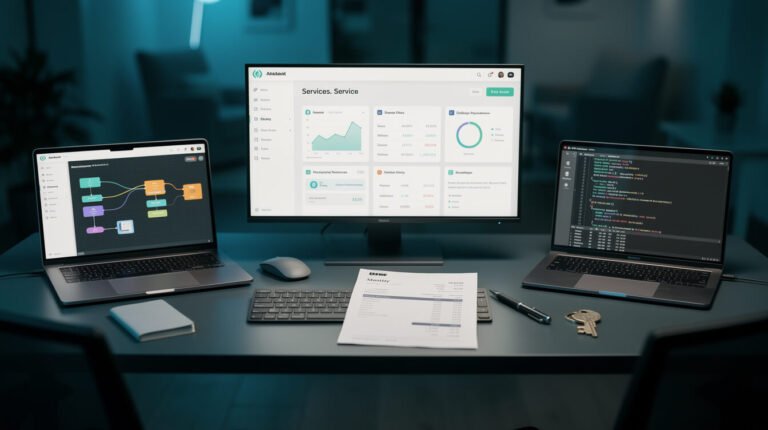
So what does run 24/7? A 429-line Python scheduler. It has been up for almost two and a half days straight and has used 19 seconds of CPU and 13 MB of memory in that time. Its whole job is to look at the clock, start the right agent at the right minute, and go back to waiting. That’s the “24/7” part. It’s an alarm clock, not a worker.
Why the myth costs you money
“AI agent 24/7” sells the idea of a tireless employee who never clocks out. That idea leads people to build the wrong thing:

⚡ 取得人工智慧優勢
每週提供真正省時省錢的AI小技巧。沒有廢話,沒有誇大其詞——只有切實有效的方法。.
- They pay for idle time. An always-on agent burns tokens and server hours while nothing is happening. A scheduled one only costs money while it works. (I broke down what running an agent actually costs a while back.)
- They can’t tell when it’s done. A job with a start and an end can report “finished, here’s what I did”. A loop that never ends just drifts. Short runs are also why I can put a hard timeout on every agent.
- They skip the real design question: 什麼時候 does your business actually need something checked?
There is one honest exception: things that arrive on their own clock, like inbound phone calls or a live chat. Even there the agent isn’t “working” between calls. It’s triggered by an event. My AI接待員成本明細 covers that case.
Your action step this week
Before you buy or build an “always-on” agent, write down three times a day when something in your business genuinely needs attention. For most small businesses it looks like this: first thing in the morning, after lunch, and end of day. That list 是 your agent’s schedule. Start with one job at one of those times and let it finish. Then add the next one.
If you want to see how the scheduling layer works under the hood, my Claude Code loop guide walks through the cron loop behind 1,800+ unattended runs.
判決結果: myth busted. A good AI agent doesn’t work 24/7. It shows up on time, does the job in minutes, and leaves a note. Want help mapping your business onto a schedule like this? 預約策略會議 and we’ll find your three check-in times together.
下週一見。.
喬恩

📥 免費:《人工智慧劇本》
我用來經營一人代理公司的所有工具和工作流程。 25 年的行銷經驗濃縮成一份實用指南。免費贈送。.

人工智慧與數位行銷策略師
Jon Jones擁有超過25年的數位行銷、電子商務、銷售和國際商務經驗,是一位資深企業家,致力於透過創新的人工智慧解決方案賦能小型企業。他的職業生涯始於華爾街的投資銀行,曾指導企業完成資本募集和應對複雜的市場環境。如今,他的專業領域已拓展至網站開發、品牌設計、產品開發以及課程培訓。.
Jon精通普通話,並在金融和科技領域擁有深厚的功底。他創立了JonJones.ai,旨在為小型企業提供易於使用且具有變革意義的工具,幫助他們簡化營運、拓展客戶並實現永續成長。他對人工智慧、自動化和數位化策略的精通,已幫助許多企業彌合了傳統模式與現代技術之間的鴻溝,確保它們在當今的數位化環境中蓬勃發展。.