
Search “ai social media post generator” and you’ll get fifty tools that all do the same thing: you type a prompt, they hand back a caption, you copy it, you paste it, you post it. Then tomorrow you do it again. And the day after that. The generator did its one job — but you’re still the one showing up every single day to feed it, dress it, and ship it.
That’s the part nobody selling you a generator wants to talk about. A generator writes a caption. A system writes the caption, makes the image, reformats it for each platform, schedules it, and publishes it — while you’re asleep. I run ten autonomous brands off exactly that kind of system, and in this guide I’ll show you the honest difference, the best generators for a quick one-off, and how I wired mine into a pipeline that posts without me.
What an AI Social Media Post Generator Actually Does (and Doesn’t)

An ai social media post generator is a narrow tool with a narrow job: you give it a topic, a tone, and maybe a platform, and it returns caption text. The good ones — Canva, Buffer, ChatGPT — are genuinely useful. They kill the blank-page problem in about four seconds. If your struggle is “I don’t know what to write,” a generator solves it cleanly.
But look closely at what the tool actually hands you: a block of text. That’s it. It doesn’t know whether you already posted something similar last week. It doesn’t make the accompanying image. It doesn’t resize your square Instagram graphic into a 16:9 Facebook banner or a 9:16 Story. It doesn’t queue anything. And it definitely doesn’t hit “publish” on ten platforms at 7am for you.
It also helps to name the three things people constantly confuse, because the marketing blurs them on purpose. A generator makes content. A scheduler (Buffer, Metricool, Hootsuite) queues content you already made. An agent does the whole loop — decides, makes, schedules, publishes, and reports back — on its own. Most “AI social media” tools are a generator wearing a scheduler’s coat, and they let you assume the agent part is included. It isn’t. Knowing which of the three you’re actually buying saves you a month of disappointment.
Here’s the honest framing: a generator removes one point of friction — the writing — out of a chain that has at least five. That’s why people who buy a generator to “fix their social media” end up disappointed a month later. The blank page was never really the bottleneck. The doing it every day, forever was.
The 5 Best AI Post Generators for a Quick One-Off

If all you need is a caption right now, you don’t need a system. You need a good generator and thirty seconds. Here are the five I’d actually reach for, with the honest catch on each.
- Canva Magic Write — Best if you also need the graphic. It sits right next to Canva’s design tools, so you can generate a caption and a matching visual in the same tab. The catch: it’s a design-first tool, so the copy is competent but generic. Great for visuals, average for voice.
- Buffer’s AI Assistant — Best free option tied to scheduling. Buffer lets you generate a post and drop it straight into a queue. The catch: the free tier’s scheduling is thin, and it still expects you to manage the queue by hand.
- ChatGPT or Claude — Best for voice and flexibility. A general model with a good prompt will out-write most purpose-built generators because you can feed it your actual brand voice and past posts. The catch: zero built-in publishing — it’s pure text in, text out.
- SocialBee — Best for content categories. It generates posts and organizes them into recycling categories, which is smart for evergreen content. The catch: the pricing climbs fast once you add profiles.
- Copy.ai / Predis.ai — Best for volume and templates. If you want ten caption variations for A/B testing, these spit them out quickly. The catch: high volume, low soul — you’ll edit heavily.
Pick any of them. Honestly. For a one-off announcement or a slow-posting personal account, a single ai social media post generator is the right tool and building anything more is overkill. The problem only shows up when “post consistently” becomes the actual goal.
Why an AI Social Media Post Generator Alone Won’t Fix Your Posting Problem

Let me put a number on the thing nobody measures: the copy-paste tax. This is the invisible labor between “I have a caption” and “the post is live across my platforms.”
Walk it through for a single post. You generate the caption. You tweak it, because generic AI copy always needs a human pass. You open a design tool and make the image. You export it. You resize it for the platforms that want a different aspect ratio. You open Instagram, paste, add hashtags, post. You open Facebook, adjust the caption because what works on IG reads weird on FB, post. LinkedIn — rewrite again, more professional, post. X — cut it to fit, post. Repeat for every network you care about.
Realistically that’s ten to fifteen minutes per post, per day, if you’re fast and disciplined. Call it 90 minutes a week. That’s not a content problem — the generator already solved the content in four seconds. It’s a logistics problem, and no generator on the market touches it. You can have the best captions in the world and still quit posting in three weeks, because the tax compounds and motivation doesn’t.
Run the math out and it gets worse. Ninety minutes a week is 78 hours a year — nearly two full work weeks spent copying, pasting, and resizing. And that’s the optimistic version, where you never skip a day and never get pulled into “I’ll batch it this weekend” (you won’t). The tax isn’t just time; it’s the decision fatigue of facing the same manual chore every morning. That’s what actually breaks streaks. Not a lack of captions — a lack of appetite for the fortieth consecutive day of logistics.
This is the trap in a sentence: a generator makes writing faster, but writing was never the slow part. The slow part is everything that happens after the caption exists.

Want the systems, not just the tips?
Grab the free AI Playbook — the exact autonomous pipelines I run across ten brands, written for operators who’d rather build once than post by hand forever.
The Missing Layers: Image, Reformat, Schedule, Publish
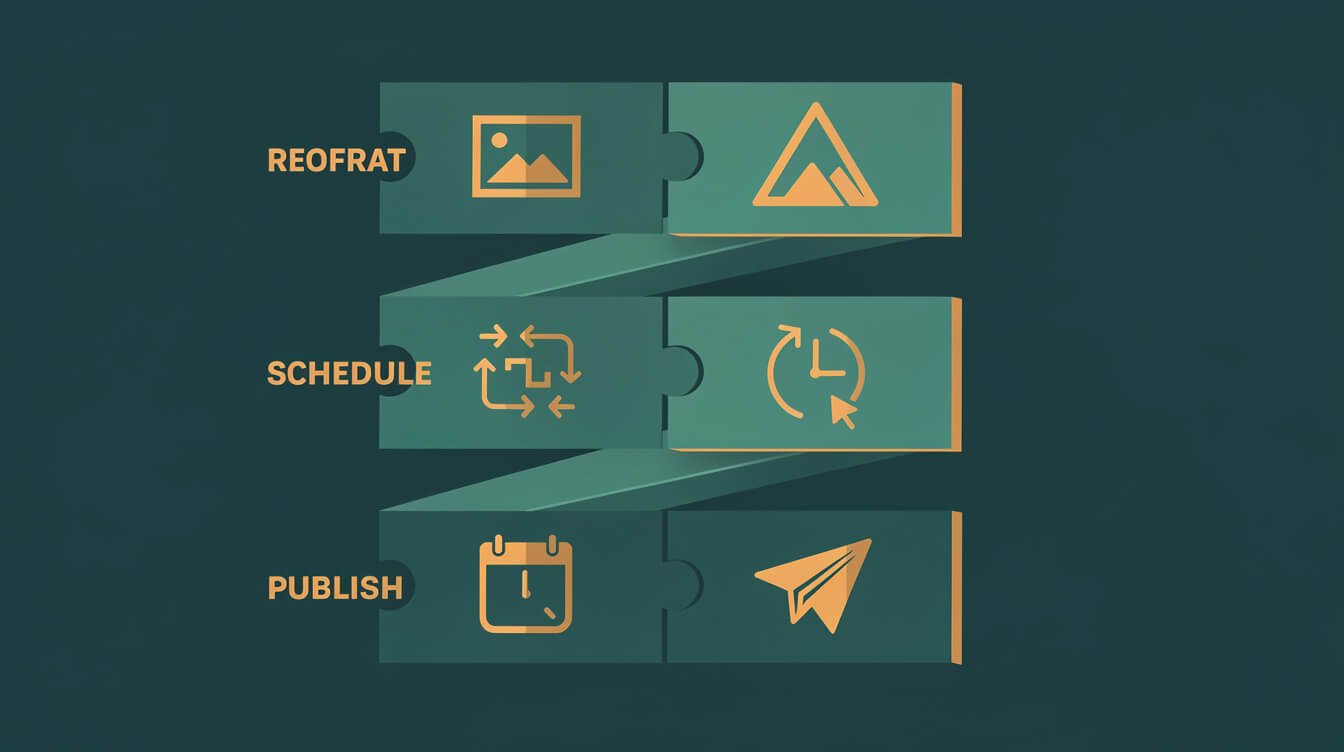
So what turns a generator into something that actually keeps you posting? Four layers the tool pages never mention. Think of the caption as layer zero — necessary, but useless on its own. On top of it you need:
- Image generation. Text alone dies in the feed. Every post needs a visual, and it needs to be on-brand, not a stock photo everyone recognizes. This is a job for an AI image pipeline, not a manual trip to a design app.
- Platform reformatting. A caption that lands on Instagram is too long for X, too casual for LinkedIn, and needs a different image ratio on every network. Reformatting is mechanical, repetitive, and exactly the kind of thing workflow automation should do — not you, by hand, at midnight.
- Scheduling. Consistency beats intensity on social. A schedule means posts go out at the right time whether or not you’re at your desk. Without this layer, “consistent posting” depends entirely on your daily willpower, which is a terrible thing to depend on.
- Publishing. The final mile. Something has to actually push the content to each platform’s API. This is the layer that separates a queue you still babysit from a pipeline that runs itself.
People chronically underrate the reformatting layer because each individual instance is trivial — “it’s just trimming a caption, it takes ten seconds.” The problem is that ten seconds times four platforms times daily posting times a year is exactly the kind of tiny-but-relentless task that software eats for breakfast and humans quietly abandon. Anything you’d describe as “it’s easy, I just have to remember to do it every day” is a flashing sign that it belongs in a pipeline, not on your plate.

⚡ GET THE AI EDGE
Weekly AI tips that actually save you time and money. No fluff, no hype — just what works.
Stack those four on top of a generator and you no longer have a tool — you have a system. And the difference in your life is enormous: one is a thing you operate every day, the other is a thing that operates on your behalf. If you want the deeper mental model here, I broke down the assistant-versus-autonomous fork in my guide to building a social media AI agent.
How I Wired a Generator Into a Pipeline That Posts Without Me (JonOps Receipt)

Here’s the receipt — the actual shape of the pipeline that runs social for my ten brands. None of this is theoretical. It ran last night, and it’ll run again tonight while I’m asleep.
It’s a scheduled agent, not a person clicking buttons. Once a day, per brand, it fires and walks the whole chain:
- Generate. The agent pulls the day’s angle from an Airtable queue and writes platform-specific captions — a punchy version for X, a warmer one for Facebook, a professional cut for LinkedIn. Same idea, four voices. This is the “generator” step, except it’s happening inside a loop instead of in a browser tab I have to sit in front of.
- Image. It fires a prompt at a Flux image model, gets back an on-brand visual, compresses it, and uploads it to a Cloudinary CDN. (Small operator detail that took me a while to learn: you route social images through a plain-JPEG CDN because Meta’s APIs reject the WebP files WordPress likes to auto-generate.)
- Schedule. Caption plus image get pushed into Metricool, which handles the scheduling and the actual publish to all ten networks — Facebook, Instagram, Threads, X, Bluesky, LinkedIn, Pinterest, and the rest. One API call, ten destinations.
- Log. Every send gets written back to Airtable so I have a paper trail, and I get a one-line Telegram ping: “posted, here’s what went out.” That’s the only part I see.
Here’s what last night actually looked like from my side: nothing. I was asleep. The agent woke on its cron schedule, pulled the queued angle, wrote four platform-tuned captions, generated a dark-teal on-brand image, pushed everything into Metricool for a morning send, logged the run, and pinged my phone. My entire involvement was reading one Telegram line over coffee that said it was done. Multiply that by ten brands and you understand why I care so little about which ai social media post generator is “best” this month — the generator is a swappable part inside a machine that does the work I used to do by hand.
The whole thing costs me a rounding error — a few dollars a month of VPS plus tens of dollars in model tokens across all ten brands. The generator is one node in that chain. That’s the entire point of this article: the generator was never the product. The pipeline is. If you want the same machine built for your brand without learning to wire it yourself, that’s literally what I do — you can book an automation strategy session and we’ll map it out.
When to Just Use a Generator vs Build the System
Not everyone needs a pipeline. I’d be a hypocrite for pretending otherwise — I preach “build load-bearing, buy nice-to-haves.” So here’s the honest decision line.
Just use a generator when: you post a few times a week, you’re on one or two platforms, social isn’t your main growth channel, or you actually enjoy the daily ritual of writing and posting. In that case a free ai social media post generator plus a scheduler is not just enough — building more would be a waste of your time. Don’t automate a problem you don’t have.
Build the system when: posting consistently is load-bearing for your business, you’re spread across four or more platforms, and the copy-paste tax is quietly killing your consistency. The tell is simple — if you’ve abandoned posting more than once because you “got busy,” the problem isn’t your captions. It’s that everything depends on you showing up manually, and that’s exactly what a pipeline removes. The same logic applies across your whole stack, which is why I think in terms of systems that earn their keep rather than tools that just look impressive.
One middle path worth naming: you don’t have to jump straight to a fully autonomous agent. Start by adding just the scheduling layer to your generator. That alone recovers most of the copy-paste tax. Add image automation next. Add multi-platform publishing last. Each layer buys back time, and you can stop wherever the math stops making sense for you.
Frequently Asked Questions
Is there a genuinely free AI social media post generator?
Yes. Canva’s Magic Write and Buffer’s AI Assistant both have real free tiers, and ChatGPT’s free version will write you captions all day. The catch is always the same — free covers the caption, not the scheduling, images, and publishing. You’ll hit the paywall the moment you want the tool to do the work after the caption.
What’s the best AI post generator for Instagram specifically?
For Instagram, Canva is hard to beat because the platform is so visual — you get the caption and the graphic in one place. If you care more about voice than design, use Claude or ChatGPT for the caption and a dedicated image tool for the visual. But remember: on Instagram especially, the image carries the post, so don’t let a text generator be your whole strategy.
Does Google or the platforms penalize AI-generated posts?
No — not for being AI-generated. Platforms penalize low-quality, spammy, repetitive content, which AI makes easier to produce at scale if you’re careless. The fix isn’t avoiding AI; it’s keeping a human standard on what ships. My own blog is agent-written and ranks fine because the bar is “is this genuinely useful,” not “did a human type every word.”
How much does it cost to run a full posting system instead of a generator?
Less than people expect. The generator layer can be free. A scheduler like Metricool has a usable free tier. If you go fully autonomous, you’re looking at a few dollars a month for a small server plus token costs — for my ten brands combined it’s in the low tens of dollars monthly. The expensive part was never the tools. It’s the time you spend doing it by hand.
Final Thoughts
An ai social media post generator is a great answer to the wrong question. It fixes “what do I write,” when the thing actually breaking your consistency is “who does all the work after the caption exists.” A generator is a tool. What you want is a system — caption, image, reformat, schedule, publish — that runs whether or not you feel like showing up.
Start small. Bolt a scheduler onto your generator this week and feel the copy-paste tax drop. Then add the next layer, and the next. And if you’d rather skip the learning curve and have the whole autonomous pipeline built for your brand, book an automation strategy session — building this quietly, in the background, is the entire job.
Build the machine, not the habit
Get the free AI Playbook and my weekly build logs — real receipts from running autonomous businesses on Claude, no fluff, unsubscribe anytime.

📥 FREE: THE AI PLAYBOOK
The exact tools and workflows I use to run a one-person agency. 25 years of marketing experience distilled into an actionable guide. Yours free.

AI & Digital Marketing Strategist
With over 25 years in digital marketing, e-commerce, sales, and international business, Jon Jones is a seasoned entrepreneur dedicated to empowering small businesses through innovative AI solutions. His journey began in investment banking on Wall Street, guiding companies through capital acquisition and complex markets, and has expanded to include expertise in web development, brand design, product development, and courses and training.
Fluent in Mandarin and with a rich foundation in both finance and tech, Jon launched JonJones.ai to provide accessible, transformative tools for small businesses to streamline operations, generate leads, and build sustainable growth. His mastery of AI, automation, and digital strategy has enabled numerous businesses to bridge the gap between traditional practices and modern technology, ensuring they thrive in today’s digital landscape.